
Picture this: you ask your phone to set a reminder, and it understands you perfectly. You open Netflix, and it already knows you’re in the mood for a thriller. Your email filters out spam before you ever see it. Behind all of this sits the same quiet force, artificial intelligence.
But what is AI, exactly? At its simplest, artificial intelligence is the ability of a computer system to perform tasks that would normally require human thinking. Things like recognising speech, making decisions, understanding language, or spotting patterns in mountains of data.
The term “artificial intelligence” was coined back in 1956 by computer scientist John McCarthy, who defined it as the science of making machines that can do things that would require intelligence if done by humans. Decades later, that definition still holds, but the technology has grown in ways McCarthy could barely have imagined.
Today, what is AI is one of the most-searched questions on the internet, and for good reason. AI is no longer a lab experiment or a sci-fi concept. It’s embedded in your smartphone, your bank’s fraud detection, your doctor’s diagnostic tools, and even the ads you see while scrolling. Understanding it isn’t just for engineers, it’s for everyone.
How Does AI Work? The Engine Under the Hood
Think about how you learned to recognise a dog as a child. Nobody handed you a rulebook. You saw dozens of dogs, big ones, fluffy ones, tiny ones, and your brain gradually built a mental model of “dog-ness.” That’s almost exactly how AI works. Through systems designed by an AI application developer using real-world data.
Instead of explicit instructions, most modern AI learns from examples. Feed it thousands of photos labelled “cat” and “not cat,” and over time, it builds its own internal set of rules for telling the difference. This process is called machine learning, and it’s the engine behind most AI today.
The Three Core Steps
Every AI system, no matter how complex, follows three fundamental steps to learn and make decisions.
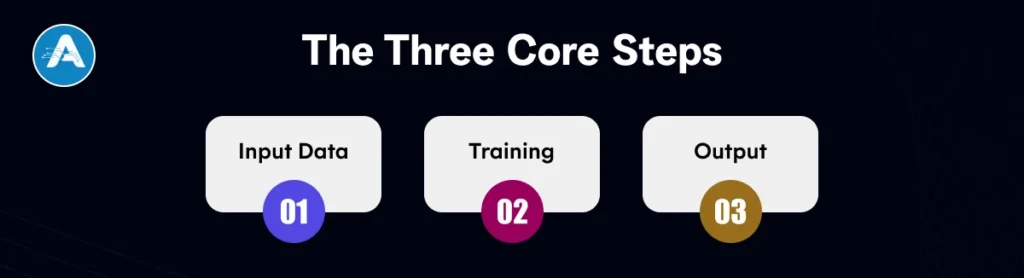
1. Input Data
AI systems are fed huge amounts of data, text, images, numbers, and audio to learn from. Quality data is everything.
2. Training
The system processes data, adjusts its internal parameters, and gradually gets better at identifying patterns.
3. Output
Once trained, the AI makes predictions or decisions on new data it has never seen before.
A key concept here is feedback. When an AI gets an answer wrong, the system is corrected and adjusts itself. Repeat this millions of times, and the AI becomes remarkably accurate, not because someone programmed the right answer, but because it discovered the patterns on its own.
This is why AI artificial intelligence can feel almost magical. The system isn’t following a fixed script. It’s reasoning from experience, just like you would.
Types of AI: Not All AI is Created Equal
Here’s something that surprises most people: the AI that beats world champions at chess cannot drive a car. The AI that writes your emails cannot diagnose a medical scan. That’s because different types of AI are built for different jobs, and most are extremely narrow in scope.
Broadly, researchers classify AI into three categories. Understanding these will completely change how you think about every AI program you encounter.
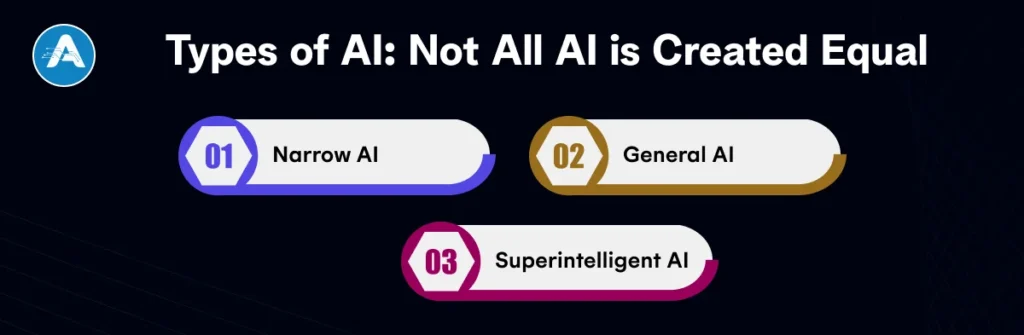
1. Narrow AI
Designed for one specific task. Think Siri, spam filters, recommendation engines, or image recognition tools. This is the only type of AI that actually exists today.
2. General AI
A hypothetical AI that can perform any intellectual task a human can, reasoning flexibly across completely different domains. Still in research territory.
3. Superintelligent AI
An AI that surpasses all human intelligence in every field, creativity, science, and social skills. Pure theory for now, and the subject of much philosophical debate.
Within Narrow AI, there are also useful subtypes worth knowing about. Reactive machines (like chess engines) respond to the present moment but have no memory. Limited memory AI uses short-term data to make decisions. Both are widely used AI programs that power billions of daily interactions.
AI Algorithms: The Brain Behind Artificial Intelligence
When people ask what is AI, they’re really asking how machines make decisions. The answer lies in AI algorithms, the core instructions that power every artificial intelligence system.
An artificial intelligence algorithm is simply a structured set of steps designed to solve problems using data. Think of it like a recipe: instead of ingredients, it uses data inputs; instead of cooking, it processes and learns patterns.
But unlike traditional programs, AI artificial intelligence systems improve over time by learning from experience. This is exactly how AI works: it adapts, refines, and becomes more accurate with more data.

1. Decision Trees
Decision trees work like a flowchart of yes/no questions. They break down decisions step by step, making them easy to understand and interpret. These AI programs are widely used in loan approvals, medical diagnosis, and customer service automation.
2. Neural Networks
Inspired by the human brain, neural networks consist of interconnected layers that process data. They are essential in modern artificial intelligence applications, such as image recognition, speech processing, and language understanding.
3. Reinforcement Learning
This approach teaches machines through trial and error. The system gets rewards for correct actions and penalties for mistakes, gradually improving its performance. It’s commonly used in robotics, gaming AI, and advanced automation systems.
4. Natural Language Processing (NLP)
NLP enables machines to understand and generate human language. It powers chatbots, translation tools, and virtual assistants. This is a key application of artificial intelligence in everyday digital experiences.
5. Deep Learning
Deep learning is a specialised branch of artificial intelligence algorithms that uses multi-layered neural networks. It handles complex tasks like facial recognition, medical image analysis, and large language models. This represents one of the most advanced levels of artificial intelligence in use today.
Applications of AI: Where It’s Already Changing Your Life
The clearest way to understand what is AI is to see where it shows up in your everyday routine. The application of artificial intelligence is no longer futuristic; it’s already embedded in the tools, platforms, and services you use daily.
At its core, AI artificial intelligence systems analyse data, recognise patterns, and make decisions. This is exactly how AI works across industries: the same underlying AI algorithms power completely different real-world use cases.
| Industry | How AI Is Used | Real Example |
| Healthcare | Disease detection, drug discovery, patient risk scoring | AI detects breast cancer in mammograms with accuracy matching senior radiologists |
| Finance | Fraud detection, algorithmic trading, and credit scoring | Your bank flags unusual transactions before you even notice them |
| Education | Personalised learning paths, automated grading, tutoring | Duolingo adapts every lesson to your exact skill level in real time |
| Entertainment | Content recommendation, content creation, personalisation | Netflix’s recommendation engine is responsible for over 80% of the content watched |
| Transport | Route optimisation, autonomous vehicles, traffic prediction | Google Maps uses AI to predict traffic and suggest faster routes in real time |
| Agriculture | Crop monitoring, pest detection, yield prediction | Drone-based AI systems scan fields and detect disease before it spreads |
Final Thought
Let’s take a moment to appreciate how far we’ve come in just a few scrolls. You now understand what is AI, not the sci-fi caricature, but the real technology reshaping industries. You know the difference between types of AI, how AI algorithms learn from data, and the wide gap between the AI of today and the superintelligent AI of science fiction.
Most importantly, you understand that AI is not magic, and it’s not a threat from another world. It is a tool. And like any powerful tool, its true impact depends on how it’s built and used. Whether through a skilled AI development company, a dedicated AI application developer, or advanced AI application development services, the future of AI will be shaped by those who understand it and apply it wisely.
NLP in Healthcare is rapidly transforming how medical data is processed, analyzed, and utilized. With nearly 80% of healthcare data unstructured, ranging from clinical notes to patient feedback, organizations are increasingly adopting NLP technology to unlock meaningful insights.
But what is NLP in healthcare, and why is it gaining so much attention? In simple terms, Natural Language Processing (NLP) enables machines to understand and interpret human language, making it easier to extract valuable information from complex medical records.
From improving patient outcomes to automating administrative workflows, NLP in healthcare is expanding across hospitals, research labs, and digital health platforms. In this blog, we’ll explore the top NLP applications in healthcare, real-world examples, benefits, challenges, and the future of NLP in healthcare.
What is NLP in Healthcare?
NLP in Healthcare refers to the application of Natural Language Processing techniques to understand, interpret, and extract meaningful insights from unstructured medical data. In a healthcare context, NLP enables machines to process human language, such as doctor notes or patient feedback, and convert it into structured data that can be analyzed and used for decision-making.
This is a core part of modern NLP technology in healthcare, helping organizations unlock valuable information that would otherwise remain buried in text-heavy records.
Types of Healthcare Data NLP Works On
The effectiveness of the use of NLP in healthcare depends on the variety of data it can process. Below are the most common types:

1. Clinical Notes
Clinical notes are written by healthcare professionals during or after patient visits.
- Include diagnoses, symptoms, and treatment plans
- Often unstructured and filled with abbreviations
- NLP helps extract key medical entities for analysis
2. Electronic Health Records (EHRs)
EHRs contain a comprehensive digital history of a patient’s health.
- Include demographics, lab results, prescriptions, and visit history
- NLP extracts relevant insights from both structured and unstructured fields
- Plays a major role in many NLP applications in healthcare
3. Radiology Reports
Radiology reports describe findings from imaging tests like X-rays, MRIs, and CT scans.
- Typically written in narrative form
- NLP identifies abnormalities and key observations
- Helps in faster diagnosis and clinical decision support
4. Patient-Generated Data
This includes data created directly by patients outside clinical settings.
- Patient reviews, surveys, wearable device data, chatbot interactions
- NLP analyzes sentiment and health patterns
- Enhances patient engagement and personalized care
Advantages of Using NLP in Healthcare
The adoption of NLP in Healthcare is rapidly increasing because it directly addresses some of the industry’s biggest challenges. The advantages of using NLP in healthcare go far beyond basic automation, offering improvements in efficiency, accuracy, and overall patient care.
1. Improved Clinical Efficiency
One of the most significant benefits of the use of NLP in healthcare is the reduction of administrative workload. NLP automates tasks such as clinical documentation and data entry, allowing healthcare professionals to focus more on patient care instead of paperwork.
2. Better Patient Outcomes
NLP helps in analyzing large volumes of medical data quickly and accurately. This enables faster diagnoses, supports personalized treatment plans, and reduces the likelihood of medical errors.
3. Enhanced Data Utilization
A large portion of healthcare data is unstructured and difficult to analyze. With NLP technology in healthcare, this data is converted into structured formats, making it easier to extract insights and power advanced NLP applications in healthcare.
4. Cost Reduction
By automating repetitive processes such as medical coding, billing, and documentation, NLP helps healthcare organizations reduce operational costs while improving efficiency and accuracy.
5. Real-Time Decision Support
NLP enables real-time analysis of patient data, providing healthcare professionals with actionable insights. This supports better clinical decisions, identifies potential risks, and improves treatment outcomes.
6. Improved Patient Experience
NLP-driven tools like chatbots and virtual assistants enhance communication between patients and providers. They enable faster responses, easier appointment scheduling, and better overall engagement.
Top NLP Applications in Healthcare
The growing adoption of NLP in Healthcare has led to a wide range of impactful solutions across clinical, operational, and research domains. These applications of NLP in healthcare are transforming how medical data is used to improve efficiency and patient outcomes.

Clinical Documentation Automation
One of the most common NLP use cases in healthcare is automating clinical documentation. NLP systems can convert physician speech into structured medical notes and even generate summaries from patient interactions. This reduces documentation time and physician burnout.
Medical Coding and Billing
NLP is widely used to extract relevant information from clinical documents and assign accurate medical codes. This improves billing accuracy, reduces claim denials, and speeds up reimbursement processes.
Clinical Decision Support Systems (CDSS)
NLP enhances decision-making by analyzing patient records and medical literature. It helps clinicians identify potential diagnoses, recommend treatments, and detect risks based on historical data.
Patient Sentiment Analysis
Healthcare providers use NLP to analyze patient feedback, surveys, and reviews. This helps in understanding patient satisfaction, identifying areas of improvement, and delivering better care experiences.
Chatbots and Virtual Health Assistants
AI-powered chatbots are a growing example of NLP in healthcare use cases. They assist patients with appointment scheduling, symptom checking, medication reminders, and answering common queries.
Information Extraction from EHRs
NLP systems can extract key data such as diagnoses, medications, allergies, and lab results from Electronic Health Records. This enables better data accessibility and supports analytics-driven healthcare.
Drug Discovery and Research
NLP helps researchers analyze vast amounts of scientific literature and clinical trial data. It identifies patterns, drug interactions, and potential treatment options, accelerating innovation in pharmaceuticals.
Risk Prediction and Early Diagnosis
By analyzing patient history and clinical notes, NLP models can predict disease risks and identify early warning signs. This supports preventive care and reduces hospital readmissions.
Clinical Trial Matching
NLP is used to match eligible patients with appropriate clinical trials by analyzing patient data and trial criteria. This improves recruitment efficiency and trial success rates.
Automated Report Summarization
NLP can summarize lengthy medical reports into concise, actionable insights. This helps clinicians quickly understand patient conditions and make informed decisions.
Real-World Use Cases of NLP in Healthcare
Understanding real-world implementations helps highlight the true impact of NLP in Healthcare. These practical examples demonstrate how organizations are leveraging NLP applications in healthcare to solve real problems and improve outcomes.
1. Hospital Using NLP for Clinical Documentation
A large hospital implemented NLP-powered speech-to-text systems to automate clinical documentation. Doctors could dictate patient notes, and the system would convert them into structured electronic records in real time.
This NLP in healthcare use case significantly reduced the time spent on manual documentation. Physicians were able to focus more on patient care, while the accuracy and completeness of medical records improved. It also helped standardize data entry across departments, making it easier to analyze patient information.
2. AI Chatbot Improving Patient Engagement
A healthcare provider deployed an AI-powered chatbot to handle patient interactions such as appointment booking, symptom checking, and answering frequently asked questions.
This is one of the most common NLP use cases in healthcare, where conversational AI enhances accessibility and responsiveness. The chatbot was available 24/7, reducing the workload on support staff and improving patient satisfaction. It also collected patient-generated data, which could be analyzed to gain insights into patient needs and behavior.
3. Pharma Company Using NLP in Research
A pharmaceutical company adopted NLP to analyze vast amounts of scientific literature, clinical trial data, and medical reports. The system was able to identify relationships between drugs, diseases, and outcomes much faster than traditional methods.
This use of NLP in healthcare accelerated the drug discovery process and improved research efficiency. Researchers could quickly uncover relevant studies, detect patterns, and make data-driven decisions. It also reduced the time required to bring new treatments to market.
Challenges of NLP in Healthcare
While the benefits are significant, there are several challenges of NLP in healthcare that organizations must address to successfully implement and scale solutions. These challenges stem from the complexity of medical data, strict regulations, and technical limitations.

1. Data Privacy & Security
Healthcare data is highly sensitive, and strict regulations govern its use. Ensuring compliance with data protection laws (such as HIPAA and other regional regulations) is a major challenge when implementing NLP in Healthcare systems. Any breach can have serious legal and ethical consequences.
2. Complex Medical Terminology
Medical language is highly specialized, filled with abbreviations, jargon, and context-specific meanings. NLP models often struggle to accurately interpret this complexity, especially when the same term can have different meanings in different contexts.
3. Unstructured and Inconsistent Data
A large portion of healthcare data exists in unstructured formats like free-text notes. Additionally, inconsistencies in how data is recorded across systems make it difficult for NLP technology in healthcare to process and standardize information effectively.
4. Model Accuracy and Bias
NLP models rely heavily on training data. If the data is incomplete or biased, the model may produce inaccurate or unfair results. This is a critical concern in healthcare, where decisions directly impact patient outcomes.
5. Integration with Legacy Systems
Many healthcare organizations still use outdated systems that are not designed to work with modern AI technologies. Integrating NLP applications in healthcare into these legacy systems can be complex, time-consuming, and costly.
6. High Implementation Costs
Developing and deploying NLP solutions requires significant investment in infrastructure, skilled professionals, and continuous model training. This can be a barrier, especially for smaller healthcare providers.
Future of NLP in Healthcare
The future of NLP in healthcare is set to redefine how medical data is accessed, analyzed, and utilized. As technology continues to evolve, several key trends are shaping the next phase of NLP in Healthcare.

1. Multilingual Healthcare NLP
One of the most important advancements is the development of multilingual NLP systems. These systems can process and understand multiple languages, making healthcare more accessible to diverse populations. This is especially valuable in global healthcare systems where language barriers often limit effective communication.
2. Voice-First Systems
Voice-enabled solutions are becoming increasingly popular in clinical environments. Doctors can use voice commands to record notes, retrieve patient data, and interact with systems in real time. This enhances efficiency and reduces the need for manual data entry, further expanding the use of NLP in healthcare.
3. Generative AI in Clinical Workflows
Generative AI models are being integrated into healthcare workflows to automate tasks such as report generation, clinical summaries, and patient communication. These systems can assist healthcare professionals by generating accurate and context-aware content, improving productivity, and decision-making.
4. Real-Time Decision Support
Future NLP systems will provide instant insights by analyzing patient data in real time. This will enable faster diagnoses, proactive risk detection, and more informed clinical decisions, strengthening advanced NLP in healthcare use cases.
Best Practices for Implementing NLP
To successfully implement NLP technology in healthcare, organizations need a strategic approach. Following best practices ensures better performance, scalability, and reliability of NLP systems.
1. Data Preprocessing Strategies
High-quality data is critical for effective NLP models. This includes cleaning text, handling medical abbreviations, normalizing terminology, and removing inconsistencies. Proper preprocessing improves model accuracy and reliability.
2. Model Selection
Choosing the right model depends on the use case. Rule-based systems are useful for structured tasks, while machine learning models offer flexibility. Large Language Models (LLMs) are increasingly popular for handling complex and context-rich healthcare data, making them ideal for advanced NLP applications in healthcare.
3. Evaluation Metrics
It is essential to evaluate NLP systems using appropriate metrics, such as accuracy, precision, recall, and F1 Score. Continuous evaluation ensures that the system meets clinical and operational requirements.
4. Continuous Training and Monitoring
Healthcare data evolves, so NLP models must be regularly updated and monitored. Continuous training helps maintain accuracy, adapt to new medical knowledge, and reduce model drift.
Final Thought
NLP in Healthcare is no longer a futuristic concept; it is actively transforming how healthcare systems operate today. From extracting insights out of unstructured data to enabling intelligent automation, the use of NLP in healthcare is driving meaningful improvements in efficiency, accuracy, and patient care.
As we’ve explored, the wide range of NLP applications in healthcare, from clinical documentation to drug discovery, demonstrates its growing importance across the entire healthcare ecosystem. At the same time, addressing the challenges of NLP in healthcare remains crucial to ensure reliable and ethical implementation.
Looking ahead, the future of NLP in healthcare will be shaped by innovations such as generative AI, real-time analytics, and multilingual systems. These advancements will further enhance decision-making and make healthcare more accessible and personalized.
For organizations aiming to stay competitive, adopting NLP technology in healthcare is becoming essential rather than optional. With the support of skilled AI app developers, businesses can build scalable solutions that unlock the full potential of healthcare data.
Hiring has always been one of the most critical and challenging functions for any organization. Yet, traditional recruitment processes often rely on manual screening, repetitive tasks, and subjective decision-making.
This not only slows down hiring but also increases the risk of poor candidate selection. In today’s fast-moving job market, companies can no longer afford inefficiency. This is where AI in Recruiting is making a significant impact.
Leveraging Recruitment Artificial Intelligence, businesses are transforming how they attract, evaluate, and hire talent. From automated resume screening to intelligent candidate matching and AI Interviews, modern hiring is becoming faster, smarter, and more data-driven.
With the rise of AI for Recruiting and advanced AI HR solutions, organizations are now able to reduce hiring time, improve candidate quality, and enhance the overall recruitment experience. Whether it’s through an AI Recruiter, a full-scale AI Recruiting Platform, or solutions built by an AI application developer, companies are shifting from reactive hiring to proactive talent acquisition.
In this blog, we’ll explore how AI Recruiting is reshaping the hiring landscape, and how you can use Recruitment AI to hire smarter, not harder.
What is AI in Recruiting?
AI in Recruiting refers to the use of advanced technologies like machine learning, natural language processing (NLP), and data analytics to streamline and improve the hiring process. Instead of relying solely on manual efforts, companies now use Recruitment Artificial Intelligence to automate repetitive tasks and make smarter hiring decisions.
At its core, AI Recruiting is designed to enhance, not replace, human recruiters. It acts as a powerful assistant that can analyze large volumes of data, identify patterns, and recommend the best candidates for a role with greater accuracy.
What Can AI Do in Recruitment?
Modern AI Recruiting Platforms can handle multiple stages of the hiring process, including:
- Resume Screening: Automatically scans and shortlists candidates based on skills and experience
- Candidate Matching: Uses algorithms to match candidates with job requirements
- AI Interviews: Conducts or assists in interviews using AI Interviewing Tools
- Candidate Engagement: Chatbots provide instant communication and updates
- Predictive Analytics: Helps forecast candidate success and retention
An advanced AI Recruiter can process thousands of applications in minutes, whereas human recruiters would take days or even weeks.
AI vs Traditional Automation
It’s important to understand that Recruitment Artificial Intelligence goes beyond basic automation. Traditional systems follow fixed rules, such as filtering resumes by keywords. In contrast, AI Recruiting systems, especially those designed by a modern AI development company, learn from data, improve over time, and deliver more accurate recommendations.
Why Traditional Recruitment is No Longer Enough
Traditional hiring methods have been used for decades, but they’re no longer enough in today’s fast-moving job market. As companies grow and competition for talent increases, these outdated processes start to show clear limitations.

Slow and Time-Consuming
Recruiters often spend hours manually reviewing resumes and shortlisting candidates. This delays hiring and increases the risk of losing top talent to faster competitors. With AI in Recruiting, this process can be completed in minutes instead of days.
Inconsistent and Biased Decisions
Human decision-making can sometimes be influenced by unconscious bias or inconsistency. This affects fairness and diversity in hiring. Recruitment Artificial Intelligence helps standardize evaluations, making the process more objective and data-driven.
Poor Candidate Experience
Long response times and a lack of communication can frustrate candidates. Many applicants drop off simply because they don’t hear back in time. AI HR tools, like chatbots and automated updates, ensure candidates stay informed and engaged throughout the process.
Difficulty Handling Large Volumes
As companies scale, the number of applications increases significantly. Managing this manually becomes overwhelming. An AI Recruiter or an AI Recruiting Platform can efficiently handle thousands of applications without compromising quality.
Limited Data Utilization
Traditional hiring often relies on intuition rather than data. This can lead to poor hiring decisions. With AI for Recruiting and Recruitment AI, companies can use insights and analytics to make smarter, more accurate choices.
How AI is Transforming Recruitment
AI in Recruiting is not just improving hiring; it’s completely reshaping how companies find, evaluate, and engage talent. By integrating Recruitment Artificial Intelligence into hiring workflows, organizations can move faster, make better decisions, and create a more seamless experience for candidates.
Here’s how AI Recruiting is transforming each stage of recruitment:

1. Intelligent Candidate Screening
One of the most time-consuming tasks in hiring is resume screening. AI Recruiting Platforms can instantly analyze thousands of resumes and shortlist the most relevant candidates based on skills, experience, and job requirements.
This eliminates manual effort and ensures that qualified candidates are not overlooked.
2. Automation of Repetitive Tasks
Many hiring activities are repetitive and operational. AI Recruitment Platforms automate tasks such as:
- Resume filtering
- Interview scheduling
- Candidate tracking
These capabilities are often delivered through customized AI application development services.
3. AI-Powered Interviews
With the help of AI Interviewing Tools, companies can conduct structured and consistent AI Interviews. These tools can:
- Assess communication skills
- Analyze responses
- Provide data-driven insights
4. Predictive Hiring and Analytics
Recruitment AI uses historical data and patterns to predict which candidates are most likely to succeed in a role. This shifts hiring from guesswork to data-driven decision-making. It helps companies reduce bad hires and improve long-term employee performance.
5. Enhanced Candidate Engagement
Modern candidates expect quick and clear communication. AI HR tools, such as chatbots, provide:
- Instant responses
- Application updates
- Personalized interactions
Key Benefits of AI in Recruiting
Adopting AI in Recruiting is not just about automation; it delivers real, measurable improvements across the entire hiring process. By using Recruitment Artificial Intelligence, companies can hire faster, make better decisions, and create a more efficient recruitment system.

1. Faster Hiring Process
Speed is one of the biggest advantages of AI for Recruiting. Tasks like resume screening, shortlisting, and scheduling can be completed in minutes instead of days. This significantly reduces time-to-hire and helps companies secure top talent before competitors do.
2. Better Candidate Matching
AI Recruiting Platforms use data and algorithms to match candidates with job requirements more accurately. Instead of relying on keywords or intuition, Recruitment AI evaluates skills, experience, and relevance. This leads to higher-quality hires and better job fit.
3. Reduced Bias in Hiring
Human bias can unintentionally influence hiring decisions. Recruitment Artificial Intelligence helps minimize this by standardizing evaluations and focusing on data rather than personal judgment.
4. Improved Recruiter Efficiency
By automating repetitive tasks, AI Recruitment Platforms free up recruiters’ time. Instead of spending hours on manual work, they can focus on strategy, relationship-building, and final decision-making. An AI Recruiter acts as a productivity booster for hiring teams.
5. Enhanced Candidate Experience
With AI HR tools like chatbots and automated communication, candidates receive faster responses and regular updates. This creates a smoother and more engaging hiring journey.
6. Data-Driven Decision Making
AI in Recruiting enables companies to make decisions based on real data rather than guesswork. Insights from AI Interviewing Tools and analytics help predict candidate success and reduce hiring risks.
7. Scalability and Consistency
Whether handling 100 or 10,000 applications, AI in Recruiting Platforms maintains consistent performance. This makes it easier for growing companies to scale their hiring without compromising quality.
Real-World Impact of AI in Hiring
The true value of AI in Recruiting becomes clear when we look at how it performs in real-world scenarios. Companies across industries are using Recruitment Artificial Intelligence to improve hiring speed, quality, and efficiency, and the results are hard to ignore.
1. Faster Time-to-Hire
Organizations using AI in Recruiting Platforms can reduce hiring time dramatically. What once took weeks, like screening resumes and shortlisting candidates, can now be done in minutes.
This speed gives companies a competitive advantage, especially when hiring for high-demand roles.
2. Improved Quality of Hires
With AI for Recruiting, candidate selection is based on data rather than guesswork. Recruitment AI evaluates skills, experience, and job fit more accurately, leading to better hiring decisions.
As a result, companies see:
- Higher employee performance
- Better retention rates
- Reduced hiring mistakes
3. Increased Recruiter Productivity
An AI Recruiter handles repetitive tasks such as screening, scheduling, and communication. This allows recruiters to focus on strategic activities like:
- Building relationships with candidates
- Conducting final interviews
- Making informed hiring decisions
4. Better Candidate Experience
Using AI HR tools like chatbots and automated updates, companies can provide instant responses and keep candidates informed throughout the hiring process.
This leads to:
- Higher engagement
- Lower drop-off rates
- Stronger employer branding
- Scalable Hiring Operations
Whether a company is hiring for 10 roles or 1,000, AI Recruitment Platforms can handle large volumes without compromising quality. This scalability is essential for growing businesses and high-volume recruitment.
Challenges of AI in Recruitment
While AI in Recruiting improves speed and efficiency, it also comes with a set of challenges that companies need to manage carefully. Using Recruitment Artificial Intelligence effectively requires awareness, control, and the right balance between technology and human judgment.

Algorithmic Bias
AI in Recruiting systems learn from historical data. If that data is biased, the system may unintentionally favor certain candidates.
To make Recruitment AI fair, companies must regularly audit and train models on diverse datasets.
Lack of Transparency
Many AI Recruiting Platforms do not clearly explain how decisions are made.
This lack of visibility can reduce trust and make it harder for recruiters to justify hiring decisions.
Over-Reliance on Automation
AI for Recruiting can automate many tasks, but it should not replace human decision-making.
An AI Recruiter is best used as a support system, while humans handle final evaluations and cultural fit.
Data Privacy Concerns
AI HR systems process sensitive candidate data, including personal and professional details.
Without proper safeguards, this can lead to:
- Security risks
- Compliance issues
- Loss of candidate trust
Implementation Challenges
Adopting an AI Recruitment Platform requires time, cost, and technical integration. If not implemented properly, organizations may not fully benefit from AI in Recruiting.
Candidate Trust Issues
Some candidates may feel uncomfortable with AI Interviews or being evaluated by AI Interviewing Tools, especially if the process lacks transparency or human interaction.
Implementing AI in Recruiting the Right Way
To fully benefit from AI in Recruiting, companies need a structured approach. Simply adopting Recruitment Artificial Intelligence is not enough; the way it’s implemented determines its success.
Keep Human Oversight
AI in Recruiting should assist recruiters, not replace them. An AI Recruiter can handle data and automation, but final decisions should always involve human judgment.
Start with Key Use Cases
Begin using AI for recruiting in areas like resume screening, interview scheduling, and candidate communication before expanding further.
Choose the Right Platform
Selecting the right AI Recruiting Platform or AI Recruitment Platform ensures better performance, easier integration, and more accurate hiring outcomes.
Use High-Quality Data
The effectiveness of Recruitment AI depends on clean, unbiased, and up-to-date data. Better data leads to better hiring decisions.
Maintain Transparency
Inform candidates when AI Interviews or AI Interviewing Tools are used. Transparency builds trust and improves candidate experience.
Monitor and Improve Continuously
AI HR systems require regular evaluation. Track performance and optimize your AI in Recruiting Platforms to keep them effective.
Train Your Hiring Team
Ensure recruiters understand how to use AI for Recruiting tools properly to maximize their value.
Final Thought
AI in Recruiting is redefining how companies hire, making the process faster, smarter, and more efficient. With the help of Recruitment Artificial Intelligence, businesses can improve candidate quality, reduce hiring time, and enhance overall experience.
But success with AI in Recruiting isn’t just about tools. The real impact comes from combining AI for recruiting with human judgment.
The takeaway is simple: use AI HR solutions and the right AI Recruiting Platform to make better hiring decisions, without losing the human touch.
Artificial intelligence has evolved rapidly over the past decade, especially with the rise of large language models (LLMs) and generative AI systems. However, one persistent challenge remains: how do we ensure that AI systems behave in ways that align with human expectations, values, and intentions?
Traditional machine learning techniques, including supervised learning and unsupervised learning, focus primarily on pattern recognition from data. While these approaches are powerful, they often fall short when it comes to subjective qualities such as helpfulness, harmlessness, and honesty.
This is where Reinforcement Learning from Human Feedback (RLHF) becomes essential.
Reinforcement Learning from Human Feedback is a technique that integrates human judgment directly into the training process of AI systems. It is widely used in modern AI systems like chatbots, virtual assistants, and code generation tools to make outputs more aligned with human preferences.
In this article, we’ll explore:
- What is Reinforcement Learning from Human Feedback
- How Reinforcement Learning from Human Feedback works step by step
- Its relationship with reinforcement in machine learning
- Applications, benefits, and limitations
What is RLHF?
Reinforcement Learning from Human Feedback (RLHF) is a machine learning approach where human feedback is used to train a reward model, which then guides the optimization of an AI system using reinforcement learning.
In simpler terms, Reinforcement Learning from Human Feedback teaches AI systems what humans prefer by showing them examples and feedback, then rewarding behaviors that align with those preferences.
Breaking Down the Concept
To understand Reinforcement Learning from Human Feedback, we need to understand three core components:
1. Reinforcement Learning (RL)
A type of learning where an agent learns by interacting with an environment and receiving rewards or penalties.
2. Human Feedback
Instead of predefined rewards, humans evaluate outputs and provide preferences.
3. Reward Model
A model trained to mimic human judgments and assign scores to outputs.
RLHF vs Traditional Reinforcement Learning
Reinforcement Learning from Human Feedback (RLHF) has emerged as a critical advancement in AI, enabling models to align their behavior with human preferences rather than relying solely on predefined reward functions.
| Aspect | Traditional RL | RLHF |
| Reward Source | Manually defined | Learned from humans |
| Flexibility | Low | High |
| Human Involvement | Minimal | Continuous |
| Adaptability | Hard | Easy |
| Use Cases | Robotics, games | LLMs, assistants |
| Feedback Type | Numeric | Preference-based |
| Complexity | Moderate | High |
| Alignment with Humans | Weak | Strong |
Why is RLHF Needed?
Modern AI systems are highly capable, but they still face significant challenges when applied to real-world, human-facing tasks. Reinforcement Learning from Human Feedback (RLHF), often simply referred to as Reinforcement Learning from Human Feedback, addresses these challenges by improving how models understand and respond to human expectations.
1. Limitations of Pretraining
- Optimizes for probability, not usefulness
- Can generate incorrect but convincing outputs
- Often misaligned with user intent
- Responses may be generic or irrelevant
2. Difficulty of Defining Reward Functions
- Hard to define “helpfulness” mathematically
- Concepts like politeness and clarity are subjective
- Context-dependent behavior is difficult to encode
- Limits the effectiveness of traditional reinforcement learning models and reinforcement models
3. Why RLHF is Necessary
- Reinforcement Learning from Human Feedback (RLHF) learns from human preferences
- Reduces reliance on fixed reward functions
- Improves real-world reinforcement learning in AI systems
- Plays a key role in modern reinforcement AI applications
4. What RLHF Improves
Safety
- Reduces harmful or biased outputs
- Improves reliability
Helpfulness
- Generates clearer, more useful responses
- Improves structure and relevance
Alignment with Human Intent
- Better understands user goals
- Produces context-aware outputs
- Adapts tone and style
Core RLHF Pipeline (Step-by-Step)
The Reinforcement Learning from Human Feedback (RLHF) pipeline is a multi-stage process that transforms raw pretrained models into human-aligned AI systems. Each stage builds on the previous one to improve performance and alignment.

1. Data Collection (Human Feedback)
The process begins by generating multiple responses for the same input prompt. Human annotators then evaluate these responses by ranking or comparing them based on quality, relevance, and usefulness. This step captures human preferences and creates a structured dataset, which becomes the foundation for the entire Reinforcement Learning from Human Feedback process.
2. Supervised Fine-Tuning (SFT)
Next, the base model is trained on high-quality, human-labeled examples. This step teaches the model how to produce appropriate and expected responses. It establishes a strong baseline behavior, ensuring the model performs reasonably well before applying reinforcement techniques.
3. Reward Model Training
A separate model, known as the reward model, is trained using the human feedback data. Its purpose is to learn which outputs are preferred by humans. Instead of relying on manually defined reward functions, this model acts as a proxy for human judgment and assigns scores to different outputs.
4. Reinforcement Learning Optimization
The main model is then optimized using reinforcement learning. The reward model provides feedback in the form of scores, and the system adjusts its behavior to maximize these rewards. Algorithms like Proximal Policy Optimization (PPO) are commonly used in this step.
This stage is central to reinforcement learning in AI, as it aligns the model with human preferences rather than fixed rules.
5. Iteration Loop
RLHF is not a one-time process. It operates in a continuous loop where new human feedback is collected, the reward model is updated, and the main model is further refined. This iterative cycle ensures continuous improvement and adaptability in real-world applications.
Key Concepts Explained
Understanding Reinforcement Learning from Human Feedback (RLHF) requires clarity on a few core concepts that define how reinforcement learning systems operate and improve over time.
1. Policy:
Strategy used by the model to generate outputs; maps input (state) to output (action); fundamental to reinforcement learning models.
2. Reward Function vs Reward Model:
Reward functions are manually defined and rule-based, commonly used in traditional reinforcement learning in machine learning. Reward models, on the other hand, are learned from human feedback and predict preferred outputs, making them central to Reinforcement Learning from Human Feedback (RLHF).
3. Exploration vs Exploitation:
Exploration involves trying new actions to discover better outcomes, while exploitation focuses on using known high-reward behaviors. A balance between the two is essential in reinforced learning systems.
4. Alignment vs Optimization:
Optimization focuses on maximizing reward scores, which is the goal of traditional reinforcement learning. Alignment ensures outputs match human values and intent, which is a key objective in reinforcement learning in AI.
5. Key Insight:
Traditional reinforcement models prioritize optimization, whereas RLHF prioritizes alignment, enabling more effective and human-centered reinforcement AI systems.
Key Applications of RLHF in Modern AI
Reinforcement Learning from Human Feedback (RLHF) has become a foundational technique in modern AI systems, especially where human preferences, judgment, and alignment are critical.
Unlike traditional reinforcement learning models, RLHF enables AI to perform effectively in subjective, real-world tasks. Below are the key applications in detail:

Large Language Models (Chatbots, Assistants)
RLHF plays a central role in improving the performance of large language models used in chatbots and virtual assistants. These systems must generate responses that are not only accurate but also helpful, safe, and contextually appropriate.
With RLHF:
- Models learn to produce more natural and conversational responses
- Outputs are aligned with user intent rather than just statistical probability
- Tone and style can be adjusted (formal, friendly, concise, etc.)
- Harmful or misleading responses are reduced
Content Moderation Systems
Content moderation requires understanding nuanced human standards around safety, ethics, and policy compliance. Traditional rule-based systems often fail to capture this complexity.
Using RLHF:
- Models can learn what types of content are considered harmful or inappropriate
- Human feedback helps define boundaries for acceptable content
- Systems can adapt to evolving policies and cultural contexts
Code Generation Tools
RLHF significantly enhances AI-powered code generation tools by aligning outputs with AI developer expectations and best practices.
With RLHF:
- Generated code becomes more accurate and functional
- Code readability and structure improve
- Models learn preferred coding styles and conventions
- Reduces the chances of insecure or inefficient code
Summarization & Translation
Tasks like summarization and translation require more than just correctness; they require clarity, context, and readability.
RLHF helps by:
- Producing concise and meaningful summaries
- Preserving key information while removing redundancy
- Improving translation quality with better context awareness
- Adapting tone and style based on user needs
AI Safety and Alignment Systems
One of the most important applications of RLHF is in ensuring AI systems behave safely and align with human values.
Through RLHF:
- Models are trained to avoid harmful or biased outputs
- Ethical considerations are incorporated into decision-making
- Systems become more reliable in sensitive domains
- Alignment with human intent becomes a core objective
Benefits of RLHF
Reinforcement Learning from Human Feedback (RLHF) offers several advantages that make modern AI systems more practical, reliable, and aligned with real-world needs.
- One of the most important benefits is its ability to align AI systems with human values. Instead of producing outputs based purely on statistical patterns, models trained with RLHF learn to match user expectations and intent. This makes interactions more meaningful and relevant.
- Another key advantage is the improvement in response quality. RLHF helps models generate outputs that are clearer, better structured, and more useful. Responses become more context-aware, reducing confusion and increasing overall effectiveness.
- RLHF also enables subjective optimization. Unlike traditional approaches, it allows AI systems to adapt tone, style, and level of detail based on human preferences. Whether the requirement is formal communication, concise answers, or detailed explanations, the model can adjust accordingly.
- Additionally, RLHF plays a crucial role in reducing harmful outputs. By incorporating human feedback, models are trained to avoid biased, toxic, or unsafe responses. This leads to safer and more responsible AI behavior.
Conaclusion
Reinforcement Learning from Human Feedback (RLHF) has become a key technique in building modern AI systems that are not only intelligent but also aligned with human expectations. By combining human feedback with reinforcement learning models, RLHF enables systems to move beyond purely statistical predictions and deliver outputs that are meaningful, safe, and useful.
Unlike traditional reinforcement in machine learning, where rewards are manually defined, RLHF introduces a more flexible and human-centric approach. It allows AI systems to learn directly from human preferences, making them better suited for real-world applications such as chatbots, code generation, and content moderation.
As AI continues to evolve, the importance of alignment will only grow. RLHF plays a critical role in ensuring that reinforcement AI systems behave responsibly and effectively in diverse scenarios.
The emergence of free AI code generators has fully transformed how developers create software in 2026. Advanced AI code assistants and intelligent automation tools can create, debug, and optimize what would have taken hours to code by hand in a few seconds.
Modern tools no longer have merely simple autocomplete capabilities; they can convert AIs into code or legacy scripts into AI code converters. The current systems, including OpenAI Codex and Google AI code models, powered by technologies, can comprehend context, produce entire functions, serve as independent AI code agents, and manage entire workflows.
To developers, it will imply faster prototyping, fewer bugs, and smarter development cycles. Do you need a Python AI code generator, an AI code debugger, or the optimal AI code generator to fit your stack? Free programs are now good enough to match up with premium products.
Simultaneously, companies are quickly turning to these tools by partnering with an AI development company, hiring an AI application developer, or investing in AI application development services to grow faster and keep up with the competition.
In this guide, we will deconstruct the best tools developers are currently using, compare them, and identify which ones are worth adding to your workflow today.
Why Use a Free AI Code Generator in 2026?
The developer landscape has transformed rapidly, with over 78% of professionals now using AI code generation in their daily workflows. These tools are no longer optional; they’ve become a core part of how modern software is built.
The best free AI code generators can autocomplete boilerplate, generate functions from plain English, debug issues, convert code between languages, and even explain unfamiliar legacy code. In short, they help you ship faster without increasing your workload.
The 17 Best Free AI Code Generators in 2026
AI code generators are transforming how developers build software, shifting the focus from manual coding to high-level problem-solving. These tools boost productivity by automating repetitive tasks, generating entire features, and assisting across the development lifecycle.

1. Cursor AI
Cursor is a code editor built from the ground up around AI. Rather than bolting on an AI layer to an existing IDE, Cursor treats the large language model as a first-class citizen; every editing action, file navigation, and terminal command is designed to work with AI.
Its “Tab” autocomplete predicts multi-line edits based on your recent changes, and the Composer feature lets you describe a feature in plain English and watch Cursor edit multiple files simultaneously to bring it to life, making it one of the most capable AI code agents available today.
For teams working with a dedicated AI application developer workflow, Cursor’s ability to hold architectural conversations about an entire codebase, not just a single file, is genuinely transformative.
Recommended for: Developers who want a full AI-native editor that prioritizes multi-file code generation, agentic workflows, and natural-language-driven development.
What Developers Like
- Exceptional performance on complex, multi-file projects
- Speeds up development dramatically once you learn prompting
- Let’s developers act as a “code supervisor” rather than a typist
What Developers Dislike
- Adding your own API key is needed for better, more affordable performance
- Still has rough edges as a newer product
- Some question whether the hype is sustainable long-term
2. GitHub Copilot
GitHub Copilot is the tool that put AI code generation on the map, and in 2026, it remains one of the most widely adopted AI code assistants in the industry. Built in collaboration with OpenAI, Copilot integrates directly into VS Code, JetBrains IDEs, and other popular editors to deliver real-time, context-aware code completions as you type.
Its expanded free tier now gives individual developers meaningful access without requiring a paid subscription.
Copilot’s understanding of AI code in Python is among the best available; it can describe a function in a comment and fill it in. Its Chat feature also serves as a capable AI code debugger: paste in your error, describe the problem, and it walks you through a fix.
Recommended for: A broad range of developers who want seamless IDE integration, real-time suggestions, and a trusted tool with a large community and extensive language support.
What Developers Like
- Intuitive and easy to use right out of the box
- Noticeably improves productivity, especially with repetitive boilerplate
- Seamless integration with popular IDEs and multi-language support
What Developers Dislike
- Suggestions can sometimes be inaccurate or irrelevant
- Occasionally introduces subtle bugs that require time to catch
- Paid tiers can be expensive for solo developers or small teams
3. Google AI Code – Gemini Code Assist
Google AI Code, powered by the Gemini model, is Google’s flagship answer to the question of the best AI code generators. Gemini Code Assist integrates with VS Code and JetBrains, and the free individual plan is notably generous.
For AI code generation Python workflows, Gemini Code Assist is exceptional. It handles pandas, NumPy, Django, FastAPI, and ML frameworks with impressive fluency. Developers building on Google Cloud will also benefit from its tight integration with GCP services and documentation.
Recommended for: Developers who want a free, high-context AI coding assistant with deep Google Cloud integration and outstanding Python support.
What Developers Like
- Deep Google Cloud integration creates a cohesive dev experience
- User-friendly interface with a shallow learning curve
- Versatile support across more than 20 programming languages
What Developers Dislike
- Some feel it still has room to mature compared to Copilot
- Occasionally proposes inaccurate or off-context responses
- Effective prompting takes some learning and experimentation
4. Amazon Q Developer
Built on the foundation of Amazon CodeWhisperer, Amazon Q Developer is free for individuals and brings real-time code suggestions plus automatic security scanning that catches OWASP Top 10 vulnerabilities, making it a standout AI code debugger for AWS-focused teams.
Native integration with Lambda, Cloud9, and other AWS services gives it an edge no generic tool can match.
Recommended for: AWS developers who want a free AI code assistant with built-in security scanning and native cloud integration.
What Developers Like
- Excellent for infrastructure-as-code and AWS projects
- Security scanning catches vulnerabilities automatically
- Easy to get started with
What Developers Dislike
- Pro tier costs escalate quickly for larger teams
- Some users report occasional task completion errors
- Autocomplete can lag behind Copilot for non-AWS code
5. Codeium
Codeium is the most generous free AI code tool on this list, with unlimited completions, 70+ languages, 40+ IDEs, and zero cost for individual developers. It’s fast, privacy-conscious (SOC 2 certified, never trains on your code), and supports on-premises deployment for sensitive codebases.
Recommended for: Developers who want fast, unlimited, privacy-first AI code completion at no cost.
What Developers Like
- Truly unlimited and free for individuals
- Low-latency, accurate autocomplete
- On-prem deployment for sensitive work
What Developers Dislike
- Multiple suggestions can confuse beginners
- Feature depth trails Copilot for complex workflows
- Occasional irrelevant suggestions
6. Tabnine
Tabnine pioneered AI code completion and remains the go-to choice when privacy is non-negotiable. It’s fully on-device inference, meaning your code never leaves your machine. Pair that with SOC 2 compliance and self-hosted enterprise deployment, and it’s the clear winner for teams handling sensitive or proprietary code, a strong fit for any AI application development services provider.
Recommended for: Teams in regulated industries or handling proprietary code that requires on-device, zero-data-sharing AI assistance.
What Developers Like
- On-device mode code never leaves your machine
- Supports 70+ languages across diverse projects
- The free plan is genuinely useful day-to-day
What Developers Dislike
- UI feels clunky compared to modern alternatives
- Enterprise pricing is steep for smaller teams
- Can suggest overly long, “overeager” completions
7. Replit (Ghost Writer)
Replit is a browser-based IDE with AI built in, no installation, no setup. Its Ghostwriter assistant generates and debugs code in-line. At the same time, the Replit Agent builds entire apps from a single text prompt, making it one of the most accessible AI code agents for beginners, educators, and hackathon teams.
Recommended for: Beginners, educators, and rapid prototypers who need zero-setup, collaborative, AI-assisted coding in the browser.
What Developers Like
- Zero setup, fully browser-based
- Real-time collaboration out of the box
- Great learning tool for junior developers
What Developers Dislike
- Can be slow on larger projects
- Some AI agent bugs are still being ironed out
- Key features locked behind paid tiers
8. OpenAI Codex
The original OpenAI Codex lives on through ChatGPT’s free tier, powering natural-language code generation in 20+ languages. It’s one of the best AI code converters available, migrating logic between Python, JavaScript, Go, and more, and an excellent Python AI code generator for data science and backend work.
Recommended for: Developers who want a flexible conversational AI for code generation, debugging, and language conversion.
What Developers Like
- Broad language support and natural fluency
- Great for validating approaches and catching logic errors
- Faster than web search for most coding questions
What Developers Dislike
- Described as “smart but forgetful” across long sessions
- Output quality varies between model versions
- Complex tasks need precise, detailed prompts
9. Claude (Anthropic)
Claude is the AI code assistant developers reach for when depth of reasoning matters. It excels at architecture reviews, complex refactors, and AI code generation in Python with clear, teachable explanations.
Its AI code converter capabilities, migrating between Python, TypeScript, Go, and Rust, consistently preserve intent and idiomatic style better than most alternatives.
Recommended for: Developers who need a thoughtful AI partner for architecture, code review, debugging, and language conversion, not just autocomplete.
What Developers Like
- Exceptionally clear code explanations
- Code quality is often rated above other tools
- Handles detail and nuance across long sessions
What Developers Dislike
- Large projects may need to be broken into chunks
- Free tier limits can be restrictive under heavy use
- Explanations are occasionally too detailed for senior devs
10. GitLab Duo
GitLab Duo embeds AI throughout the GitLab SDLC, including code suggestions, issue summaries, MR reviews, and code explanations, all without leaving the platform. It never trains on your private code, and admins can control access on a per-user, group, or project basis.
Recommended for: GitLab-native teams who want AI woven into their existing workflow without adding a separate tool.
What Developers Like
- Deeply integrated with GitLab collaboration workflows
- Strong for boilerplate code and MR summaries
- Responsive customer support team
What Developers Dislike
- Duo Chat feature underwhelms some users
- Code suggestion quality is inconsistent
- Can be noticeably slow at times
11. Sourcegraph Cody
Cody leverages Sourcegraph’s universal code graph to understand your entire codebase, not just the open file. That deeper context produces more accurate suggestions and smarter refactoring. You can also switch between underlying LLMs on the fly, which no other free AI code assistant offers.
Recommended for: Developers on large, complex codebases who need whole-repository context and flexible LLM choices.
What Developers Like
- Whole-codebase context means more accurate suggestions
- Flexible LLM switching (GPT, Claude, and more)
- Persistent chat history across sessions
What Developers Dislike
- Can be slow on very large repos
- Code suggestion quality still has room to improve
- The JetBrains plugin has reported compatibility issues
12. Aider
Aider is a terminal-based AI code generator that pairs with GPT-4, Claude, or local models to edit your project files and commit to Git autonomously directly. It ranks among the highest on code-editing benchmarks and is completely free and open source.
Terminal-first developers swear by it as one of the best AI code agents available.
Recommended for: Terminal-oriented developers who want a high-performance, open-source AI agent for automated, Git-integrated code editing.
What Developers Like
- Reported big productivity gains on mid-sized projects
- Fully open source and transparent
- Git integration makes changes easy to review and revert
What Developers Dislike
- Terminal-only, no GUI for those who prefer one
- Struggles with very large or complex monorepos
- API usage costs can add up with premium models
13. Microsoft IntelliCode
IntelliCode is Microsoft’s AI assistant baked directly into VS Code and Visual Studio, with no setup and no extra cost. For C# and Python, it completes entire lines based on context from thousands of open-source repos. It’s the lowest-friction entry point into AI code generation for the Microsoft stack.
Recommended for: .NET and Python developers on VS or VS Code who want zero-friction AI completions included in their existing subscription.
What Developers Like
- Whole-line completions speed up C# and Python work
- Zero setup, just install and go
- Team completions are personalized to your codebase patterns
What Developers Dislike
- Weaker support for Java compared to C# and Python
- Visual Studio can freeze or crash occasionally
- The overall IDE footprint can be heavy on some machines
14. DeepSeek Coder
DeepSeek Coder is an open-source code model that punches well above its weight. Its 6.7B parameter version beats proprietary models three times its size on standard benchmarks. It’s freely available, self-hostable on modest hardware, and delivers exceptional AI code generation and Python performance for data science and backend development.
Recommended for: Teams who want a high-performance, open-source Python AI code generator they can self-host and fully control.
What Developers Like
- Benchmark performance rivals models 3× its size
- Fully open source inspect, fine-tune, self-host
- Strong Python and data science library support
What Developers Dislike
- Self-hosting requires infrastructure knowledge
- Smaller models have a narrower context than cloud tools
- Less polished tooling ecosystem than commercial options
15. CodeRabbit
CodeRabbit automatically reviews every pull request, scanning for bugs, vulnerabilities, and style issues and posting actionable inline comments. It integrates with GitHub, GitLab, and Bitbucket and fits directly into CI/CD pipelines. For open-source projects, it’s completely free, and it acts as a tireless AI code debugger that never misses a PR.
Recommended for: Teams that want to automate code reviews and reduce senior developer review burden without changing their existing PR workflow.
What Developers Like
- Fits naturally into existing PR workflows
- Active Discord community with fast support
- Completely free for open-source projects
What Developers Dislike
- Suggestions occasionally miss the full context
- Customization is limited on the lower tiers
- Can be slow on large, multi-file PRs
16. Sourcery
Sourcery is a real-time AI refactoring tool built for Python developers. As you write, it surfaces improvements, cleaner patterns, better readability, and fewer code smells without waiting for a review cycle. Python developers consistently describe it as a “second pair of eyes” that nudges code toward best practices as it’s written.
Recommended for: Python developers focused on code quality who want real-time refactoring suggestions baked into their IDE.
What Developers Like
- Simplifies and improves Python code in real time
- Acts as a continuous “second pair of eyes.”
- Well-regarded in the Python developer community
What Developers Dislike
- Some VS Code extension stability issues have been reported
- Less useful for beginners who are still learning fundamentals
- Narrower feature set than full-stack AI assistants
17. Windsurf by Codeium
Windsurf is Codeium’s agentic IDE where the AI doesn’t just respond, it anticipates. Its Cascade agent reads errors, runs terminal commands, edits files, and iterates until the task is complete, with minimal human input. For any AI development company or team exploring autonomous coding, Windsurf shows exactly where the industry is headed.
Recommended for: Developers ready to experiment with fully agentic AI coding workflows where the AI plans, executes, and debugs with minimal human intervention.
What Developers Like
- Cascade agent handles complex, multi-step tasks autonomously
- Proactive AI that anticipates developer intent, not just reacts to it
- Built on Codeium’s strong free-tier foundation
What Developers Dislike
- Still maturing, some agentic behaviors can be unpredictable
- Free plan limits on Cascade usage can be restrictive for heavy use
- Requires trust in the AI’s decisions, which some developers find uncomfortable
Final Thoughts
The best free AI code generators in 2026 aren’t just one tool; it’s the combination that fits your workflow. Whether you need a silent autocomplete engine, a conversational AI code debugger, a smart AI code converter, or a fully autonomous AI code agent, the tools on this list cover every scenario, and most of them won’t cost you a cent to start.
Our recommended starting stack: Codeium for unlimited autocomplete, Claude for architecture and code review, and Cursor or Windsurf for agentic multi-file tasks. If you’re partnering with an AI development company or sourcing dedicated AI application development services, these tools will amplify your team’s output from day one.
Artificial Intelligence (AI) is changing the way people interact with technology. From smart assistants to automated customer support, AI-powered tools are becoming a part of everyday digital life. One of the most advanced technologies behind these tools is GPT, a powerful language model that can understand and generate human-like text.
If you have used a GPT chat system or interacted with a ChatGPT AI assistant, you have already seen how capable modern AI technology has become. These systems can answer questions, generate content, help with coding, summarize information, and assist with many other tasks. Because of these abilities, AI GPT chat tools are widely used by students, professionals, developers, and businesses.
Many people access these tools via the ChatGPT website, the ChatGPT app, or other ChatGPT platforms. These platforms use advanced GPT AI models developed through GPT OpenAI technology, which continuously improves the way machines understand language.
In this beginner-friendly guide, we will explain what is GPT, how the GPT model works, how technologies like GPT 4 have improved AI capabilities, and where you can use GPT AI tools in everyday applications.
What is GPT?
GPT (Generative Pre-trained Transformer) is an advanced GPT AI language model developed through GPT OpenAI technology. It is designed to understand human language and generate text that sounds natural and meaningful.
Key Points About GPT
- GPT is an AI language model that can understand and generate human-like text.
- It is developed using GPT OpenAI research and deep learning technology.
- The GPT model is trained on large datasets to learn patterns in language.
- It powers many conversational tools such as GPT chat systems and AI GPT chat assistants.
How GPT Is Used
Today, millions of people interact with ChatGPT AI tools for different purposes. Users can access these tools through multiple platforms, including:
- Chat GPT website for browser-based AI interaction
- Chat GPT app for mobile access
- Various Chat GPT online platforms that integrate AI chat features
These platforms allow users to communicate with GPT AI systems for tasks like writing, learning, research, coding help, and general information.
Improvements in Modern GPT Models
Newer versions of the GPT model, such as GPT 4, have significantly improved the performance of GPT chat platforms. These models offer better reasoning, stronger context understanding, and more accurate responses, making ChatGPT AI assistants more useful for everyday tasks.
What Does GPT Stand For?
To better understand what is GPT, it helps to break down the meaning behind the name. GPT stands for Generative Pre-trained Transformer, and each word describes how the GPT model works.
Generative
The term Generative means the model can create new content. A GPT AI system can generate text, answers, summaries, and even programming code. This is why GPT chat tools are commonly used for writing assistance, brainstorming ideas, and answering questions.
Pre-trained
Pre-training refers to the training process of the GPT model. Before being used in applications like the Chat GPT website or the Chat GPT app, the model is trained on large datasets containing books, articles, and other forms of text. This training helps GPT AI understand grammar, sentence structure, and context.
Transformer
The Transformer is the neural network architecture that powers the GPT AI model. It allows the system to understand the relationship between words in a sentence and process context efficiently. Because of this technology, AI GPT chat systems can generate more accurate and natural responses.
How GPT Works?
To understand what is GPT, it is important to know how the GPT model processes and generates text. The GPT AI system is trained using large datasets that contain books, articles, websites, and other written content. During training, the model learns patterns in language, sentence structure, and context.
When a user interacts with a GPT chat system, the AI analyzes the input and predicts the most relevant sequence of words to generate a response. This process allows AI GPT chat tools to produce answers that sound natural and conversational.

1. Training and Learning
The GPT AI model goes through an extensive training process where it learns how words and phrases are commonly used together. This training enables the model to understand context and provide useful responses when users ask questions on platforms like the ChatGPT website or the ChatGPT app.
2. Understanding Context
One of the strengths of GPT AI is its ability to understand context within a conversation. When someone uses a ChatGPT online platform, the model analyzes the message and generates a response based on the information provided. This helps Chat GPT AI tools maintain coherent conversations and provide relevant answers.
3. Generating Responses
The core function of the GPT model is to predict the next word in a sentence based on probability. By repeating this process rapidly, GPT chat systems can generate complete responses, explanations, or content in seconds.
How GPT Is Used in Real-World Applications
The GPT AI model is used in many real-world applications because of its ability to understand language and generate meaningful responses. Today, many organizations collaborate with an AI development company or experienced AI application developers to build intelligent systems powered by GPT chat technology.

1. AI Chatbots and Virtual Assistants
Many companies use AI GPT chat systems to build intelligent chatbots for customer support. These chatbots can answer common questions, guide users, and provide assistance instantly.
People often interact with these tools through the Chat GPT website, Chat GPT online platforms, or the Chat GPT app. Through modern AI application development services, companies integrate GPT AI models into websites
2. Content Creation
Content creators and marketers frequently use GPT chat tools to generate ideas, outlines, and written content. The GPT model can help produce blog posts, social media captions, product descriptions, and summaries, making content creation faster and more efficient.
3. Programming and Development
Developers also benefit from ChatGPT AI tools when writing or debugging code. The GPT AI system can explain programming concepts, generate code snippets, and help troubleshoot issues, which makes it a useful assistant for both beginners and experienced programmers.
4. Education and Learning
Students and educators use ChatGPT online services to explore complex topics and improve learning. With AI GPT chat, users can ask questions, receive explanations, and get summaries of educational material in a clear and simple way.
5. Research and Information
Professionals use GPT AI assistants to analyze text, summarize reports, and gather information quickly. With advancements like GPT 4, the GPT OpenAI models provide better reasoning and more accurate responses, making research and information processing more efficient.
Top Advantages of GPT AI Technology
The GPT AI model has gained widespread popularity because it offers several benefits for individuals, businesses, and AI developers. By using GPT chat technology, users can interact with AI efficiently and complete tasks faster.

1. Natural and Human-Like Responses
One of the biggest advantages of GPT AI is its ability to generate natural and conversational text. When users interact with AI GPT chat systems, the responses often feel similar to human communication, making conversations smooth and easy to understand.
2. Improved Productivity
The GPT model helps users save time by assisting with various tasks. Whether someone is writing content, researching information, or solving coding problems, GPT chat tools can provide quick and helpful responses.
3. Versatile Applications
Another advantage of the GPT OpenAI technology is its versatility. The GPT AI model can be used in multiple fields such as content creation, education, customer support, and software development.
4. Easy Access Across Platforms
Many people access ChatGPT AI tools through different platforms. Users can interact with AI through the Chat GPT website, install the Chat GPT app, or use other Chat GPT online services that support AI GPT chat features.
5. Continuous Improvements
With newer versions like GPT 4, the GPT model has become more powerful and accurate. These improvements allow GPT chat platforms to understand user queries better and provide more reliable responses.
Evolution of GPT Models
The development of the GPT model has progressed through several versions, with each new generation improving the capabilities of GPT AI technology. These advancements have made GPT chat systems more accurate, powerful, and useful for real-world applications.
GPT-1
The first GPT model introduced the idea of using transformer-based neural networks for language understanding. Although its capabilities were limited compared to later versions, it demonstrated the potential of GPT AI to generate meaningful text and laid the foundation for modern AI GPT chat systems.
GPT-2
GPT-2 significantly improved the ability of the GPT AI model to generate coherent and detailed text. This version showed how GPT chat technology could be used for writing assistance, answering questions, and generating long-form content.
GPT-3
The release of GPT-3 marked a major advancement in GPT OpenAI development. With a much larger training dataset, the GPT model became capable of handling complex prompts and generating more natural responses. Many early Chat GPT online platforms and Chat GPT AI tools were built using this technology.
GPT-4
GPT 4 introduced stronger reasoning abilities, better context understanding, and more reliable outputs. It improved the performance of GPT chat platforms used in the Chat GPT website, Chat GPT app, and other Chat GPT online services, making GPT AI assistants more effective for tasks such as research, writing, and programming.
GPT-5
The next generation, GPT-5, represents further progress in GPT AI technology. This version focuses on improved reasoning, deeper context understanding, and more advanced capabilities for complex tasks. As GPT models continue to evolve, tools like GPT chat systems and ChatGPT AI platforms are expected to become even more intelligent and helpful across many industries.
Conclusion
Understanding what is GPT helps explain how modern AI systems are transforming the way people interact with technology. The GPT AI model allows machines to understand language and generate human-like responses, making tools such as GPT chat systems extremely useful in everyday life.
Today, people access Chat GPT AI tools through the Chat GPT website, the Chat GPT app, and various Chat GPT online platforms. These tools use advanced GPT OpenAI technology to help users with writing, research, coding, and many other tasks.
As newer versions like GPT 4 continue to improve the GPT model, the capabilities of AI GPT chat systems will likely expand even further. With ongoing advancements in GPT AI, these technologies are expected to play an even bigger role in education, business, and digital communication in the future.
Launching a professional website no longer requires technical skills, a big budget, or weeks of development time. With the best AI website generator, businesses can create and publish a fully functional website in just a few hours. These tools simplify AI-powered website development by automatically generating layouts, content, and design elements tailored to your business needs.
For startups and small businesses, a free AI website builder is often the easiest way to get started. Many platforms offer a free AI website with ready-made templates and basic features, making AI website creation accessible to everyone.
While some of the best free AI websites have limitations, they are well-suited for testing ideas or launching quickly. However, businesses with advanced requirements may need more than a basic AI website generator.
In such cases, working with an experienced AI development company or using professional AI application development services can provide custom solutions. The key is choosing the right approach based on your business goals, budget, and growth plans.
Why Businesses Are Choosing AI Website Generators
Businesses are not just looking for websites anymore; they want speed, efficiency, and measurable results. This is why the best AI website generator has become a practical solution for startups, SMEs, and even growing enterprises.

1. Faster Time to Market
Launching a website typically takes weeks. With AI website creation tools, businesses can go live in a few hours. This speed is critical for product launches, seasonal campaigns, or validating new ideas.
2. Lower Development Cost
Hiring designers and developers increases upfront investment. A free AI website builder allows businesses to get started without high upfront costs. Even paid plans are far more affordable compared to custom development.
3. No Technical Skills Required
AI website builder free platforms are designed for non-technical users. Business owners can manage content, update services, or add products without relying on a developer.
4. Built-In SEO and Optimization
Many of the best free AI websites automatically structure pages for SEO. They generate optimized headings, meta descriptions, and mobile-friendly layouts, helping businesses rank faster.
5. Integrated E-commerce Capabilities
With options like a Shopify AI website builder or an advanced WordPress AI website builder tool, businesses can add product listings, payment gateways, and inventory management in minutes.
6. Scalable for Growth
Modern AI website development platforms are not just basic template tools. They offer integrations with CRM systems, marketing automation tools, analytics platforms, and third-party apps, allowing businesses to grow without rebuilding from scratch.
7. Continuous AI Improvement
Unlike static templates, AI-powered platforms learn from performance data. Over time, they suggest layout improvements, better CTAs, and conversion optimization enhancements.
Key Features to Look for in the Best AI Website Generator
Choosing the best AI website generator requires evaluating practical business features, not just visual appeal. The right platform should simplify AI website development while supporting long-term scalability.

Smart AI Automation
- Industry-based layout generation
- AI-written content (services, products, CTAs)
- Automatic SEO structure
- Built-in mobile responsiveness
Simple Editing Experience
- Drag-and-drop builder
- Easy content updates
- No coding knowledge required
- Fast domain connection
E-commerce Readiness
- Payment gateway integration
- Product & inventory management
- Secure checkout system
- Tax and shipping setup
Integrations & Performance
- CRM integration
- Email marketing tools
- Analytics dashboard
- Speed optimization & hosting security
Platform Strength Comparison
- WordPress → High flexibility and plugin ecosystem
- Shopify → Best for fast online store launch
- Wix → Beginner-friendly AI automation
Best AI Website Generator Platforms
Choosing the best AI website generator depends on your business model, budget, and growth goals. Below are the top AI website creation platforms businesses are using today.

1. Durable
Best for: Service-based businesses & solopreneurs
Durable focuses on instant website generation. You answer a few questions, and it creates a complete business website with content, images, and contact forms in under a minute.
Strengths
- Ultra-fast AI website generation
- Built-in CRM & invoicing tools
- Simple editing interface
Limitations
- Limited deep customization
- Not ideal for complex e-commerce
2. Framer AI
Best for: Startups, SaaS landing pages
Framer offers AI-powered layout generation with strong design flexibility. It is ideal for modern, visually appealing, conversion-focused websites.
Strengths
- Clean, modern UI
- AI content generation
- Strong animation and interaction support
Limitations
- Learning curve for beginners
- Limited native e-commerce tools
3. Squarespace AI
Best for: Small to medium
Squarespace integrates AI into its design system, helping businesses quickly generate structured websites while maintaining strong control over branding.
Strengths
- Professional templates
- Built-in SEO tools
- E-commerce support
Limitations
- Less flexible than open-source platforms
- Higher pricing compared to basic free AI website builder tools
4. Webflow AI
Best for: Agencies & growing brands
Webflow combines AI assistance with advanced visual development tools. It allows near-custom design without traditional coding.
Strengths
- Strong CMS capabilities
- High design flexibility
- Scalable for growth
Limitations
- More complex than beginner tools
- Pricing increases with scale
5. Wix ADI
Best for: Small businesses, freelancers, and beginners
Wix offers Wix ADI (Artificial Design Intelligence), which creates a personalized website after asking a few business-related questions. It is one of the most popular choices for users looking for a free AI website builder with a simple setup.
Strengths
- Easy step-by-step AI website creation
- Free AI website option available
- Built-in SEO setup tools
- App marketplace for integrations
Limitations
- Design flexibility is limited compared to advanced platforms
- Switching templates later can be restrictive
- Advanced scalability requires paid plans
AI Website Development vs Custom Website Development
Choosing between an AI website generator and custom development depends on your business stage, complexity, and long-term goals.
AI Website Development
AI website development focuses on speed and automation. Using the best AI website generator, businesses can launch a professional website in hours instead of weeks.
Best for:
- Startups and small businesses
- MVP launches
- Local service companies
- Budget-conscious projects
Advantages:
- Lower upfront cost
- Faster deployment
- No technical skills required
- Built-in hosting and maintenance
Limitations:
- Limited deep customization
- Restricted backend flexibility
- Complex integrations may not be supported
Custom Website Development
Custom development is built from scratch based on your specific business requirements. It offers full control over functionality, integrations, UI/UX, and scalability.
Best for:
- SaaS platforms
- Marketplaces
- Enterprise-level businesses
- Advanced automation systems
Advantages:
- Fully tailored design and functionality
- Unlimited scalability
- Advanced integrations and API connections
- Strong performance optimization
Limitations:
- Higher cost
- Longer development timeline
- Requires technical expertise
Which One Should You Choose?
If your goal is quick market entry and validation, a free or premium AI website builder is a practical option. If your business requires complex workflows, AI integrations, or large-scale automation, partnering with an AI development company can help you build a scalable digital foundation.
In such cases, working with an experienced AI application developer ensures the system is optimized for performance, security, and growth. Businesses looking for long-term scalability often invest in professional AI application development services to move beyond basic website builders.
Conclusion
Choosing the best AI website generator depends on your business goals, budget, and long-term vision. For startups and small businesses, a free AI website builder offers a fast and affordable way to launch. Many platforms provide a free AI website with essential tools, making AI website creation accessible even without technical skills.
Some of the best free AI websites are ideal for testing ideas, validating products, or building an initial online presence. Whether you choose a WordPress AI website builder for flexibility or a Shopify AI website builder for e-commerce, modern tools simplify AI website development and reduce time-to-market.
Ultimately, the right AI website generator should balance speed, scalability, and ease of use. Start with a solution that fits your current needs, and scale strategically as your business grows.
AI in automotive industry has gone from a neat experiment to an absolute must-have for staying competitive. Big car makers are weaving it into everything to slash waste, amp up safety, and turn smart software into real revenue like fleets using vehicle artificial intelligence to predict fixes that cut breakdowns by 30% and repair costs by 20%, just like Tesla does.
In factories, AI spots tiny defects on artificial intelligence cars with 95% accuracy, blowing past old-school robots. These artificial intelligence vehicles are basically computers on wheels now. BMW’s ADAS dodges crashes 20-40% better with live smarts, while EVs optimize batteries for longer hauls.
It’s shaking up business too, with smoother supply chains and subscription perks like custom navigation.
In this article, we’ll dive deeper into how AI in automotive industry works from real-world case studies and key tech breakdowns to tips on partnering with an AI development company or AI application developer. Whether you’re a fleet manager or just curious, stick around for actionable insights on boosting efficiency, safety, and growth.
What is AI in Automotive Industry?
What does AI in automotive industry really mean? It’s all about blending machine learning, computer vision, deep learning, and data analytics into cars, factories, and mobility apps. This setup lets vehicles and systems make smart calls on their own.
Unlike old automation in automobile industry setups that follow rigid rules, artificial intelligence in automotive industry learns from live and past data to keep improving:
- Factory AI quality checkers spot defects over 95% accurately.
- They adapt to new production changes without manual tweaks.
In artificial intelligence cars, vehicle artificial intelligence processes camera, LiDAR, radar, and sensor data to read the surroundings and help drivers instantly:
- Powers adaptive cruise control and emergency braking.
- Enables self-parking and telematics for cutting fleet costs by 15-25%.
Core Technologies in AI Automotive
The heavy hitters powering AI in automotive industry? Here’s the lineup: each one supercharges cars and factories.
- Machine Learning: Teaches systems to predict and adapt, like spotting maintenance needs before breakdowns hit.
- Computer Vision: Let’s artificial intelligence cars “see” the road via cameras, think lane detection, or pedestrian alerts.
- NLP (Natural Language Processing): Powers voice assistants in vehicles, so you chat hands-free with nav or music controls.
- Deep Learning: The brain behind complex pattern recognition, fueling ADAS for safer drives in artificial intelligence vehicles.
- Edge AI: Runs smarts right on the car (no cloud lag), key for real-time decisions in autonomous driving.
Key Applications of AI in Automotive Industry
The real value of AI in automotive industry becomes clear when we examine how it operates across vehicles, factories, fleets, and connected ecosystems. Below are the most impactful applications driving measurable results.

1. Autonomous Driving Systems
Autonomous driving represents one of the most advanced implementations of artificial intelligence in automotive industry. AI-powered perception systems analyze real-time data from cameras, LiDAR, radar, ultrasonic sensors, and GPS.
Through sensor fusion, vehicle artificial intelligence combines multiple data streams to detect pedestrians, vehicles, traffic signals, and road conditions with high precision.
For example, Waymo uses deep learning models trained on millions of real-world miles to improve navigation accuracy and safety. Similarly, Tesla leverages AI-based vision systems for Autopilot functionality.
Autonomy is categorized into Levels L1 to L5:
- L1–L2: Driver assistance (lane centering, adaptive cruise control)
- L3: Conditional automation (vehicle handles certain conditions)
- L4: High automation (limited human intervention)
- L5: Full automation (no driver required)
As artificial intelligence cars evolve toward higher autonomy, accident reduction and traffic efficiency are expected to significantly improve.
2. Advanced Driver Assistance Systems (ADAS)
ADAS is currently the most commercially adopted segment of AI Automotive innovation. These systems improve safety and reduce human error.
Key applications include:
- Lane keeping assist
- Forward collision detection
- Automatic emergency braking
- Adaptive cruise control
- AI-powered driver monitoring systems
Companies like BMW integrate AI-based driver monitoring to detect drowsiness and distraction. Studies show ADAS-enabled vehicles can reduce collision risks by 20–40%, directly impacting insurance costs and safety metrics.
Unlike traditional automation in car industry systems, ADAS continuously learns from driving data, making artificial intelligence vehicles progressively safer.
3. Predictive Maintenance & Fleet Intelligence
Predictive maintenance is a high-ROI application of AI in automobile industry. AI models analyze engine temperature, vibration patterns, oil quality, and battery health in real time to predict failures before breakdowns occur.
Fleet operators using artificial intelligence in automobile industry platforms report:
- Up to 30% reduction in unplanned downtime
- Nearly 20% lower maintenance costs
- Improved asset lifespan
Telematics systems powered by vehicle artificial intelligence also optimize routes, fuel efficiency, and driver performance, delivering measurable operational savings.
4. Smart Manufacturing & Automation
Manufacturing has shifted from simple automation in automobile industry to intelligent AI-powered production systems.
Key advancements include:
- AI robotics for adaptive assembly
- Computer vision-based defect detection (95%+ accuracy)
- AI-driven supply chain forecasting
For instance, Toyota uses AI analytics to optimize production cycles and reduce waste. This integration defines modern AI in automotive industry smart factories.
5. Connected Cars & IoT Integration
Connected ecosystems are a core pillar of artificial intelligence in automotive industry. Modern vehicles transmit real-time data to a cloud platform, enabling:
- Over-the-air (OTA) software updates
- AI-based infotainment personalization
- Predictive navigation
- Telematics-driven fleet management
Companies like General Motors provide connected services that generate recurring subscription revenue. Connected artificial intelligence cars transform vehicles into digital platforms rather than standalone machines.
6. AI in Electric Vehicle (EVs)
In EVs, AI in automotive industry plays a critical role in performance optimization. AI-powered battery management systems monitor charge cycles, temperature variations, and energy consumption.
Benefits include:
- 10–20% improved energy efficiency
- Enhanced battery lifespan
- Intelligent charging station recommendations
Tesla utilizes AI-based range prediction and charging optimization to enhance user experience and performance. This demonstrates how artificial intelligence vehicles directly impact ownership costs.
7. AI-Powered In-Car Assistants
AI-powered in-car assistants combine NLP and machine learning to enhance driver interaction.
Capabilities include:
- Voice-controlled navigation
- Climate control adjustments
- Personalized music recommendations
- Real-time traffic updates
For example, Mercedes-Benz integrates AI-based voice systems that adapt to user preferences over time. These vehicle artificial intelligence systems improve safety by minimizing manual distractions and enhancing personalization.
Business Benefits of AI in Automobile Industry
Why is AI in automotive industry a goldmine for car businesses? It’s slashing costs, sparking new revenue, and making operations. Here’s how artificial intelligence in automotive delivers big wins.

Cost Reduction
AI in automobile industry trims fat from the bottom line like magic.
- Manufacturing cost savings: Automation in automobile industry upgrades cuts waste 15-20% with precise AI tweaks.
- Warranty cost reduction: Vehicle artificial intelligence predicts failures early, dropping claims 20-30%.
Revenue Growth
Turn smarts into steady cash flow.
- Subscription-based AI features: Artificial intelligence cars offer premium nav or parking recurring revenue gold.
- Data monetization: Sell anonymized insights from an artificial intelligence vehicle to insurers or planners.
Operational Efficiency
Everything speeds up without the chaos.
- Production optimization: AI automotive balances lines, lifting output 10-25%.
- Demand forecasting: Nails trends to slash inventory costs by 20%.
Safety & Compliance
Fewer risks, smoother sails.
- Reduced accident rates: Artificial intelligence in automotive industry via ADAS cuts crashes 20-40%.
- Regulatory alignment: AI handles audits, keeping you compliant effortlessly.
Customer Experience Enhancement
Keep drivers hooked and happy.
- Personalized artificial intelligence car systems: Tailor seats, tunes, routes just for you.
- Real-time navigation optimization: AI in automotive industry dodges traffic for stress-free trips.
AI in Automotive Industry: Real-World Case Studies
Seeing AI in automotive industry in action? These stories prove it’s delivering massive results today from self-driving streets to smarter factories.
Autonomous Vehicle Programs
Waymo’s Driver fuses LiDAR, radar, and cameras with AI for full autonomy, logging 20+ million real miles and billions in simulations to predict road chaos like jaywalkers or weaving bikes.
Tesla’s Full Self-Driving uses neural nets on real-world data for hazard dodging and fleet-wide updates, pushing toward L4/L5 levels.
AI-Powered Factory Transformation
BMW’s Debrecen plant is the world’s first AI car factory, guiding 1,000+ robots with AI automotive for fossil-free, hyper-efficient EV builds like the 800km range iX3.
Their Factory Genius AI slashes troubleshooting to seconds using ML on shopfloor data across plants.
Predictive Maintenance Success Story
UPS equips trucks with IoT sensors and AI to predict breakdowns from engine temps to brakes, cutting unplanned downtime, boosting delivery reliability, and optimizing schedules fleet-wide.
EV Battery Intelligence Implementation
Tesla’s AI Battery Management System monitors health via ML on voltage, temp, and usage, extending life to 90%+ capacity after 200k miles, nailing range predictions, and easing range anxiety.
Technical Architecture of AI Automotive Systems
Curious about the tech backbone driving AI in automotive industry? It’s a seamless flow, making artificial intelligence vehicles smarter and safer. Let’s break it down simply.

1. Data Sources
The foundation of AI in automotive industry is data. Modern artificial intelligence vehicles collect real-time information from LiDAR, radar, cameras, ultrasonic sensors, ECUs, GPS, and telematics systems. In manufacturing, IoT-enabled machines generate performance data.
This continuous flow powers vehicle artificial intelligence, enabling predictive maintenance, ADAS, and autonomous driving decisions.
2. Data Pipeline Architecture
In the AI in automobile industry, raw data must be cleaned, structured, and processed before it becomes useful. The data pipeline includes collection, filtering, storage, and model-ready preparation.
A well-designed pipeline ensures that massive datasets from connected vehicles are converted into actionable insights with high accuracy and reliability.
3. Edge vs Cloud AI
Modern AI Automotive systems use a hybrid architecture. Edge AI processes data directly inside artificial intelligence cars, enabling instant decisions like collision avoidance and lane correction.
Cloud AI aggregates data from thousands of vehicles to retrain models, optimize performance, and deliver over-the-air updates. This balance ensures both real-time response and scalable intelligence.
4. Model Training & Deployment Lifecycle
The lifecycle of artificial intelligence in automotive industry models begins with data collection and labeling. Models are trained using machine learning or deep learning techniques, validated through simulation, and then deployed to vehicles or cloud systems.
Continuous monitoring and retraining improve accuracy over time, especially in autonomous driving systems.
5. Cybersecurity Considerations
Security is critical in AI in automobile industry ecosystems. Connected vehicles require encryption, secure ECU architecture, anomaly detection, and strong authentication protocols.
Since artificial intelligence vehicles operate in connected environments, cybersecurity must be integrated from the design phase to prevent data breaches or system manipulation.
6. Regulatory Challenges
Deploying AI in automotive industry solutions requires compliance with safety, emissions, and data privacy regulations. Autonomous systems must pass strict validation standards, while telematics data must align with global privacy laws.
Regulatory alignment ensures safe adoption and long-term sustainability of AI Automotive innovations.
Wrap Up
The AI of the automotive sector is radically transforming mobility like never before, with smarter factories and predictive vehicles, to autonomous, connected, and personalized AI vehicles. Companies that are using vehicle artificial intelligence are cutting down on expenses, enhancing security, and opening fresh online income sources.
The case is quite obvious: AI Automotive is no longer an option, but the engine of the development of the modern car system. To stay ahead, businesses must invest in scalable artificial intelligence in automotive industry solutions supported by robust architecture and expert-led AI application development services.
With the right technology partner, innovation can be transformed into measurable business outcomes, long-term competitive advantage, and sustainable digital growth.
At 2:00 AM, an autonomous system detects a supply chain disruption, reroutes inventory, updates customers, and logs financial impact, all without human intervention. Companies deploying agentic systems report up to 40-60% reduction in operational costs, 30% faster decision cycles, and 2-3x improvement in workflow efficiency. Modern AI Agent Companies are driving this measurable shift.
Businesses are no longer relying on chatbots and rule-based AI. They have been collaborating with AI agent development companies to develop autonomous services to perform multi-step actions, integrate with ERP and CRM systems, and continually improve results.
Unlike a traditional AI application development company or a standard AI application developer focused on isolated features, leading AI Agent Companies architect intelligent digital workforces that scale across departments.
As the world is making significant investments in agentic AI companies and enterprise adoption is picking up across the fields of finance, healthcare, and SaaS, the need to select the appropriate AI agent company is not an option anymore; it is a strategic asset.
What are AI Agents?
AI agents are autonomous software systems that can perceive information, reason about it, make decisions, and execute actions to achieve specific goals. Unlike traditional automation tools or scripted bots, AI agents operate with contextual awareness and adaptive intelligence. This is why leading AI Agent Companies are shifting enterprise focus from passive AI tools to autonomous digital operators.
AI Agents vs Chatbots vs Automation Tools
- Chatbots respond to user queries based on predefined rules or trained conversation patterns. They primarily react.
- Automation tools execute repetitive tasks using fixed workflows and triggers.
- AI agents, developed by advanced AI agent development companies, go further. They analyse context, plan multi-step actions, select tools dynamically, and achieve objectives without constant human input.
For example, instead of simply answering a customer query, an AI agent built by a top AI agent development company can retrieve order details, update the shipping status, issue refunds, log CRM updates, and generate performance analytics, all within a single autonomous workflow.
Key Capabilities of Modern AI Agents
1. Autonomous Decision-Making
AI agents evaluate data, prioritise tasks, and determine the best action path independently. Agentic AI companies design these systems to operate within business rules while adapting to real-time inputs.
2. Multi-Step Task Execution
Unlike one-step automation, AI agents break complex goals into structured actions. An AI agent company may build systems that handle onboarding processes, procurement cycles, or compliance workflows end-to-end.
3. Tool Integration
Enterprise-ready AI Agent Companies integrate agents with CRM systems, ERP platforms, APIs, RPA tools, analytics dashboards, and internal databases. This connectivity transforms agents into operational drivers rather than isolated assistants.
4. Continuous Learning & Optimisation
An advanced agentic AI development company builds feedback loops so agents improve performance over time, optimising workflows and reducing error rates.
Types of AI Agents Used in 2026
The AI Agent Companies no longer develop solutions that fit it all. Instead, they develop business-specific agent architectures, which are based on the business objectives, complexity of operation, and industry needs. The most common AI agent development firms usually launch the following AI agents:
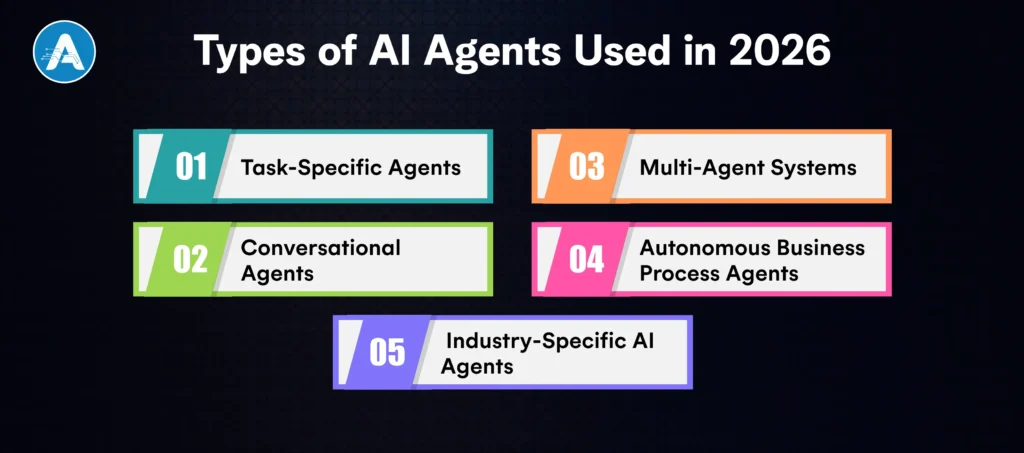
1. Task-Specific Agents
The task-specific agents are developed to undertake a well-defined task that is highly precise. Such agents are concerned with processing invoices, qualifying leads, detecting fraud, or summarising documents.
An experienced AI agent development company builds these agents with structured logic, API connectivity, and validation layers to ensure consistent results. This is where businesses usually begin before they grow to larger self-governing ecosystems.
2. Conversational Agents
Conversational agents go beyond traditional chatbots. Unlike rule-based systems, modern conversational AI agents developed by advanced AI Agent Companies can understand context, access enterprise data, and take real actions.
For example, instead of just answering customer queries, a conversational agent can:
- Retrieve CRM records
- Modify account details
- Trigger workflows
- Generate support tickets
These systems are increasingly being implemented by agentic AI companies in customer support, HR helpdesk, and internal IT operations.
3. Multi-Agent Systems
Multi-agent systems entail the use of several AI agents to accomplish multifaceted goals. A single agent can collect data, another can analyse it, and a third may implement the action.
An excellent AI agent development company will create orchestration layers that allow the agents to interact without conflict. This architecture is specifically efficient in supply chain management, financial modelling and enterprise analytics set-ups, whereby distributed intelligence enhances efficiency and accuracy.
4. Autonomous Business Process Agents
These agents manage complete workflows end-to-end. Rather than assisting a single task, they oversee entire operational processes such as procurement, onboarding, compliance audits, or inventory optimisation.
AI agent companies specialising in enterprise transformation build these systems to integrate deeply with ERP, CRM, finance platforms, and RPA tools. This type of solution is where AI Agent Companies deliver measurable impact, often reducing manual effort by 40–70% across departments.
5. Industry-Specific AI Agents
Industry-specific agents are trained and optimised for particular sectors such as healthcare, finance, e-commerce, manufacturing, or SaaS.
An agentic AI development company working in healthcare might build AI agents for patient triage and medical documentation, while a finance-focused AI agent company may develop risk analysis or regulatory compliance agents. These tailored solutions differentiate leading AI Agent Companies from generic vendors and standard AI application developer services.
Top 10 AI Agent Companies
Here are 10 leading AI Agent Companies that are shaping the future of autonomous systems and revolutionising industries. These companies specialise in developing intelligent, scalable, and secure AI agents that are transforming business operations globally.
1. OpenAI

OpenAI is a world-leading company among AI Agent Companies, which has advanced language models and self-reasoning engines. The agents of OpenAI can execute in multi-steps, have contextual memory, and integrate tools. OpenAI drives smart digital assistants, the automation of complicated processes, and decision-making.
- Industries: SaaS, finance, healthcare, education
- Strength: Advanced reasoning systems and developer ecosystem integration
2. Anthropic

Anthropic aims at creating safe, explicable and manageable AI systems. The solutions of the firm serve high-security and high-compliance sectors such as finance and healthcare. Anthropic focuses heavily on AI safety to make sure that a business can trust autonomous systems to act safely and in a responsible way.
- Industries: Financial services, legal tech, enterprise SaaS
- Strength: AI safety, control, and ethical AI practices
3. Google DeepMind

Google DeepMind is a trailblazer in AI research and development. Known for its groundbreaking work in reinforcement learning and multi-agent systems, DeepMind is at the forefront of advancing AI agents that can collaborate and solve complex problems autonomously. Many AI Agent Companies are influenced by DeepMind’s research on multi-agent collaboration and advanced decision-making.
- Industries: Research, healthcare, robotics
- Strength: Advanced reasoning, multi-agent collaboration, and reinforcement learning
4. Microsoft Azure AI

The Azure AI platform provided by Microsoft allows companies to incorporate AI agents into their enterprise ecosystems without any issues. Azure AI is a good option for executing AI-based automation of diverse business processes with strong tool integration, cloud-native deployment, and enterprise governance. The main participant in the AI Agent Companies is Microsoft Azure, which provides highly scalable and secure solutions.
- Industries: Enterprise IT, manufacturing, finance
- Strength: Enterprise integration, cloud scalability, and secure deployment
5. IBM Watsonx

IBM Watsonx is known to specialise in explainable AI, compliance, and deployment on a hybrid cloud. It is a favourite among companies in industries that are regulated, like healthcare and banking. By being explainable, Watsonx is not only offering intelligent AI agents to the businesses, but also making sure that the industry standards are met.
- Industries: Healthcare, banking, government
- Strength: Explainable AI, compliance infrastructure, and hybrid cloud deployment
6. C3 AI

C3 AI is a company that focuses on delivering AI solutions on a large scale in industrial applications with the use of predictive maintenance and supply chain optimisation. It provides enterprise-scale AI agents that are in a position to handle complex processes in real-time. The modular and scalable solutions that C3 AI offers can assist companies in automating their business processes and optimising operations.
- Industries: Energy, manufacturing, defence
- Strength: Industrial AI, operational efficiency, and predictive maintenance
7. Accenture AI

Accenture AI stands out for combining consulting expertise with technical deployment. As a top player among AI Agent Companies, Accenture works with global enterprises to implement AI-powered digital transformation. Their solutions focus on creating intelligent agents that seamlessly integrate into existing business operations, ensuring high scalability and performance.
- Industries: Cross-industry enterprise transformation
- Strength: Consulting, end-to-end implementation, and enterprise AI strategy
8. Cognizant

Cognizant builds enterprise AI ecosystems with workflow automation and autonomous agents integrated into operational platforms. Among AI Agent Companies, Cognizant is recognised for delivering end-to-end agentic AI development services, especially in healthcare and financial services.
- Industries: Healthcare, BFSI, retail
- Strength: Enterprise workflow automation and digital transformation
9. Capgemini Engineering

Capgemini Engineering provides AI-based solutions to the manufacturing and supply chain industries. It has been a favourable provider to companies that want to automate their production processes, distribution processes, and other key supply chain processes due to its focus on developing complex AI-based solutions to large-scale industrial processes.
- Industries: Automotive, aerospace, manufacturing
- Strength: Industrial AI, system integration, and process optimisation
10. Palantir Technologies

Palantir Technologies is a data analytics and operational intelligence company. The company combines real-time data processing with AI agents, which facilitate autonomous decision-making in mission-critical contexts. The data-centred and real-time analytics of Palantir make it a good source of cooperation with the industries where high-level support of operations is needed.
- Industries: Defence, logistics, public sector
- Strength: Data integration, real-time decision-making, and intelligence systems
Wrap Up
By the year 2026, the concept of AI Agent Companies is not the object of the future anymore; it is at the leading edge of changing the industries and defining how business should be run. Whether it’s automating complex workflows, enhancing decision-making, or improving customer experiences, AI agents are proving to be indispensable for enterprises looking to stay competitive in an increasingly digital world.
The capabilities of AI agents, from autonomous decision-making to multi-step task execution, offer businesses unparalleled efficiency, cost savings, and scalability. By selecting the right AI agent development company, organisations can harness the power of these intelligent systems to streamline operations, reduce human error, and accelerate growth.
As the market for AI agents continues to evolve, companies like OpenAI, Anthropic, Google DeepMind, and others are leading the charge, setting new standards for what’s possible in automation, AI safety, and enterprise transformation.
In this rapidly evolving landscape, choosing the right AI agent partner is more important than ever. With careful evaluation, a clear understanding of your business needs, and a focus on scalability and security, you can future-proof your organisation and unlock the full potential of AI agents to drive long-term success.
As businesses grow, operations become more complex, and customer expectations rise. A custom AI solution helps automate processes, improve decision-making, and deliver personalized experiences built around your unique workflows. Instead of relying on generic tools, you create intelligence tailored specifically to your data and goals.
From smarter support systems to predictive insights across departments, customized AI solutions can drive efficiency and long-term scalability. If you’re considering AI for customer service or broader automation, the key is building it with the right strategy from the start.
In this guide, you’ll learn the practical steps, cost considerations, and hiring insights needed to turn AI into a real competitive advantage.
What does Custom AI Solution Mean?
A custom AI solution is an artificial intelligence system designed specifically for your business needs, rather than a one-size-fits-all product. It is built using your data, integrated into your existing systems, and aligned with your workflows. This makes it far more accurate and practical than generic AI tools.
Unlike prebuilt tools, customized AI solutions offer:
- Deeper integration with your CRM, ERP, or internal platforms
- Higher accuracy because models are trained on your business data
- Greater flexibility to scale as your company grows
- Stronger data control and security
For example, an AI customer service solution trained on your historical support data can provide faster, more relevant responses compared to a generic chatbot. That’s the real difference: precision, control, and long-term scalability.
Why Businesses Are Investing in Custom AI Solutions
Generic AI tools can automate basic tasks, but they often fail when business needs become complex. That’s why many companies are moving toward a custom AI solution that aligns with their exact requirements instead of adapting their workflows to fit a tool.
Businesses invest in customized AI solutions because they:
- Solve specific operational bottlenecks
- Improve efficiency across departments
- Reduce long-term operational costs
- Deliver better customer experiences
- Create competitive differentiation
In AI solutions in customer service, tailored systems outperform generic bots because they understand company rules, brand tone, and escalation logic. Over time, customer service AI solutions become strategic assets rather than support tools.
Many organizations partner with an AI development company to ensure proper architecture, scalability, and long-term performance from day one.
Best Use Cases for a Custom AI Solution
Not every business needs the same type of AI. The real value of a custom AI solution comes from applying it where it creates a measurable impact.
1. Customer Service & Support
Many companies start with AI customer service solutions because support teams handle repetitive queries daily. A tailored system can automate responses, classify tickets, analyze sentiment, and assist agents in real time. Well-designed customer service AI solutions reduce response time while preserving brand consistency.
2. Predictive Intelligence
Organizations use custom AI ML solutions to forecast sales, predict churn, detect fraud, and optimize inventory. These systems help leaders make faster, data-driven decisions.
3. Operational Automation
From HR screening to financial reporting, customized AI solutions streamline internal workflows and minimize manual intervention. Businesses often rely on AI application development services to build these tailored systems efficiently.
Step-by-Step Process to Build a Custom AI Solution
Creating a custom AI solution is a phased process that moves from strategy to execution. Each stage ensures the system is practical, scalable, and aligned with business impact.
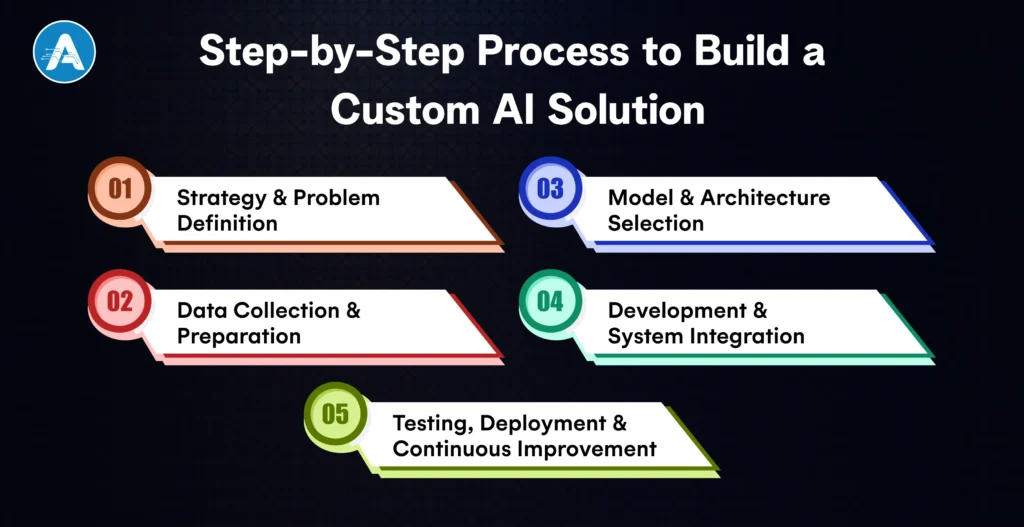
Step 1: Strategy & Problem Definition
Everything begins with clarity. Define the exact business challenge and the outcome you expect. Are you aiming to reduce manual workload, improve customer response time, or enhance decision-making accuracy? Set measurable KPIs from the start. A focused objective ensures your custom AI solution delivers real ROI instead of becoming an experimental project.
Step 2: Data Collection & Preparation
AI performance depends on data quality. Gather relevant internal data such as transaction records, support conversations, operational logs, or CRM history. Clean the data, remove inconsistencies, and structure it properly for training. In AI customer service solutions, well-prepared historical conversations significantly improve response accuracy.
Step 3: Model & Architecture Selection
Choose the right technical approach based on your goal. Some use cases require predictive machine learning, while others benefit from NLP or an AI platform for custom LLM solutions. For complex automation, combining language models with retrieval systems enhances contextual understanding and reliability.
Step 4: Development & System Integration
This is where the system is built and connected to your existing infrastructure. It includes model training, backend APIs, cloud deployment, and integration with CRM, ERP, or helpdesk tools. A production-ready custom AI solution must prioritize scalability, monitoring, and security from the beginning.
Step 5: Testing, Deployment & Continuous Improvement
Test thoroughly before rollout. Monitor accuracy, performance, and user feedback. Continuous refinement ensures long-term reliability, especially for AI for customer service solution implementations.
Choosing the Right Technology Stack and AI Platform
The technology behind your custom AI solution determines how well it performs today and how easily it scales tomorrow. Your use case, data maturity, and growth plans should drive this decision.
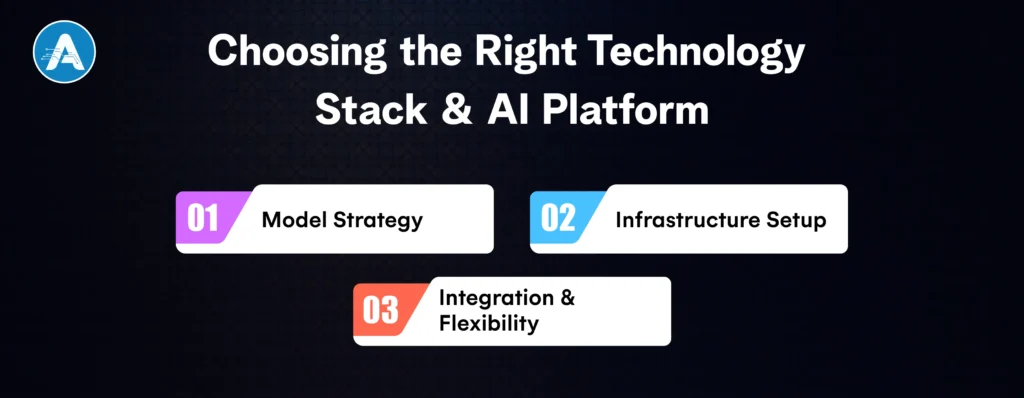
1. Model Strategy
Start by deciding the type of intelligence you need. Predictive tasks may require traditional machine learning models, while conversational systems often rely on advanced language models. For businesses building AI customer service solutions, combining large language models with retrieval mechanisms improves contextual accuracy and reduces hallucinations.
2. Infrastructure Setup
Next, choose where your system will run. Cloud environments offer flexibility and faster deployment, while on-premise infrastructure provides tighter control for sensitive data. The right setup depends on compliance requirements and scalability goals.
3. Integration & Flexibility
Your custom AI solution should connect smoothly with CRM systems, helpdesk tools, ERP platforms, or mobile applications. It must also allow ongoing updates, retraining, and performance monitoring without major redevelopment.
How Much Does a Custom AI Solution Cost?
Once you understand the development process and technology choices, the next practical question is investment. Planning the budget early helps avoid surprises and ensures your custom AI solution is built with long-term sustainability in mind.
- The scope of the project plays the biggest role. A focused AI customer service solution that automates chat or ticket handling requires a smaller budget than a multi-department enterprise automation system.
- Data condition also impacts pricing. If your historical data is clean and structured, development moves faster. If data needs cleaning, labeling, and restructuring, both time and cost increase.
- Technology and infrastructure decisions such as cloud hosting, integrations, security layers, and monitoring systems further shape the final estimate.
A realistic custom AI solution estimate should focus not just on upfront cost, but on long-term ROI, efficiency gains, and operational savings
Should You Hire AI Developers or Build In-House?
The selection of an appropriate execution strategy is of paramount importance in the development of a custom AI solution. The following is a comparison of the good and the bad:
Build In-House
- Applicable in case you already have experienced ML engineers and data scientists
- Makes architecture and long-term evolution entirely controllable
- Good where there are ongoing AI programs in companies
- Best suited when your core product is based on a custom AI solution
Hire AI Developers
- More expedited deployment through expert power
- Less technical risk in the architecture and integration
- More advanced implementation of sophisticated custom AI ML solutions
- Better execution of AI customer service solutions at the level of production quality
- Availability of specialists in terms of an AI platform to custom LLM solutions
Hybrid Approach
- The first custom AI solution is developed and implemented by external experts
- Internal team handles monitoring, optimization, and scaling
- Moderate price, speed, and flexibility over the long term
Future of Custom AI Solutions in Business
As AI technology evolves, the role of a custom AI solution is shifting from simple automation to intelligent decision support and autonomous execution.
1. Hyper-personalized customer interactions
Advanced AI customer service solutions will adapt responses based on behavior, purchase history, and sentiment in real time.
2. AI copilots for employees
Customized AI solutions will assist teams in drafting emails, analyzing reports, generating insights, and accelerating workflows.
3. Autonomous AI agents
Future systems will handle multi-step tasks independently, especially in AI for customer support solutions and operational automation.
4. Industry-specific AI platforms
Businesses will increasingly adopt an AI platform for custom LLM solutions tailored to healthcare, finance, retail, and logistics.
Businesses investing early in custom-made AI solutions position themselves ahead of competitors in adaptability and innovation.
Final Thought
A custom AI solution is not just about adopting new technology; it’s about building intelligence tailored to your business model. When designed strategically, it improves efficiency, strengthens decision-making, and enhances customer experience in ways generic tools cannot match.
Whether you’re implementing AI customer service solutions, exploring custom AI ML solutions, or working with an AI application developer, success depends on clarity, data quality, and the right execution roadmap. Start focused, measure impact, and scale gradually.
In the long run, businesses that invest in customized AI solutions don’t just automate processes; they build a sustainable competitive advantage powered by their own data and innovation.