AI Platform •
13 min read •January 12, 2026•354 views
Best AI for Coding in 2026: Top AI Code Writers & Tools
Table of Contents
Software development in 2026 is being reshaped by AI for coding not as a futuristic concept, but as a practical, everyday tool used by developers to write, review, and maintain software faster than ever before.
In this blog, we’ll break down what the best AI for coding actually looks like today, how modern AI for programming works in real development environments, and which tools genuinely help developers write better code instead of creating more complexity. Partnering with an AI development company can provide a strategic edge.
The shift is already happening at scale. According to the Stack Overflow Developer Survey, 84% of developers now use or plan to use AI tools in their development workflows, confirming that AI for developers has moved from experimentation to adoption.
This matters because today’s software teams are under constant pressure to deliver faster releases, manage larger codebases, and maintain quality across web, mobile, and cloud applications. Traditional tools alone are no longer enough.
This guide is designed to help you cut through the noise. Instead of hype-driven claims, we’ll focus on the best AI for code generation, real-world use cases, strengths, limitations, and how to choose the right AI for your development needs, whether you’re a solo developer, a growing startup, or an enterprise engineering team.
What do you mean by AI for Coding?
AI for coding refers to a new class of intelligent tools designed to assist developers throughout the software development lifecycle, not just while writing code, but also during planning, testing, debugging, refactoring, and maintenance.
Unlike traditional IDE features or static code analyzers, modern AI for programming systems understands context, intent, and relationships across an entire codebase.
AI for coding analyzes programming data to learn patterns across languages and frameworks. Integrated into an IDE, it suggests logic, generates functions, explains code, and identifies issues, making it invaluable for complex projects requiring quick clarity.
The best AI for coding operates at a higher level of abstraction, understanding entire files, modules, dependencies, and overall application flow instead of focusing only on individual lines of code.
Because of this broader context awareness, modern AI tools are widely used for AI in web development, backend services, APIs, and large-scale systems where multiple components interact.
Developers can describe what they want to build in plain language, and the AI translates that intent into structured, usable code that fits within the existing project.
AI for software engineering handles repetitive and time-consuming tasks, helping reduce manual effort while developers retain full control over architecture, logic, and quality.
Instead of redefining the developer’s role, AI for coding enhances how developers work by supporting better decisions, faster execution, and more efficient collaboration.
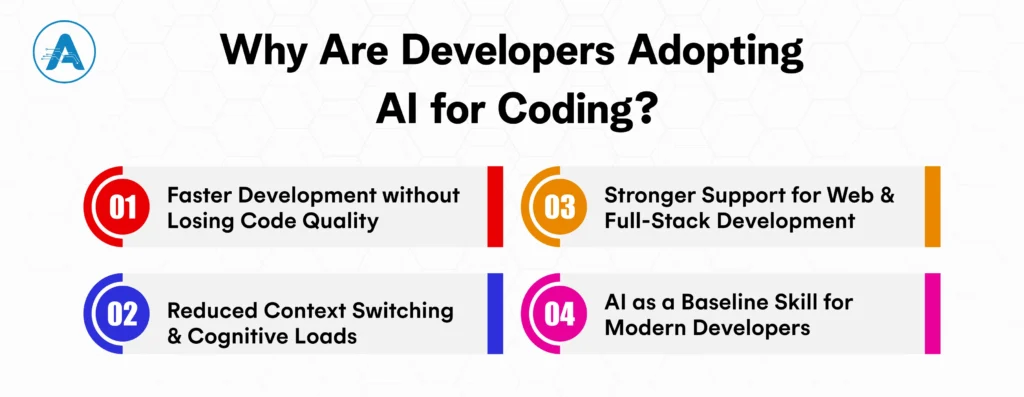
Why Are Developers Adopting AI for Coding?
The trends that have seen Best AI for coding rapidly in 2026 have practical, real reasons and not experimental ones. The environments developers work in are larger, shorter, and more demanding in terms of performance, security, and scalability than ever before. AI serves to fill this gap by providing a real-time productivity and decision-support layer.
Whether you’re a business looking to enhance your development with AI-powered tools or an individual developer, working with an AI application developer can be a great way to integrate these solutions into your workflow.
I. Faster Development without Losing Code Quality
Best AI for coding helps developers move quickly by generating boilerplate, suggesting reliable patterns, and automating repetitive logic. Instead of rushing through routine tasks, developers can focus on critical business logic while maintaining consistency, readability, and long-term maintainability across the codebase.
II. Reduced Context Switching and Cognitive Loads
Modern development requires constant reference to documentation, frameworks, and legacy code. AI for developers minimizes this friction by providing in-context explanations, recommendations, and corrections directly inside the IDE. This keeps developers focused, improves concentration, and significantly reduces mental overhead.
III. Stronger Support for Web and Full-Stack Development
With applications spanning frontend, backend, and infrastructure layers, AI for web development helps developers understand how different components interact. It assists in aligning UI logic with APIs, handling data flows, and refactoring shared code, making full-stack development more efficient and less error-prone.
IV. AI as a Baseline Skill for Modern Developers
Using AI for writing code in 2026 is a must. Teams that adopt AI as part of their daily workflow ship faster, manage technical debt more effectively, and scale engineering efforts with confidence, making AI a foundational capability rather than a competitive edge.
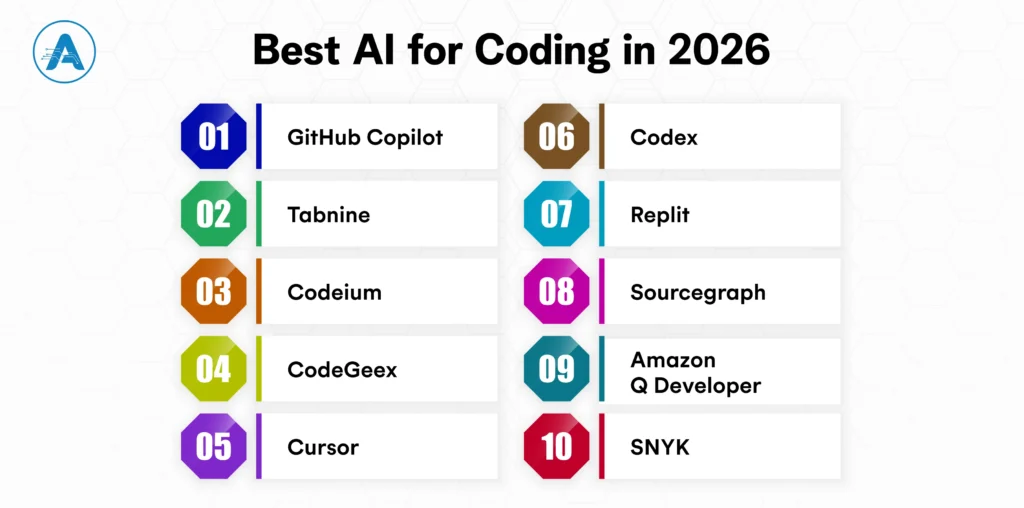
The best AI for coding not only generates code but also provides deep contextual understanding, reducing repetitive tasks and improving decision-making. Here are the top 10 AI code writers and tools transforming development workflows:
1. GitHub Copilot
GitHub Copilot, powered by OpenAI, helps developers write code faster by offering real-time suggestions based on your project’s context. It’s like having an AI pair programmer that speeds up your workflow with intelligent autocompletion.
Best For
General-purpose code generation and Suggestion
Languages Supported
Python, JavaScript, TypeScript, Ruby, and more
Key Features
Provides real-time code suggestions and completions. Understands context and generates function definitions, variable names, and complex algorithms. Fully integrated with VS Code and other popular IDEs
2. Tabnine
Tabnine is an AI code completion tool that integrates deeply with IDEs, offering context-aware suggestions to improve coding efficiency. It learns from your project and team to provide personalized, accurate code completions.
Best For
Full IDE integration and team-oriented projects
Language Supported
Python, Java, JavaScript, TypeScript, and more
Key Features
Code completions based on a deep understanding of your codebase. Customizable suggestions for team-specific standards. Works with over 30 IDEs, including VS Code, JetBrains, and Sublime Text
3. Codeium (Visual Studio)
Codeium for Visual Studio provides real-time code suggestions and refactoring help, streamlining development in this popular IDE. It adapts to your project’s context, making coding faster and more intuitive.
Best For
Developers using Visual Studio for .NET and C# projects
Language Supported
C#, Python, JavaScript, TypeScript
Key Features
Real-time suggestions based on both code context and natural language descriptions. Offers in-depth debugging support, variable suggestions, and test case generation. Provides seamless integration into Visual Studio IDE
4. CodeGeex
CodeGeex offers AI-powered code generation and debugging, learning from your specific coding patterns to deliver smart, customized suggestions. It’s designed for developers who want a more tailored AI experience.
Best For
Full-stack development with a focus on AI-assisted coding
Language Supported
Python, JavaScript, Go, Java, and more
Key Features
Generates code from high-level prompts, converting natural language descriptions into usable code. Supports collaborative coding environments, ideal for team-based projects. Built-in error detection and refactoring suggestions
5. Cursor
Cursor enhances your IDE experience by providing smart, contextual code suggestions and automated refactoring. It helps you focus on high-level tasks while AI handles the repetitive work, boosting productivity.
Best For
Real-time code assistance and learning
Language Supported
Python, JavaScript, Ruby, TypeScript, and more
Key Features
Helps developers learn while coding, offering contextual explanations of code. Suggests improvements and optimizations in real time. Works with any IDE, providing flexibility across various environments
6. Codex (OpenAI)
Codex by OpenAI converts natural language prompts into fully functional code, helping developers turn their ideas into code with just a few words. It powers GitHub Copilot and supports multiple languages and frameworks.
Generates complex code structures from natural language descriptions. Offers code explanations and can handle multi-step programming tasks. Integrated with GitHub Copilot, offering enhanced coding capabilities
7. Replit
Replit offers an integrated platform where developers can write, test, and deploy code with real-time AI suggestions. With features like instant collaboration and automatic code completion, it’s a go-to for teams and solo developers working on everything from personal projects to startup MVPs.
Best For
Collaborative real-time coding and educational use
Language Supported
Python, JavaScript, Ruby, Java, and more
Key Features
An AI assistant with the ability to debug code, create applications, and make wise recommendations. With only one click, deploy web apps and APIs that are hosted directly on Replit. Collaborate with colleagues in a shared workplace, akin to Google Docs for code
8. Sourcegraph
Sourcegraph makes navigating large codebases easier by providing AI-powered code search and intelligent navigation. It helps developers quickly find relevant code snippets and understand unfamiliar code, improving workflow efficiency.
Best For
Large codebases and enterprise-level software
Language Supported
Go, Python, JavaScript, Java, TypeScript, and more
Key Features
Provides AI-powered code search and navigation tools. Integrates with version control systems to suggest improvements and track changes. Supports multi-language codebases, ideal for large, complex systems
9. Amazon Q Developer
Amazon Q Developer is tailored for AWS development, helping you write cloud-native code with intelligent AWS service integration. It accelerates cloud app development by providing context-aware code suggestions for AWS environments.
Best For
AWS-based applications and cloud computing environments
Language Supported
Python, Java, JavaScript, TypeScript, and more
Key Features
Supports AI-assisted coding tailored for AWS services and applications. Helps optimize code for cloud performance and scalability. Integrates directly with AWS Developer Tools, improving cloud-native development workflows
10. SNYK
SNYK integrates security into your coding workflow by automatically identifying vulnerabilities in your dependencies. It provides AI-driven recommendations to fix security risks before they become issues, ensuring safer code.
Best For
Security-focused code analysis and vulnerability detection
Language Supported
JavaScript, Python, Go, Java, Ruby, and more
Key Features
AI-powered security analysis for vulnerabilities and issues in open-source code. Offers real-time security suggestions, identifying flaws and risks. Works with GitHub, GitLab, and Bitbucket for seamless integration
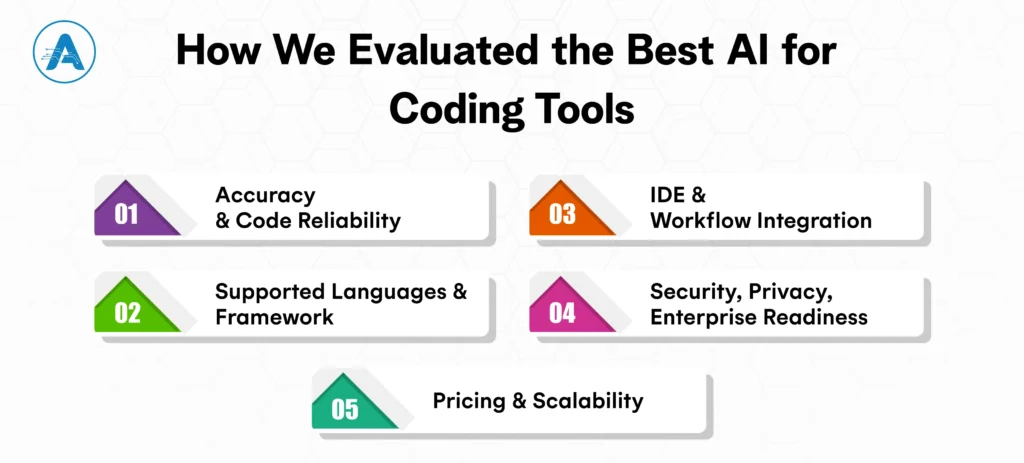
How We Evaluated the Best AI for Coding Tools
When selecting the best AI for coding tools, we considered several key factors that determine their effectiveness and overall value for developers. Below is a breakdown of the evaluation criteria:
I. Accuracy and Code Reliability
We assessed each tool’s ability to generate high-quality, bug-free code that can be directly used in production. Accuracy is crucial for AI tools to be practical, especially when dealing with complex codebases or generating code from natural language.
II. Supported Languages and Framework
The best AI tools for coding support a wide range of programming languages and frameworks, allowing developers to use them across different projects.
Whether working with Python, JavaScript, Java, or newer languages like Go, the tool’s compatibility with your tech stack is essential for maximizing productivity.
III. IDE and Workflow Integration
An AI coding tool is only useful if it integrates seamlessly into your existing development environment. We looked at how well each tool integrates with popular IDEs, version control systems, and CI/CD pipelines.
A tool that fits smoothly into your workflow without major disruptions is key to maintaining a high-development speed.
IV. Security, Privacy, Enterprise Readiness
For enterprise teams, security and privacy are non-negotiable. We evaluated each tool’s security features, such as encryption and compliance with industry standards.
Enterprise readiness also includes user management, role-based access control, and the ability to support private repositories or proprietary code, ensuring safe collaboration.
V. Pricing and Scalability
The cost of AI tools varies, so we analyzed how each tool fits into different budget ranges. Whether you’re a solo developer, small startup, or large enterprise, understanding the pricing model and the tool’s scalability was crucial in our evaluation.
As we’ve seen, Best AI for coding in 2026 is transforming how developers approach writing code, debugging, testing, and managing projects. From GitHub Copilot offering context-aware code suggestions to SNYK securing your applications, AI tools have become indispensable for developers at every level.
Whether you’re a solo developer working on a personal project or part of an enterprise team building complex software, the right AI for programming tools can significantly boost your productivity, reduce errors, and improve overall code quality.
When selecting the best AI for coding, consider factors like supported languages, IDE integration, and security features that align with your specific needs. Tools like Tabnine or Codex might be ideal for those looking to streamline their coding process, while Sourcegraph is perfect for navigating large codebases. Meanwhile, Amazon Q Developer and Replit offer powerful AI solutions for cloud-native and collaborative development.
Remember, AI for developers isn’t just about automating tasks; it’s about enhancing your ability to create high-quality software faster. The right AI tool will not only help you generate code but also optimize your entire development workflow. So, whether you’re just starting or looking to level up your coding process, choose the tool that fits your workflow and needs. If you’re interested in custom AI solutions for your business, AI application development services can help you integrate the right tools and workflows tailored to your goals.
Planning for AI Project
Get clarity on use cases, architecture, costs, and timelines with insights from 50+ real-world AI implementations.
1. Can AI improve code quality or just speed up development?
AI tools are designed to enhance both speed and code quality. While they certainly accelerate development by automating repetitive tasks like code generation and debugging, many AI tools also focus on improving code quality.
2. Which is the best AI for coding?
There isn’t a one-size-fits-all answer, as the best AI for coding depends on your specific needs. For general code generation, GitHub Copilot stands out, especially for teams using VS Code. If you're looking for a cloud-native tool, Amazon Q Developer is great for AWS integration. For security-focused development, SNYK is unmatched.
3. How do I integrate these AI tools into my existing development workflow?
Integrating AI tools is relatively straightforward, especially for popular IDEs like VS Code, JetBrains, and Visual Studio. Most tools, like Tabnine and GitHub Copilot, offer plugins that easily integrate into your existing IDE. For CI/CD pipelines, some tools offer API access to enable real-time code analysis and suggestions.
4. Are there AI tools that focus on security while coding?
Yes, AI tools like SNYK are specifically designed to prioritize security while coding. These tools automatically detect vulnerabilities in both your codebase and any third-party dependencies. They recommend security fixes and alert you to potential threats before they make it to production.
5. How accurate are AI-generated code suggestions?
The accuracy of AI-generated code suggestions has vastly improved, especially with tools like GitHub Copilot and Codex. These tools analyze millions of code examples and can generate code with impressive precision. However, it’s still advisable to review suggestions for complex or critical code.
6. What’s the cost of AI-powered coding tools, and are they worth the investment?
The cost of AI-powered coding tools varies widely, from subscription models to enterprise pricing for teams. For solo developers, the pricing is generally affordable and well worth the investment, especially considering the productivity boost. For teams, these tools often pay for themselves by speeding up development cycles, improving collaboration, and reducing the risk of errors.
7. What are the security and privacy concerns when using AI tools for coding?
When using AI tools for coding, data privacy and security are important considerations. Many AI tools process code locally, but others may send your code to the cloud for analysis, raising potential privacy concerns, especially with proprietary code. Ensure that the tool you choose complies with industry standards for security and privacy, especially if you're working on sensitive projects.
NLP in Healthcare is rapidly transforming how medical data is processed, analyzed, and utilized. With nearly 80% of healthcare data unstructured, ranging from clinical…
Hiring has always been one of the most critical and challenging functions for any organization. Yet, traditional recruitment processes often rely on manual screening,…