AI Platform •
14 min read •December 17, 2025•167 views
The Best AI for Writing Code: Revolutionize Your Programming Workflow
Table of Contents
In the recent past, AI in software development was treated as an experiment, something developers tried on side projects or discussed with curiosity. Today, it has become a daily companion in real production environments. From auto-completing functions to generating tests and fixing bugs, AI code assistants are now deeply ingrained in modern development workflows.
By 2024–2025, this transformation was impossible to ignore. AI coding tools moved firmly into the mainstream, supported by clear adoption data. Their use is no longer limited to early adopters or innovation teams; developers across industries and experience levels now rely on AI as a core part of their workflow.
Furthermore, large-scale developer surveys reveal that a strong majority of professionals are now relying on the best AI for coding as part of their daily workflows. According to the Stack Overflow Developer Survey 2024, 76% of developers were already using or planning to use AI tools to support their development process.
This momentum accelerated further into early 2025, with industry reports showing that approximately 84% of developers are using or planning to adopt AI-powered coding solutions. This consistent rise in adoption highlights growing trust in the best AI for writing code as a dependable partner for everyday software development tasks, from code generation to testing and debugging. For AI developers, integrating these tools has become a standard part of daily workflow, making even complex coding tasks more approachable.
Importance of the best AI for writing code
Employing the best AI for writing code feels like working with a helpful colleague who can handle repetitive tasks and small fixes so that you can easily concentrate on solving major issues. It creates the difference between getting stuck in setup work and staying fully engaged with the real logic of a feature. Instead of breaking my flow to search documentation or rewrite the same programming code patterns, the best AI for writing code works quietly in the background, acting as an AI code assistant that fills in the gaps, suggests cleaner solutions, and helps me move faster without feeling rushed or overwhelmed.
Trusting the best AI code assistant is important as it:
Functions as a smart AI code assistant that offers context-aware suggestions in real time while you write
Acts as a reliable AI code generator that quickly handles repetitive structures and boilerplate logic
Explain errors, fixes, and alternatives like a best AI chatbot, beneficial during debugging sessions
Maintain consistency across projects through artificial intelligence codes trained on large, real-world repositories
Supports multiple languages, frameworks, and styles commonly used in modern code programming
Enable teams to adopt the best AI for writing code seamlessly without disrupting existing workflows or tools
Stand out among the best AI solutions by balancing development speed with code accuracy and reliability
Most importantly, even the best AI for writing code delivers its greatest value when paired with human judgment. Developers who benefit the most are those who actively review, refine, and guide AI-generated output by utilising the tool as a collaborative assistant rather than relying on it as an autopilot.
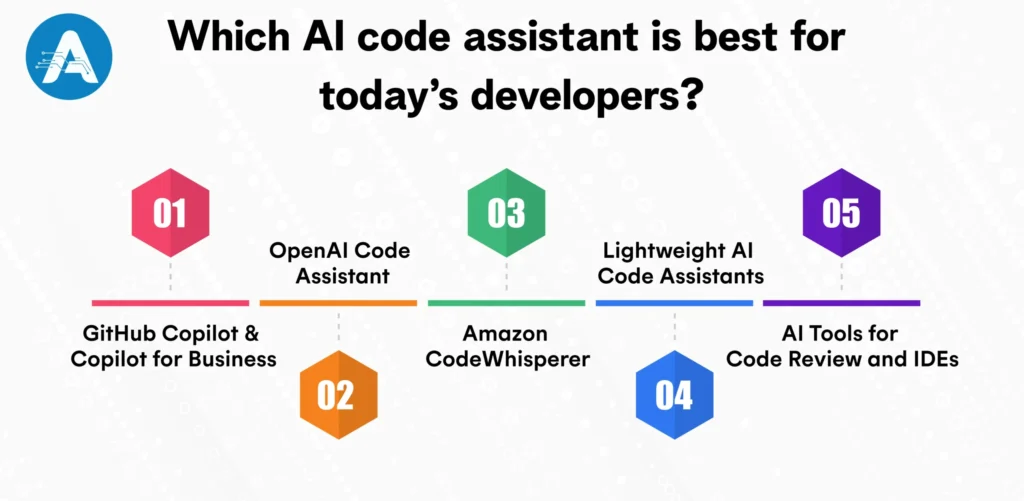
Which AI code assistant is best for today’s developers?
Below are some of the most popular AI code assistants, along with the tasks for which they excel. From my experience, each tool helps differently, as you will find that some are great at quickly completing code programming, while others work better as an AI code generator for repetitive tasks or as support when you get stuck. Knowing what each tool does best makes it easier to choose the best AI for writing code that truly fits your daily work style.
1. GitHub Copilot and Copilot for Business
GitHub Copilot is an AI code assistant that works directly inside your code editor. As you write programming code, it suggests the next line, completes full functions, and can even help generate unit tests. You don’t need to switch tabs or search documentation; it supports you right where you code.
Why developers prefer it
Works smoothly inside the editor, making it one of the best AI for writing code in daily development
Integrates easily with Visual Studio Code and GitHub, so there’s no need to change existing workflows
Helps write repetitive and boilerplate logic much faster
Acts as a smart AI code assistant, suggesting complete lines and functions as you type
Saves time by reducing constant switching between documentation and code
From personal experience, it feels like a junior teammate who already understands your project structure and coding style
For example, imagine you’re building a REST API. Instead of writing the same controllers, validations, and test cases every time, Copilot automatically suggests most of the code. You simply review it, make small changes if needed, and move ahead, saving time while still staying in full control of your work.
Ideal For- If you are looking for a reliable AI code assistant that accelerates work without changing your existing workflow, then GitHub Copilot is the apt choice. It is suitable for developers and teams who already use GitHub and VS Code daily.
2. OpenAI Code Assistant
OpenAI tools like ChatGPT work as an AI code assistant that helps you write, understand, and improve code programming. You can ask questions in normal language, and it responds with code, explanations, or fixes. Many coding tools and editors also use OpenAI models in the background.
Why developers choose it:
Explains programming code clearly, making complex logic easier to understand
Works like the best AI chatbot, guiding you step by step when something breaks
Helps debug errors by explaining why an issue happens, not just how to fix it
Makes learning new concepts easier, especially for beginners
Useful for planning features before writing actual code
From personal experience, it feels like talking to a patient senior developer who never gets tired
For example, if you’re not sure how to structure a feature, you can describe what you want to build, and OpenAI suggests logic, sample code, and even test ideas. You review the answer, adjust it, and move forward with confidence.
Ideal For: Are you looking for a conversational AI code assistant that helps with explanations, debugging, documentation, and planning complex features? OpenAI is an excellent choice. It is especially suitable for developers who prefer discussing problems in natural language and want guidance while working on larger AI coding tasks.
3. Amazon CodeWhisperer
Amazon CodeWhisperer is an AI code assistant designed for developers working on AWS. It helps write AI programming that follows common cloud patterns and automatically suggests AWS SDK usage while you code.
Why developers favor it:
Understands AWS services deeply and suggests cloud-ready AI programming code
Helps follow AWS best practices automatically while coding
Provides security-focused suggestions to reduce common cloud mistakes
Saves time when working with AWS SDKs and service integrations
Works well for setting up services like S3, Lambda, and DynamoDB
From experience, it feels especially useful when building or scaling AWS-based applications
For instance, if you’re building a cloud application on AWS, CodeWhisperer can suggest ready-to-use code for accessing databases, managing storage, or handling permissions that reduce manual effort and common mistakes.
Best for: If your team builds most of its applications on AWS (Amazon Web Services) and needs cloud-aware guidance, Amazon CodeWhisperer is a strong best AI for writing code choice that fits naturally into AWS-based workflows.
4. Lightweight AI Code Assistants
These are lightweight AI code assistants that focus on fast code suggestions. Many of them offer local or remote completions and are designed to work with minimal delay, making them comfortable for everyday AI programming tasks.
Why developers go for it:
Fast code suggestions with very low delay
Strong focus on privacy, with offline or on-premise options
Useful when working with sensitive or confidential AI programming code
More affordable compared to larger enterprise AI tools
Easy to use for small projects or solo developers
From my experience, they feel lightweight and efficient without adding complexity
For example, while working on a small or private project, these tools quickly suggest the next lines of code as you type. You pick what you need, make small changes, and continue by saving time without sharing sensitive code or spending extra money.
Apt for: If your team values privacy or works with sensitive code, these AI tools are a good fit. They are especially suitable for startups, small teams, or individual developers who want a cost-effective AI for writing code solutions without the complexity of large enterprise platforms.
5. AI Tools for Code Review and IDEs
Many modern IDEs and code review tools now include built-in AI features. These tools help generate tests, detect bugs, and find security issues by reviewing AI programming code automatically.
Why developers pick it:
Acts as a safety net by reviewing code automatically
Catches bugs, performance issues, and security risks early
Works alongside an AI code assistant to improve code quality
Reduces the chances of errors reaching production
Builds confidence before deployment, especially in team projects
For example, after writing code with the best AI for writing code, a review tool analyzes it during CI checks and flags potential issues. You fix them early, reducing bugs and improving overall code quality.
Ideal For: If your team wants cleaner and safer code, these AI tools are a strong choice. They are especially useful for teams that already use CI/CD pipelines and want automated checks to review, test, and validate code changes before deployment.
Now that you’re familiar with the best AI code tools, let’s move on to the key factors you should consider when choosing the right AI code assistant for your work.
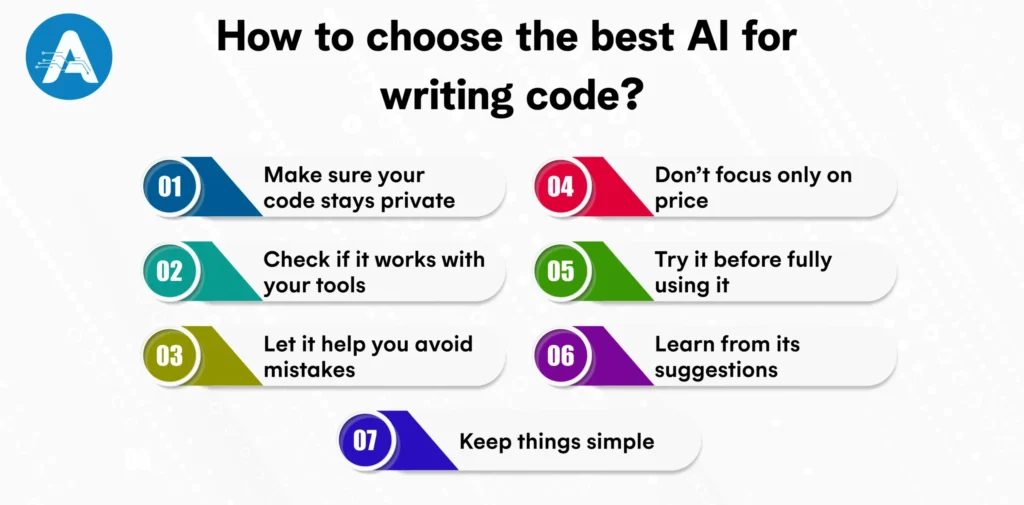
How to choose the best AI for writing code?
Choosing the best AI for writing code becomes easier when you focus on tools that match your skill level and daily workflow. Reliable AI application development services help ensure the AI code assistant you choose is secure, easy to use, and truly helpful for learning and building better code.
Make sure your code stays private: If you’re working on private projects, choose an AI code assistant that keeps your programming code safe and doesn’t share it without permission.
Check if it works with your tools: Pick the best AI for writing code tool that supports the language and editor you already use. This makes learning and coding much easier.
Let it help you avoid mistakes: The best AI for writing code should point out common errors and unsafe code so you can fix them early.
Don’t focus only on price: Free or affordable tools are great, but also think about how much time the AI code assistant saves you when writing or understanding code.
Try it before fully using it: Start small. Use the tool for simple tasks and see if it actually helps you learn and work faster.
Learn from its suggestions: A good AI tool explains what it writes. This helps beginners understand programming code instead of just copying it.
Keep things simple: Choose AI code tools that are easy to use and don’t feel confusing. Simple tools help beginners grow with confidence.
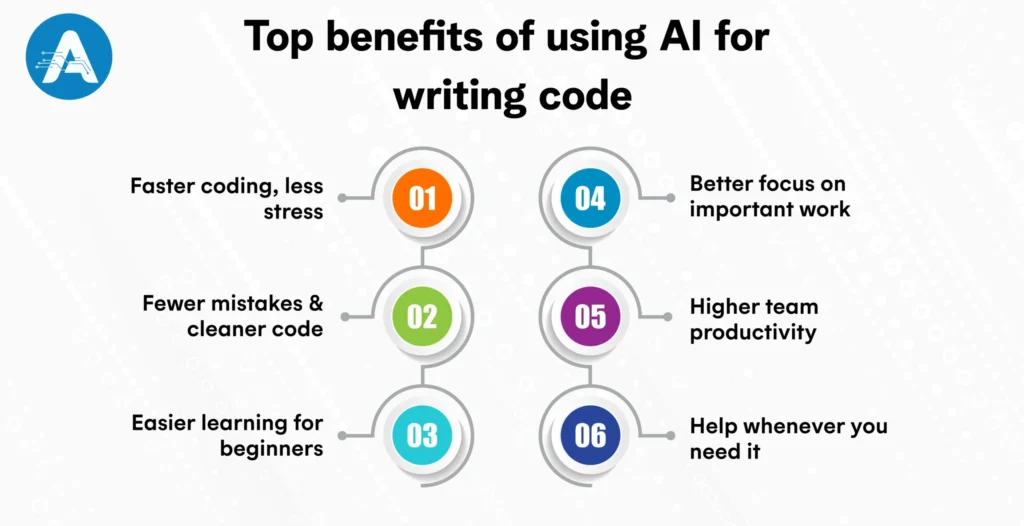
Top benefits of using AI for writing code
Using the best AI for writing code makes coding faster, easier, and less stressful. A good AI development company provides tools that fit your workflow, helping you and your team get more done with less effort.
Faster coding, less stress: The best AI for writing code takes care of repetitive tasks, so you spend less time typing the same things and more time solving real problems.
Fewer mistakes and cleaner code: An AI code assistant helps spot common errors early and suggests better ways to write your programming code, making it safer and easier to maintain.
Easier learning for beginners: AI explains code in plain language. This makes learning new concepts less confusing and helps beginners gain confidence faster.
Better focus on important work: Instead of getting stuck on setup or boilerplate logic, the best AI for writing code lets you focus on the main features and ideas behind your project.
Higher team productivity: Teams using AI code tools often finish tasks faster, review code more smoothly, and collaborate better with less back-and-forth.
Help whenever you need it: An AI code assistant is always available, whether you’re coding late at night, learning something new, or racing against a deadline.
Using an AI code assistant can make coding much faster and easier, but it’s important to stay careful. AI might sometimes suggest code that has mistakes, security issues, or license concerns, so it’s always a good idea to review its output before using it in your project. Running tests and scans on the generated programming code helps catch problems early.
If your project involves sensitive data, make sure the AI tool uses secure endpoints or on-premise models to protect your information. Human oversight is key as AI should assist, not replace your judgment.
For teams and beginners, guidance from an experienced AI application developer can help ensure safety, proper integration, and best practices. Keeping your code modular and avoiding deep dependence on vendor-specific tools also prevents lock-in, giving you flexibility in the future. By following these practices, you can gain the benefits of AI safely and reliably.
Conclusive Statement
The world of best AI for writing code is evolving quickly, and the best tools for your team are those that fit your security policies, integrate smoothly into your workflow, and include a human-first review process. Start small: run pilot projects, track developer experience and defect rates, and choose AI code assistants that support your programming languages and deployment setup. By taking a careful, measured approach, you can make AI a reliable partner that boosts productivity, improves code quality, and keeps your projects safe.
Planning for AI Project
Get clarity on use cases, architecture, costs, and timelines with insights from 50+ real-world AI implementations.
Popular AI tools include GitHub Copilot, OpenAI’s ChatGPT/GPT-4 with code capability, Amazon CodeWhisperer, Tabnine, Codeium, and Replit Ghost. Each has unique strengths depending on your workflow, language, and IDE support.
2. How does an AI code assistant improve programming code quality and speed?
An AI code assistant helps by autocompleting functions, suggesting code snippets, and spotting errors early. Taking care of repetitive tasks and boilerplate programming code lets developers focus on the more important logic, making coding faster and reducing mistakes.
3. What is the best AI for writing code, and how can it help developers?
The best AI for writing code helps generate, complete, and improve programming code. It speeds up coding, reduces repetitive tasks, and suggests cleaner solutions, allowing developers to focus on solving complex problems.
4. What security and license issues should I watch out for when using AI for writing code?
AI can sometimes suggest code with security vulnerabilities or license conflicts. To stay safe, always review the AI’s output, run security checks, and consider using enterprise or on-premise versions of the tool.
5. Are AI code assistants safe for private or sensitive projects?
Yes, many AI code assistants offer secure options such as on-premise deployment, private endpoints, or enterprise versions. Choosing tools with strong privacy and governance ensures your programming code stays protected.
6. How can teams measure the ROI of using the best AI tools in software development?
Teams can track metrics like time saved on coding, reduced errors, improved test coverage, and developer satisfaction. Running small pilot projects helps measure the real impact of an AI code assistant before full adoption.
7. How do AI code assistants handle repetitive programming tasks?
AI code assistants help by automatically generating repetitive or boilerplate programming code and suggesting common patterns. This saves time and lets developers concentrate on more important or complex parts of their projects.
Design workflows are evolving at breakneck speed. AI Image Generators have officially transitioned from experimental “toys” to essential everyday assets for modern creatives. The…