
Suppose you are starting up a new fitness application. Your marketing team needs eye-catching hero banners, your product team wants futuristic UI illustrations, and your investors expect polished pitch visuals, all within a week.
Recruiting a complete design team would consume time and money. Rather, you open an AI art generator, enter a prompt, and a few seconds later, you have beautiful AI-generated images that are ready to be used.
Now comes the real decision: Stable Diffusion vs Midjourney, which one should you rely on?
As Midjourney AI is associated with the creation of very artistic and ready-to-distribute images with the minimum of effort, Stable Diffusion AI provides more detailed adjustment and control, particularly when teams consider the Stable Diffusion model as part of their application. One is more interested in simplicity and beauty. The other focuses on the flexibility and ownership.
Choosing between Midjourney vs Stable Diffusion is not just about image quality; it’s about workflow, scalability, technical control, and long-term strategy. In this guide, we will also divide the two tools into details so that you can determine which AI art generator best suits your creative or business interests.
What is Midjourney?
Midjourney is a cloud-based AI tool that is famous for creating highly stylized and visually appealing AI-generated images. Midjourney is mainly hosted on Discord, where users enter their commands, and the image output is generated in seconds. There is no need for installation, GPU setup, or model selection. It is simply a matter of entering the command and generating the image.
The most notable aspect of Midjourney AI is its artistic nature. Midjourney AI is best at creating cinematic lighting effects, fantasy artwork, concept art, and social media visuals. Midjourney AI is preferred by designers and marketers because the generated images are highly polished, even when created from simple commands.
How It Works
Users join the Midjourney Discord server, enter a prompt using structured commands, and the AI processes it in the cloud. Images can be upscaled, varied, or re-rendered using built-in controls. Everything runs on Midjourney’s infrastructure, meaning you don’t manage models, servers, or updates.
Key Strengths
- Extremely easy to use
- High-quality artistic outputs
- Fast generation speed
- No hardware requirements
- Active creative community
Limitations
- Limited deep customization compared to a stable diffusion model
- No full local control or ownership of the model
- Subscription-based pricing
- Less flexibility for developers who want API-level integration
In the Stable Diffusion vs Midjourney debate, Midjourney is often the go-to choice for creators who prioritize aesthetics and simplicity over technical control.
What is Stable Diffusion?
Stable Diffusion is an open-source AI art generator built on a latent diffusion architecture. Unlike Midjourney, it isn’t limited to a single hosted platform. You can run Stable Diffusion AI locally on your machine, deploy it on cloud infrastructure, or integrate it directly into your own application.
At its core, the stable diffusion model works by starting with random noise and gradually refining it into an image based on a text description. What makes it powerful is the level of control it offers. Developers can fine-tune models, use custom checkpoints, apply LoRA files, control negative prompts, and adjust sampling methods for precision output.
How It Works
You install Stable Diffusion locally or access it via APIs from providers. Once running, you enter a stable diffusion prompt, define parameters such as steps, CFG scale, seed value, resolution, and generate the image. Advanced users can even train their own datasets to create a custom style or brand-specific visual identity.
Key Strengths
- Open-source and highly customizable
- Full control over prompts and parameters
- Ability to fine-tune and train custom models
- No recurring subscription if self-hosted
- Ideal for production-level AI integration
Limitations
- Requires technical setup
- Hardware-dependent (GPU recommended)
- Quality depends heavily on the chosen model and prompt
In the midjourney vs stable diffusion comparison, Stable Diffusion appeals strongly to developers and businesses that want ownership, flexibility, and deeper integration rather than just ready-made artistic outputs.
Stable Diffusion vs Midjourney
Both tools are powerful AI art generators, but they are built with different priorities in mind. Before choosing between Stable Diffusion vs Midjourney, it’s important to compare them across usability, control, scalability, and long-term business value.
| Factor | Midjourney | Stable Diffusion |
| Platform Type | Cloud-based AI art generator (Discord-based access) | Open-source AI model that can be self-hosted or cloud-deployed |
| Ease of Use | Very beginner-friendly | Moderate to advanced |
| Image Quality Style | Highly artistic, cinematic, stylized outputs | Flexible – realism, artistic, or custom-trained styles |
| Customization Level | Limited parameter control | Full control over model, checkpoints, LoRA, seeds, and CFG scale |
| Prompt Flexibility | Simple structured prompts | Advanced stable diffusion prompt control with negative prompts |
| Model Training | No access to the underlying model | Can fine-tune or train your own stable diffusion model |
| Cost Structure | Monthly Subscription | Free open-source |
| Best For | Designers, marketers, content creators | AI developer, startups, product teams |
| API Integration | Limited direct integration | Developer-friendly and production-ready |
| Ownership & Control | Platform-controlled | Full ownership if self-hosted |
Stable Diffusion vs Midjourney: Which One Actually Makes Better Images?
When people compare Stable Diffusion vs Midjourney, what they’re really asking is “Which one will give me the kind of images I need faster, easier, and better?” The answer depends on what you’re trying to create.
Midjourney: When You Want Stunning Art Fast
Midjourney is for you if you want beautiful, eye-catching images without much tweaking. You type a simple prompt, and it often gives you something that looks:
- Cinematic
- Dramatically lit
- Rich in texture
- Almost like a digital painting
It’s especially great for:
- Fantasy artwork
- Concept art
- Social media visuals
- Marketing creatives
Benefit: It’s fast and consistently impressive.
Challenge: It has a strong artistic “style,” so it may not always be perfectly neutral or product-accurate. If your goal is “Make this look amazing”, Midjourney usually wins.
Stable Diffusion: When You Want Control and Precision
Stable Diffusion is for you if you care about control. You can choose models, adjust settings, refine prompts, and even train it on your own style. That makes it powerful for:
- Hyper-realistic portraits
- E-commerce product mockups
- Game assets
- On-brand marketing visuals
The catch? It requires more effort. The quality depends on:
- The model you choose
- How well you write your prompt
- Your configuration
If your goal is “Make this look exactly how I need it to look”, Stable Diffusion gives you that flexibility.
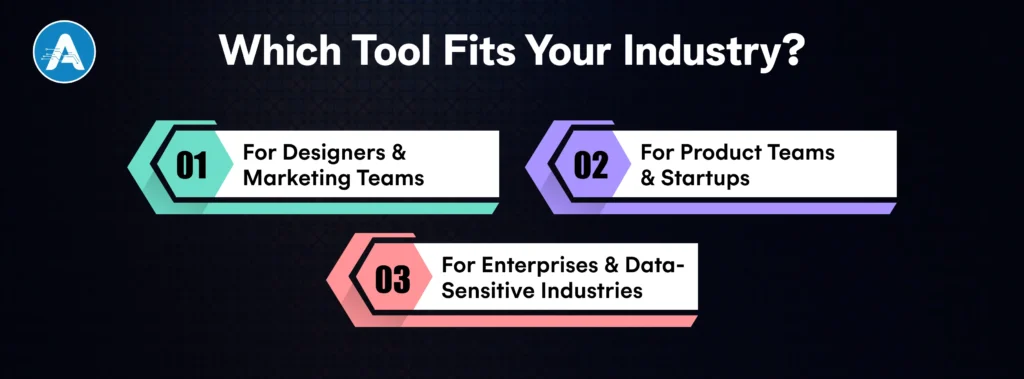
Which Tool Fits Your Industry?
Choosing between Stable Diffusion vs Midjourney becomes easier when you evaluate real-world use cases. The right AI art generator depends on whether you need quick creative assets or production-level AI integration.
1. For Designers & Marketing Teams
If your goal is to create social media creatives, ad visuals, blog banners, or concept artwork quickly, Midjourney AI is often the preferred choice. It produces highly polished AI-generated images with minimal prompt effort. Marketing teams can iterate fast without worrying about technical configuration.
Best suited for:
- Branding campaigns
- Social media content
- Storyboarding
- Creative experimentation
2. For Product Teams & Startups
If you are building an AI-powered feature inside your SaaS platform, mobile app, or e-commerce tool, Stable Diffusion AI becomes more practical. The stable diffusion model can be deployed via API, self-hosted for privacy, or fine-tuned for brand-specific outputs.
Best suited for:
- AI-powered design tools
- Custom image generation inside apps
- White-label AI solutions
- Automated product mockups
An experienced AI application developer can integrate Stable Diffusion into backend systems to create scalable AI workflows. Businesses working with an AI development company or offering AI application development services often prefer this level of control for enterprise deployments.
3. For Enterprises & Data-Sensitive Industries
If privacy, model control, and customization matter, Stable Diffusion provides a stronger long-term advantage because it can be hosted on private infrastructure. Midjourney, being fully cloud-based, does not offer the same deployment flexibility.
Which One Should You Choose?
After comparing features, prompts, cost, and scalability, the final decision in Stable Diffusion vs Midjourney depends entirely on your goal.
Choose Midjourney If:
- You want high-quality AI-generated images instantly
- You don’t want to manage infrastructure
- Your focus is marketing, branding, or concept art
- Ease of use matters more than deep customization
Midjourney AI is ideal for designers, content creators, and teams that need visually impressive results without technical overhead.
Choose Stable Diffusion If:
- You want full control over the stable diffusion model
- You need advanced prompt engineering and negative prompts
- You plan to fine-tune or train custom models
- You want to integrate image generation inside your app or SaaS
- Data privacy and infrastructure ownership matter
For startups and enterprises working with an AI development company or an AI application developer, Stable Diffusion AI often becomes the better long-term investment because it can scale and integrate directly into AI application development services.
Final Thought
The issue of control versus convenience is what ultimately establishes the comparison between Stable Diffusion vs Midjourney. They are both powerful AI art generator sites that can create high-quality AI-generated images, yet are used by different users.
Midjourney AI is the best at providing high-quality, visually appealing results with little work, which is why it is a good solution for creatives who seek to obtain high-quality output as quickly and efficiently as possible.
Conversely, the Stable Diffusion AI, which runs on the versatile Stable Diffusion model, has profound customization, stable diffusion prompt control, and fine workflow adjustment through a stable diffusion prompts generator strategy.
The decision is more strategic to businesses and product teams. When you are playing around with images, Midjourney is a good one. Stable Diffusion offers flexibility and ownership in the long term in the case you are developing scalable AI features, integrating image generation into your platform, or collaborating with an AI developer.
Within the context of the midjourney vs stable diffusion debate, the correct choice is based on the necessity to possess an artistic instrument – or a programmable AI machine aimed at development.
Supply chains are always operating in a state of uncertainty, whether it is a change in demand, a supplier glitch, or rising logistics costs. It is difficult to react quickly when relying on old reports or manual planning. This is where Predictive Analytics for Supply Chain comes into play.
By leveraging both past and current information, predictive analytics seeks to predict what is to come and inform better decisions. Instead of reacting to problems when they occur, companies can forecast demand, optimize inventory, and maximize efficiency before the fact.
Moving from traditional, reactive analytics to predictive, data-driven models helps organizations improve accuracy, reduce costs, and sustain service levels even in turbulent environments.
This shift from traditional supply chain analytics to predictive, data-driven models enables organizations to improve accuracy, reduce costs, and maintain service levels even in volatile conditions.
As digital transformation accelerates, predictive analytics in supply chain has become essential for building resilient and agile operations. AI development companies that adopt predictive approaches gain better visibility, faster response times, and a measurable competitive advantage across their supply chain.
What Is Predictive Analytics in the Supply Chain
Predictive analytics in supply chain involves the use of data, statistics, and machine learning algorithms to predict what will happen next in the supply chain. It is not only focused on what happened but on what is likely to happen next.
How Predictive Analytics Differs from Traditional Analytics
Traditional analytics in supply chain is all about analyzing history. It seeks answers to questions like:
- What happened?
- Why did it happen?
On the other hand, Supply chain predictive analytics is all about looking ahead. It combines historical patterns with real-time data to predict what will happen next.
What Predictive Analytics Enables
Using predictive analytics, businesses can:
- Make more accurate predictions about demand
- Predict inventory shortages or overages
- Predict logistics-related delays and transportation-related risks
- Identify potential issues with suppliers’ performance early on
This advanced analysis of supply chain data allows teams to respond before problems impact operations.
Why It Matters
The ability to use data to make predictions and look ahead makes Predictive Analytics for Supply Chain a powerful tool that goes beyond simple reporting. It helps to eliminate uncertainty, improve efficiency, and make better decisions about planning and procurement.
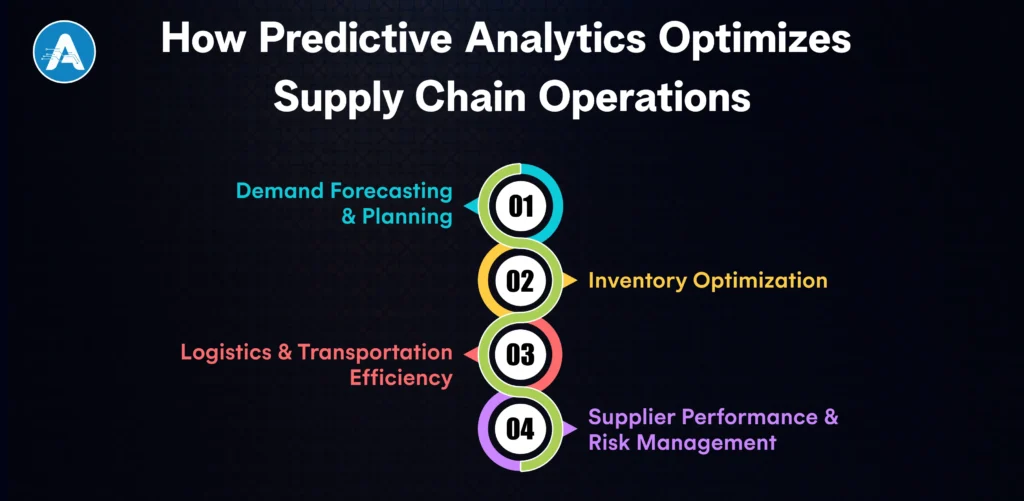
How Predictive Analytics Optimizes Supply Chain Operations
Predictive Analytics for Supply Chain enables organizations to move from reactive problem-solving to proactive optimization. By forecasting future scenarios, businesses can plan more accurately, reduce costs, and improve overall efficiency across supply chain functions.
1. Demand Forecasting and Planning
Predictive models analyze historical sales data, market trends, seasonality, and real-time demand signals to forecast future demand more accurately. This helps organizations align production and procurement with actual market needs.
Example: A manufacturer can predict demand surges during peak seasons and adjust production schedules in advance, avoiding last-minute capacity constraints or missed sales opportunities.
2. Inventory Optimization
Using predictive supply chain analytics, businesses can determine optimal inventory levels across multiple locations. Predictive insights help balance service levels with carrying costs by identifying when and where stock will be needed.
Example: Retailers can automatically adjust reorder points based on predicted demand fluctuations, reducing overstock while preventing stockouts.
3. Logistics and Transportation Efficiency
Predictive analytics improves logistics planning by forecasting delivery times, transportation risks, and route performance. This enables smarter analytics supply chain decisions and proactive delay management.
Example: Logistics teams can anticipate potential shipment delays caused by traffic patterns or weather conditions and reroute deliveries before service levels are impacted.
4. Supplier Performance and Risk Management
Predictive analytics helps assess supplier reliability by analyzing historical performance, lead times, and external risk factors. This supports more accurate supply chain analysis processes and early risk detection.
Example: Procurement teams can receive alerts about suppliers likely to miss delivery commitments, allowing them to secure alternative sourcing in advance.
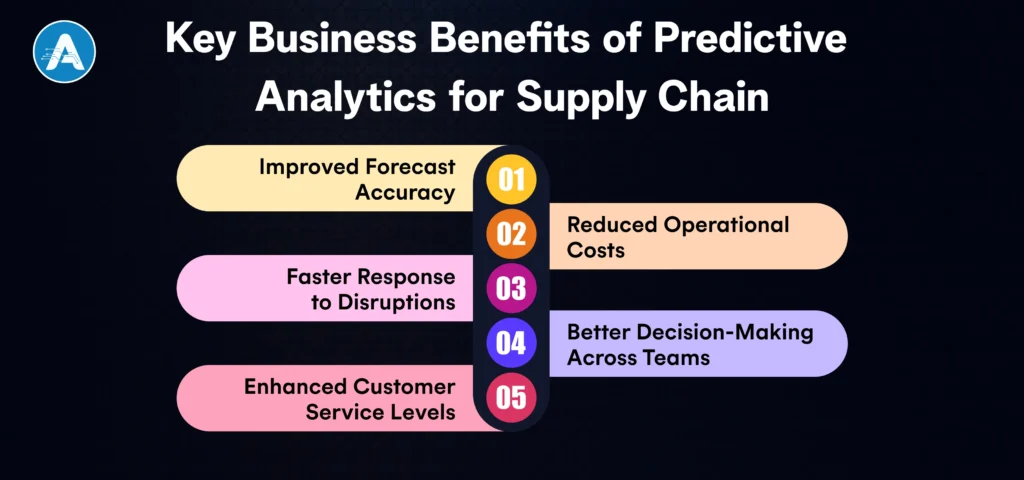
Key Business Benefits of Predictive Analytics for Supply Chain
Implementing Predictive Analytics for Supply Chain delivers measurable improvements across cost, efficiency, and decision-making. Instead of relying on assumptions or static plans, organizations gain forward-looking insights that support smarter and faster actions.
1. Improved Forecast Accuracy
Predictive models reduce guesswork by analyzing patterns in demand, seasonality, and external factors. This leads to more reliable forecasts and better alignment between supply and demand.
2. Reduced Operational Costs
By optimizing inventory levels, transportation routes, and production planning, businesses can significantly lower holding costs, expedited shipping expenses, and resource waste.
3. Faster Response to Disruptions
With predictive insights, teams can identify potential risks, such as supplier delays or logistics bottlenecks, before they escalate. This allows proactive mitigation rather than reactive firefighting.
4. Better Decision-Making Across Teams
Shared insights from analytics in supply chain improve coordination across procurement, operations, and logistics.
5. Enhanced Customer Service Levels
Accurate demand planning and reliable delivery forecasts help ensure products are available when and where customers need them, improving satisfaction and trust.
Technologies Powering Predictive Analytics in Supply Chain
The success of Predictive Analytics for Supply Chain depends on the right combination of technologies that enable accurate forecasting and real-time decision-making.
Key Technologies Used here:
Artificial Intelligence & Machine Learning
- Identify complex patterns in large supply chain datasets
- Continuously improve predictions as new data is introduced
- Enable advanced demand forecasting, risk detection, and optimization
- Built and maintained by a skilled Artificial Intelligence Developer
Big Data & Cloud Analytics Platforms
- Process large volumes of structured and unstructured data
- Support scalable and cost-effective analytics
- Enable faster deployment of predictive models across operations
Real-Time Data Integration
- Combines data from ERP, WMS, TMS, IoT devices, and external sources
- Improves accuracy by updating predictions as conditions change
- Supports proactive adjustments to inventory and logistics plans
Advanced Analytics Tools & Dashboards
- Translate predictive insights into actionable visual reports
- Help stakeholders quickly understand risks and opportunities
- Improve cross-team visibility and collaboration
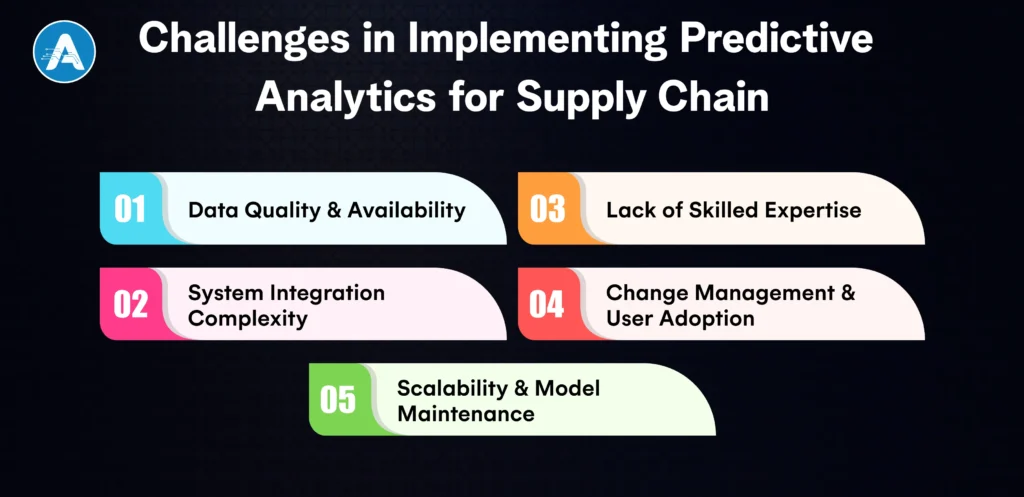
Challenges in Implementing Predictive Analytics for Supply Chain
Although Predictive Analytics for Supply Chain presents considerable operational benefits, there are various challenges associated with its successful implementation. These issues should be addressed at an early stage in order to make perfect predictions and value in the long run.
Data Quality and Availability
Data quality is one of the largest issues with Predictive Analytics for Supply Chain. Supply chain data tends to be decentralized in several systems, including ERP, WMS, and TMS, and creates discrepancies and gaps.
- Incomplete or inaccurate data reduces prediction reliability
- Siloed systems limit end-to-end visibility
- Historical data may not reflect current market dynamics
System Integration Complexity
Application of Predictive Analytics for supply chain necessitates smooth collaboration with the current supply chain systems. Predictive insights cannot be put to real-time use without appropriate integration.
- Difficulty connecting analytics platforms with legacy systems
- Delayed data flow is impacting prediction accuracy
- Minor automation in supply chain procedures
Lack of Skilled Expertise
Another major challenge in Predictive Analytics for Supply Chain is the shortage of skilled professionals who understand both analytics and supply chain operations.
- Need for data science and machine learning expertise
- Dependence on experienced AI and analytics teams
- Limited in-house capability to build and maintain models
Change Management and User Adoption
Even with accurate insights, Predictive Analytics for Supply Chain may fail if teams do not trust or adopt predictive recommendations.
- Resistance to moving away from manual planning methods
- Lack of training and user confidence
- Difficulty aligning predictive outputs with existing workflows
Scalability and Model Maintenance
As supply chains evolve, Predictive Analytics for Supply Chain models must adapt to new data, suppliers, and market conditions.
- Models require continuous monitoring and retraining
- Scalability challenges as data volume increases
- Risk of declining accuracy over time without optimization
By addressing these challenges with the right data strategy, technology foundation, and skilled resources, organizations can unlock the full potential of Predictive Analytics for Supply Chain and drive sustained operational excellence.
Conclusion
Predictive Analytics for Supply Chain is now an important organizational requirement that operates in a relatively dynamic and uncertain environment. With reactive changing to proactive analysis, companies can be able to predict demand precisely, manage inventory better, and be aware of the disruption well in advance of it impacting businesses.
Due to the fact that predictive models make use of real-time and past data, supply chain teams are more visible and in control of procurement, logistics, and distribution. This will result in reduced operation costs, enhanced service delivery, and speed. By working with the right AI application developers and adopting scalable AI application development services, businesses can overcome implementation challenges and maximize the long-term value of predictive analytics.
Design workflows are evolving at breakneck speed. AI Image Generators have officially transitioned from experimental “toys” to essential everyday assets for modern creatives. The data is clear: over 65% of designers now integrate AI into their ideation phase, with teams reporting up to 4× faster visual creation compared to traditional stock photography or manual drafting.
However, the AI gold rush has shifted. The value isn’t just in making any image; it’s about precision, brand consistency, and legal safety. Businesses using a modern image generator AI reduce creative costs by 30–50%, but the real winners are those moving beyond generic prompts toward specialized, architecturally aware models.
This is also where organizations increasingly partner with an AI development company to move from tool usage to long-term visual infrastructure.
Whether you are testing an AI image generator free online for a rapid mock-up or scouting the best AI image generator for professional production, this guide highlights the tools that bridge the gap between creative spark and production-ready output.
We’ll also examine why elite teams are now seeking AI application developers for hire to build proprietary models that protect their unique visual identity.
What makes an AI Image Generator Worth Using?
A good AI Image Generator should feel like a natural extension of a designer’s workflow, not a gimmick. While many tools can produce visually appealing outputs, only a few consistently deliver usable, repeatable, and real-world-aligned results.
Understanding why certain features matter helps designers choose the right image generator AI for both creative exploration and production work.
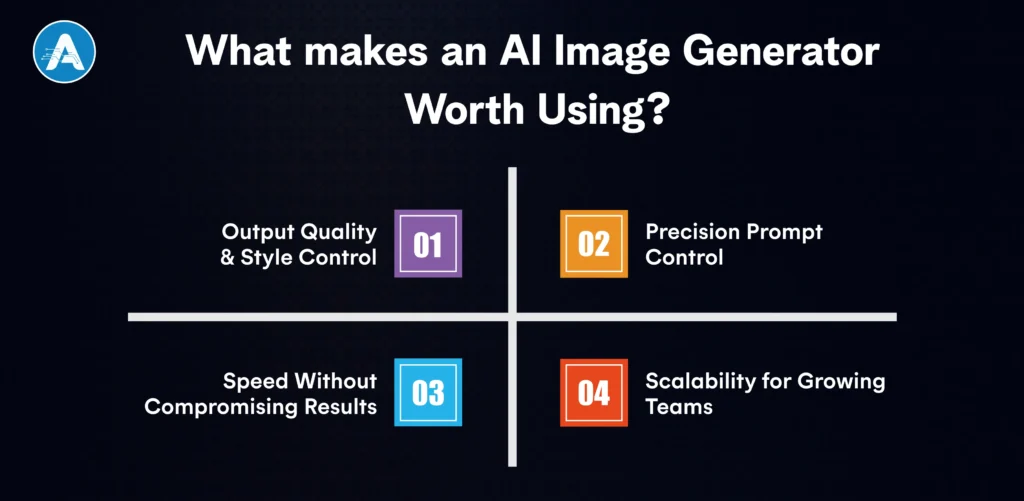
1. Output Quality & Style Control
The foundation of any best-in-class AI image generators is its ability to accurately understand and execute prompts. Designers often need precise control over style, composition, lighting, and mood.
- For example, when generating hero visuals for a website, multiple AI generated image may be required that look cohesive across different sections.
- Tools that allow prompt refinement, style locking, and iterative adjustments make it easier to generate AI images that meet professional standards.
- Many free AI image generator tools are excellent for quick ideas, but struggle with consistency when used repeatedly.
2. Precision Prompt Control
Designers design in various formats such as ads, app screens, social media posts, and presentations.
- The realistic image AI generator allows custom aspect ratios, high-resolution exports, and little in the way of post-editing.
- This is more so necessary when applying an AI image generator on a free online platform, where factors such as poor resolution or constraints may slow down the delivery.
- Tools that can fit into the current workflow assist designers in making the transition to the final output quicker.
3. Speed Without Compromising Results
Rapidity is important, however, not at the expense of quality. The most useful tools are the ones that balance to create images fast, but at the same time, observe detailed hints.
- The tools of an ai images generator help designers discover several visual directions within minutes, when it would take hours otherwise.
- It is this fast iteration, where AI image generators can actually generate value over the conventional design processes, which can provide valuable benefits.
4. Scalability for Growing Teams
The bigger the projects, the higher the expectations. Grouping styles or data sets, or even bespoke pipelines that are unavailable in general tools, can be required by teams.
- At this point, companies tend to go beyond the shelf solutions and seek the services of AI developers and invest in AI application development services to build systems.
- This would guarantee continuity anda greater level of control over the alignment of AI generator image outputs to brand identity.
Best 8 Image Generator Tools
A designer-oriented and practical list of the best AI Image Generators, including the reasons why one tool is important to the workflow, how it is applied in practice, and when it is reasonable to use this or that tool, appears below. This list is a balance between the premium tools and the best free AI image generator sources that are employed by contemporary design teams.
1. Midjourney

Midjourney is arguably the top AI image generator when it comes to designers who place a premium on design and artistic quality. Its products are cinematic, expressive, and purposefully designed, so it is popular in brand storytelling and luxury creative work.
- Why designers rely on it: Midjourney is very good at deciphering mood, light, texture, and abstract concepts. In creating AI generated image in campaigns or hero sections, the designers receive results that are less artificial and more crafted.
- How it’s used in real workflows: Designers often use Midjourney during early ideation, exploring multiple art directions before committing to one. It’s especially effective when you need inspiration quickly without opening complex design tools.
- Limitations to know: Prompt structure matters a lot. Without refinement, outputs can vary, which makes it better for exploration than strict brand-controlled production.
2. DALL•E

DALL·E focuses on clarity and precision, making it one of the most practical image generator AI tools for designers working on business-focused visuals.
- Why designers choose it: It follows prompts more literally than most tools. This helps when designers need specific objects, layouts, or explanatory visuals rather than abstract art.
- How it fits design use cases: Designers commonly generate AI images for blog illustrations, onboarding screens, UI visuals, and marketing banners where structure matters more than artistic flair.
- Free vs paid value: Limited credits make it a usable AI image generator free online option for testing and small projects, with paid plans offering consistency at scale.
3. Adobe Firefly

Adobe Firefly will target users who are already integrated into the Adobe ecosystem.
- Why it stands out: The greatest strength that it possesses is trust. Firefly learns using licensed data, and the output of visuals is less risky in commercial and client-facing applications.
- How designers use it: The designers create AI images in Photoshop or Illustrator, which eliminates context switching and accelerates production actions.
- Best suited for: The teams of enterprises, agencies, and designers who care about legal safety and working process coherence more than experimentation.
4. Stable Diffusion

The image AI generator that is the most flexible and is used today is Stable Diffusion.
- Why it’s powerful: It also gives complete control, including custom models, datasets, and fine-tuning, which none of the hosted systems can complete.
- How it’s used: Stable Diffusion is frequently used with internal tools or contracted to AI developers to create brand-specific generators by design teams.
- Who should use it: High-end users and organizations that require long-term scalability and customization.
5. Leonardo AI

Leonardo AI is constructed with the asset consistency consideration.
- Why designers prefer it: It is also good at creating repeatable styles – essential to games, UI kits, and icon systems.
- How it’s used: Designers create AI images such as characters, UI, and environment elements, yet retain visual consistency.
- Free value: It is one of the most powerful AI image generators available as a free version, which can be used in serious experiments.
6. Canva

The image generator feature of Canva is focused on speed and simplicity through AI generators.
- Why it works: It eliminates the complexity in designing among marketers and founders who require visuals in real time.
- How it’s used: Designers and non-designers use it to create AI images to present, post, or advertise via social media.
- Trade-off: Less creative control compared to high-tech.
7. Bing Image Creator

Bing Image Creator provides rapid access to DALL*E-generated image.
- Why it’s popular: It is a free choice of an AI image generator, thanks to its zero-configuration setup.
- How designers use it: Primarily references, mockups, and inspiration- not finished production.
- Edge over rivals: Cost-free rapid ideation vs paid barriers.
8. NightCafe

NightCafe is open-minded and participatory-based.
- Why it’s useful: Several models are housed together in a single place, enabling designers to compare outputs quickly.
- Best for: Fashion experimentation and artistic experimentation.
- Edge advantage: Model variety speeds creative exploration.
You may also want to know Supervised Learning in AI
Conclusion
AI Image Generators are no longer a curiosity or optional experiment; they are now a foundational layer in modern creative workflows. Throughout this guide, we’ve shown how AI Image Generators are used not only for speed, but for smarter decision-making across branding, UI, marketing, and product design. The real strength of AI Image Generators lies in their ability to reduce production time, expand creative exploration, and maintain visual quality while supporting real business outcomes.
For individual designers and small teams, AI Image Generators available as free online tools are often enough to create mockups, references, and early-stage concepts. As project complexity grows, professionals naturally shift toward advanced AI Image Generators that offer higher consistency, better resolution, and stronger prompt control.
Scaling organizations move beyond generic AI Image Generators entirely, working with AI developers for hire to build custom AI Image Generators that protect brand identity, enforce design systems, and align with long-term product vision.
Ultimately, choosing the right AI Image Generators comes down to intent. Whether you need fast inspiration, production-ready assets, or a fully customized AI Image Generators pipeline.
In this blog demonstrate how AI Image Generators empower designers to work faster, think broader, and deliver better outcomes. The future of design isn’t about replacing designers; it’s about AI Image Generators evolving alongside them, adapting to how modern creatives think, design, and ship results.
Have you ever questioned yourself about how AI systems can make a decision that you can actually trust, such as warning about a fraudulent transaction or accurately forecasting customer demand? Topics that many businesses find difficult with AI models that seem like black boxes deliver results that are not clear and consistent.
Such uncertainty usually gives rise to poor adoption, wasted data efforts, and lost opportunities. Here, Supervised Learning in AI comes in. Supervised learning will allow AI systems to learn correctly, act predictably, and provide quantifiable outputs by training models with labeled data and well-defined results.
You will get to know the nature of supervised learning in AI, the key concept of supervised learning, its functioning in detail, the difference between supervised and unsupervised learning, and the areas where supervised learning models add real value in real business-driven systems.
What is Supervised Learning in AI?
Supervised Learning in AI is a machine learning model that uses labels in training. Every input has a known, correct output, and the system is able to learn a clear relationship between the two. This is with the aim of enabling the AI to make correct predictions or decisions when it comes across new data in the real world.
A machine learning supervised model is figured by repeated comparison of its predictions against the true results and modification of the model to minimize the errors. It is this feedback loop that renders supervised learning very reliable and performance-based.
The advantage of supervised learning:
- It provides reliable and quantifiable outcomes.
- Clear metrics can be used to measure model performance.
- Outputs are less complicated to justify.
Supervised learning in AI is clearly result-oriented, unlike non-supervised learning, where patterns are found independently. It is why supervised learning models are particularly appropriate to the problems of classification and regression, where accuracy, control, and consistency are essential to production-friendly AI systems.
Supervised Learning Examples
Practical examples of supervised learning in AI can be learned more easily. These are examples of how labeled data is converted into correct, real-life predictions.
Let’s take the case of an email spam filter. The model is trained using a collection of thousands of spam or non-spam emails. The supervised learning model is able to classify new incoming emails correctly by learning patterns like keywords, sender behavior, and formatting. It is a typical supervised learning example where the results are well specified and quantifiable.
You may also want to know the best AI Apps for iPhone
Supervised machine learning examples in the real world
- Fraud Detection: Supervised algorithms are the technique of detecting fraud in financial systems using historical labeled data.
- Medical Diagnosis: AI models are used to predict diseases based on the patient records tagged with confirmed diseases.
- Recommendation System: Platforms suggest products or content by learning from user interactions tagged with known preferences.
- Price prediction: Regression-based supervised learning models forecast prices using past sales and market data.
How Supervised Learning Works
AI supervised learning entails a structured feedback-based process, which assists models to learn correct input-output relationships. All the stages are important in making sure that the model is reliable in the real world.
1. Data Labeling & Collection
It starts by collecting data and labeling the appropriate inputs. These labels determine what the model ought to have learned, and hence, data quality and accuracy are essential to supervised learning.
2. Model Training
The labeled data is fed into a supervised algorithm, where the model identifies patterns and relationships. During training, the model continuously adjusts its parameters to minimize prediction errors.
3. Testing and Validation
After training, the model is tested on the unseen data to test the performance of the model. Accuracy and error rate are metrics that can be used to assess the degree of a supervised learning model’s generalization outside the training data.
4. Prediction on New Data
Once validated, the model is deployed to give predictions on actual data. This is where AI supervised learning provides concrete value to realize historical data into actionable information with predictable and consistent results.
Types of Supervised Learning
Supervised learning in AI is divided according to the nature of the output that the model is being trained to predict. When making the correct type selection is necessary to create business and accurate AI solutions.
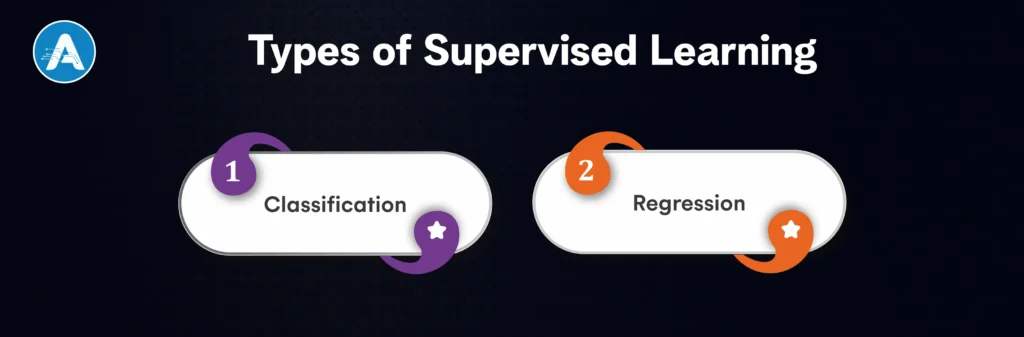
Classification
Used when the output is a fixed category or label. The model learns from labeled examples and assigns new data points to one of the predefined classes. This approach is common in problems where decisions must be discrete and clearly defined.
Typical use cases:
- Email authentication of spam or non-spam
- Fraud or good transaction classification
- Healthcare system disease identification
Regression
Used in the case when the output is a continuous numerical value. The model does not make predictions of a class; instead, it estimates a real-world quantity using known patterns in the labeled data.
Typical use cases:
- House price prediction
- Sales and revenue prediction
- Demand and trend analysis
The two are the foundations of supervised learning models, which allow machine learning supervised systems to provide accurate and results-oriented predictions in diverse AI application development services.
Common Supervised Learning Algorithm
In AI, supervised learning uses clearly defined algorithms to extract patterns of known cases and apply them to their predictions. All the supervised learning algorithms are adapted to particular problems, data amount, and performance demands.
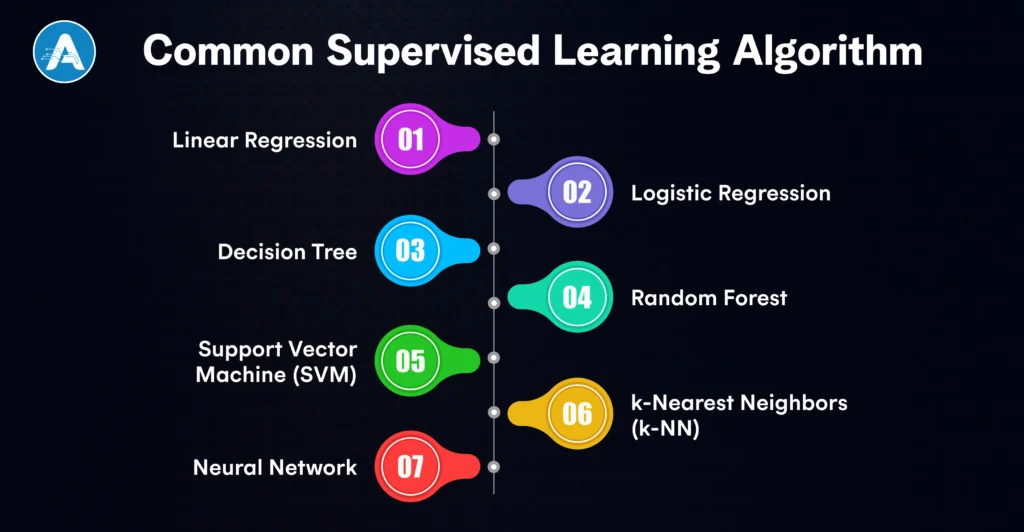
1. Linear Regression
Applied to the prediction of continuous values by modeling the association among the input variables and a numerical output. Usually, in forecasting and trend analysis.
2. Logistic Regression
This is a classification-oriented supervised learning algorithm, despite its name. It estimates the likelihood of an occurrence falling within a particular category, which is appropriate in binary decision-making.
3. Decision Tree
A rule-based supervised algorithm that splits data into branches based on feature values. Decision trees can be easily interpreted and are used in business decision systems.
4. Random Forest
A collection of several decision trees that enhances accuracy and reduces overfitting. It is a supervised machine learning algorithm that works well on high-dimensional and complex datasets.
5. Support Vector Machine (SVM)
SVMs are applied to both classify and regress data, and they determine the best boundary that defines data points. They work well when there are definite gaps between classes.
6. k-Nearest Neighbors (k-NN)
An uncomplicated supervised learning algorithm that uses the similarity of data to the local labeled examples to classify the data. Most appropriate for smaller datasets.
7. Neural Network
State-of-the-art supervised learning models that can learn more nonlinear relationships. They are usually applied in image recognition, speech processing, and deep learning.
Together, these supervised learning algorithms form the core of machine learning supervised systems, enabling AI solutions to deliver reliable, measurable, and production-ready results.
Supervised vs Unsupervised Learning
Supervised learning in AI, where labeled data is used, whereby each input is matched with a known output. This enables models to acquire explicit relationships and give accurate and quantifiable predictions, and this makes supervised learning best suited for business-critical applications.
Unsupervised or non-supervised learning, on the other hand, processes unlabeled data and does not generate foregone conclusions but finds out concealed patterns in the data.
In the comparison of supervised vs unsupervised learning, control and exploration are the main differences between them. Supervised learning models are used where accuracy and reliability is require,d whereas unsupervised learning is best applied in the analysis of data and identification of trends.
| Aspect | Supervised Learning | Unsupervised Learning |
| Data type | Use labeled data | Use unlabeled data |
| Learning approach | Learn from known outputs | Discover patterns independently |
| Output | Predictable and measurable | Exploratory and pattern-based |
| Accuracy control | High and trackable | Limited and interpretive |
| Common use cases | Classification, regression, forecasting | Clustering, segmentation, anomaly detection |
| Business Suitability | Ideal for production-ready AI | Best for insights and data exploration |
While supervised vs unsupervised learning serve different purposes, supervised learning models are preferred when businesses need reliable predictions and clearly measurable results.
Final Thought
Supervised Learning in AI has been among the best and most reliable methods of creating intelligent systems that provide accurate, explainable, and measurable results. Through the study of labeled data, supervised learning models might be able to solve problems that are defined well and provide confidence in their solution, be it classification, prediction, or forecasting.
From basic supervised learning instances, such as spam detection, to sophisticated supervised machine learning instances in healthcare, finance, and enterprise automation, this methodology still drives real-world AI success.
Comparison of supervised vs unsupervised Supervised learning is more advantageous due to control and reliability, whereas unsupervised learning is effective in discovery-based understanding. Considering such a variety of supervised learning algorithms and supervised machine learning algorithms, selecting an appropriate supervised algorithm is determined by the quality of data, the nature of the problem, and the objectives of the business. Regardless of hiring a freelance AI developer or engaging a trusted AI development company, supervised learning in AI is the foundation of scalable solutions deployed by contemporary AI application development firms through the services of competent AI application developers.
Many AI apps for iPhone are very good, but it’s more difficult to decide which ones are worth keeping. With hundreds of AI apps for iPhone available, most of them are downloaded, tested once, and deleted within a few days.
Only a handful of apps survive. They are the ones that respond quickly, understand context, and deliver useful output without making users learn new skills.
What makes the best AI chat apps different is their consistency. People rely on these AI apps for iPhone to draft messages, summarize content, generate ideas, and get instant explanations of tasks that previously required multiple apps or repeated searches. This is also why free AI apps for iPhone and AI chatbot free tools now see repeat daily usage instead of one-time curiosity installs.
This article focuses only on AI applications for iPhone you’ll actually use every day. Every app covered here earns its place through reliability, speed, and practical value, whether you’re using a free AI app, a paid plan, or switching between iPhone and Android. No experiments, no filler, just apps that behave like the best free AI app should: reliable, fast, and genuinely useful.
Why AI Apps for iPhone Have Become Everyday Tools
AI apps for iPhone have earned daily usage because they remove small but constant frictions from everyday tasks. Instead of switching between search, notes, email, and productivity apps, users can now complete multiple actions inside a single AI chat app. On iPhone, this experience feels natural: open the app, ask, act, and move on.
This shift didn’t happen by accident. It reflects how modern AI application development services focus on reducing steps, simplifying interfaces, and delivering immediate value rather than overwhelming users with features.
What’s driving daily adaptation?
- Faster than search: Asking an AI chatbot is quicker than opening a browser, refining queries, and scanning results.
- One app, multiple tasks: A single AI app for iPhone can draft messages, rewrite content, summarize text, and generate ideas.
- Low effort, high output: Modern AI chatbots understand context and follow-ups without complex prompts.
- Useful free plans: Many free AI apps and AI chatbot free tools now offer enough value for daily use.
- Mobile-first convenience: Always available, touch-friendly, and designed for short, frequent interactions.
Types of AI Apps for iPhone
AI apps for iPhone fall into a few clear categories based on how people actually use them day to day. Understanding these types helps avoid downloading multiple overlapping apps and makes it easier to choose the specific AI apps for iPhone that fit your routine. Something both users and any serious AI development company prioritize when designing scalable products.
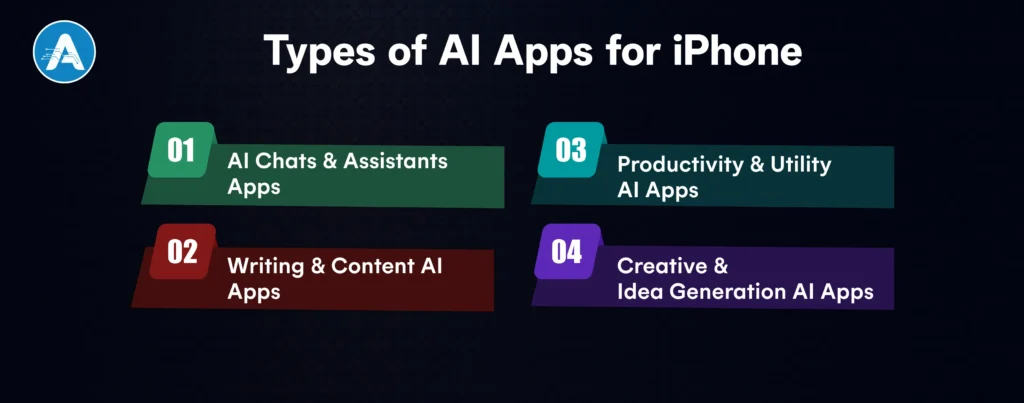
1. AI Chats & Assistants Apps
These are conversation-first tools designed for quick answers, explanations, and brainstorming. Most users rely on them as a replacement for search or basic research. This category includes AI chat apps, AI chat online tools, and general chatbot apps.
2. Writing & Content AI Apps
Built for drafting, rewriting, and summarizing text. These apps are commonly used for emails, social posts, notes, and quick content edits. Many overlap with chatbots but focus more on structured output and tone control.
3. Productivity & Utility AI Apps
These AI apps for iPhone support planning, task breakdowns, summaries, and decision-making. They’re popular with users who want AI support embedded into daily workflows rather than casual conversation.
4. Creative & Idea Generation AI Apps
Focused on generating ideas, prompts, captions, or creative concepts. Some also include image or visual assistance, but the daily-use value usually comes from fast ideation.
You may also want to know Supervised Learning in AI
Best 15 AI Apps for iPhone You’ll Actually Use
Below is a clean, practical breakdown of the most useful & Best AI apps for iPhone, written for real daily usage, not just for hype. Each app follows the same evaluation pattern, so readers can quickly compare and decide what fits their routine.
1. ChatGPT
ChatGPT is a powerful AI chat app that answers questions, writes content, explains code, helps with learning, and brainstorms ideas using natural conversation.

Why is it useful every day?
It replaces multiple tools such as search engines, note-takers, tutors, and writing assistants in one AI chatbot free-style experience.
Free vs paid value
- Free: Strong AI chat generator
- Paid: Faster, smarter responses and advanced reasoning
Who it’s best for
Students, professionals, developers, and anyone wanting the best AI chatbot experience.
2. Google Gemini
Gemini is Google’s AI chat app built for reasoning, research, and productivity across Google services.

Why is it useful every day?
Perfect for AI chat online research, summaries, planning, and smart answers tied closely to Google tools.
Free vs paid value
- Free: Solid AI chatbot free option
- Paid: Advanced models and deeper integrations
Who it’s best for
Google users who want a fast, reliable AI chat app.
3. Microsoft Copilot
Copilot is an AI assistant embedded into Microsoft apps like Word, Excel, and Outlook.

Why is it useful every day?
It automates writing, calculations, and data analysis, saving hours daily.
Free vs paid value
- Free: Basic AI chat and web answers
- Paid: Best experience inside Microsoft 365
Who it’s best for
Office users and professionals who want an AI app for iPhone and desktop productivity.
4. Perplexity AI
Perplexity is an AI chat generator focused on real-time, cited answers.

Why is it useful every day?
It’s like Google plus ChatGPT fast, factual, and transparent.
Free vs paid value
- Free: One of the best free AI apps for research
- Paid: Advanced models and deeper searches
Who it’s best for
Researchers, students, and anyone who values accurate AI chat online.
5. Grammarly
Grammarly improves grammar, tone, clarity, and writing quality using AI.

Why is it useful every day?
It works everywhere: emails, messages, documents, without effort.
Free vs paid value
- Free: Excellent daily writing corrections
- Paid: Style, tone, and rewrite suggestions
Who it’s best for
Writers, professionals, and students need a reliable AI app with a free option.
You may also want to know the Free AI Website Builder
6. Otter.ai
Otter.ai records, transcribes, and summarizes meetings using AI.

Why is it useful every day?
It replaces manual note-taking and keeps meetings searchable.
Free vs paid value
- Free: Limited transcription minutes
- Paid: Best for frequent meetings
Who it’s best for
Remote workers, students, and journalists.
7. Wordtune
Wordtune rewrites sentences to sound clearer, more formal, or more casual.

Why is it useful every day?
It upgrades everyday writing instantly.
Free vs paid value
- Free: Basic rewrites
- Paid: Unlimited tone and length control
Who it’s best for
Anyone writing emails, posts, or documents daily.
8. ParagraphAI
ParagraphAI generates paragraphs, replies, and messages with one tap.

Why is it useful every day?
Great for fast communication without overthinking.
Free vs paid value
- Free: Limited daily use
- Paid: Unlimited writing
Who it’s best for
Busy users who want a quick AI chat app for writing.
9. DeepL
DeepL is an AI-powered translation app known for accuracy.

Why is it useful every day?
It translates naturally, not word-for-word.
Free vs paid value
- Free: One of the best free AI apps for translation
- Paid: Advanced formats and privacy
Who it’s best for
Travelers, students, and global professionals.
10. Tiimo
Tiimo uses AI to help with planning, routines, and focus

Why is it useful every day?
It simplifies time management and reduces overwhelm.
Free vs paid value
- Free: Basic planning
- Paid: Custom routines and insights
Who it’s best for
Neurodivergent users and productivity seekers.
11. FYI.AI
FYI.AI summarizes long documents, emails, and reports.

Why is it useful every day?
It saves time by extracting only what matters.
Free vs paid value
- Free: Limited summaries
- Paid: Power-user features
Who it’s best for
Knowledge workers and executives.
12. Siri
Siri is Apple’s built-in AI assistant for voice commands and automation.

Why is it useful every day?
Hands-free control for reminders, calls, and smart devices.
Free vs paid value
- Free: Built-in AI apps for iPhone
- Paid: Not required
Who it’s best for
Every iPhone user wants a basic AI chatbot free experience.
13. Cleo
Cleo is an AI chatbot app for personal finance.

Why is it useful every day?
It tracks spending and gives budgeting advice conversationally.
Free vs paid value
- Free: Basic money insights
- Paid: Advanced financial coaching
Who it’s best for
Anyone managing personal finances.
14. Picsart AI
Picsart AI edits photos, removes backgrounds, and generates visuals.

Why is it useful every day?
It’s a versatile AI app for iPhone, perfect for social media creators.
Free vs paid value
- Free: Strong AI app free features
- Paid: Pro templates and exports
Who it’s best for
Creators and marketers.
15. Replika
Replika is an AI chatbot designed for emotional conversation.

Why is it useful every day?
It provides companionship and stress relief.
Free vs paid value
- Free: Basic chat
- Paid: Deeper personalization
Who it’s best for
Users seeking conversational AI support.
iPhone vs Android: Are These AI Apps Cross-Platform?
Most leading AI apps for iPhone are no longer locked to one platform. The majority of apps listed above are available on both iOS and Android, but the experience is not always identical. iPhone users typically benefit from smoother UI, better system-level integrations, and more consistent performance, especially for chat-based AI apps.
What’s generally the same across iPhone and Android:
- Core AI models and response quality
- Free vs paid plans
- Chat, writing, and generation features
- Account sync across devices
Where iPhone often has an edge:
- Cleaner UI and gesture-based navigation
- Better voice, keyboard, and system integrations
- Faster updates and feature rollouts for some apps
- More stable background performance
What Android users should know:
- Most apps still qualify as a solid AI app for Android
- Built by experienced AI application developers
- Feature parity is improving quickly
- Daily usability depends more on the app than the platform
FInal Thought
The top AI apps for iPhone are not necessarily the ones with the most features, but the apps that you are returning to. Once the AI application is capable of responding to questions, writing, summarizing, organizing tasks, or coming up with ideas without clicks, it will not feel like a tool anymore but rather a utility.
Most users find a free AI app more than adequate for daily use. Free plans today are not placeholders; they’re a viable strategy supported by thoughtful AI application development services. The real advantage comes from choosing one or two trustworthy AI apps for iPhone rather than downloading dozens.
When an AI application can save time, lessen effort, and become a part of your iPhone workflow, it is performing its job. That is what makes a good AI app a great AI app and why the best AI apps for iPhone should soon be permanently displayed on your home screen.
Websites don’t start with layouts; they start with purpose. A free AI website builder can now launch over 90% of first-time websites in under an hour, shifting web creation from frontend execution to conversational control. Static templates are obsolete. The outcome is now determined by direction, not configuration.
Most users still misuse free AI website builders, publishing the first output and blending into saturation. Teams that win treat a free AI website builder of manual constraints as a deployment engine, not a shortcut. Whether inside a WordPress AI website builder ecosystem or a Shopify AI website builder, the edge isn’t code, it’s prompt architecture and strategic control.
This guide abandons the drag-and-drop mindset. Instead, it shows how to use the best AI website generator to build an AI website that looks custom, converts reliably, and scales without rewrites.
Why Choose an AI Website Builder?
Choosing a free AI website builder isn’t just about saving a few dollars; it’s about shifting from manual production to algorithmic precision. We have reached a point where the free AI website builder acts less like a paintbrush and more like a high-performance engine.
Here is why the manual build is becoming a legacy bottleneck:
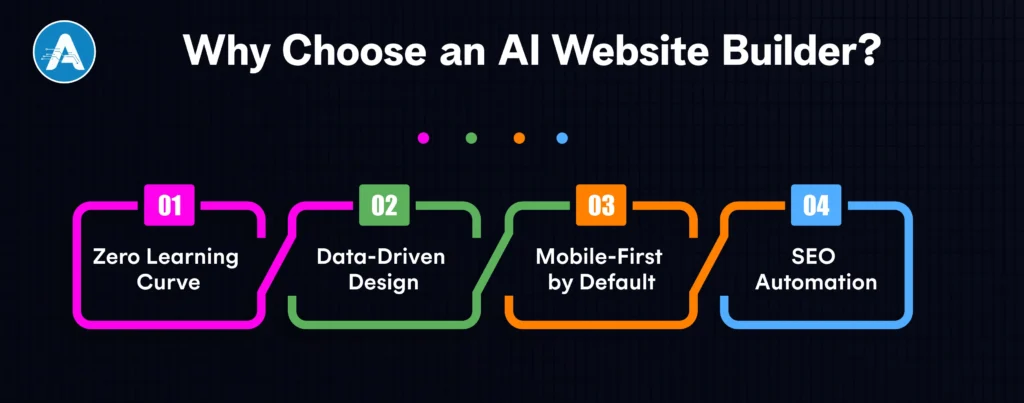
1. Zero Learning Curve
The barrier to entry has vanished. AI website development has matured into a conversational interface. You no longer need to understand padding, margins, or z-index. If you can articulate a business goal in a chat box, the AI translates that intent into a functional frontend configuration. It’s the transition from being a builder to being a creative director.
2. Data-Driven Design
The majority of landing pages are unsuccessful due to gut-feeling design. A high-quality best AI website generator is based on a huge training corpus of billions of successful user sessions.
- Predictive Heatmaps: The AI automatically places your Call-to-Action (CTA) buttons where users are statistically most likely to click.
- Conversion-First Layouts: It is picking industry-specific design patterns like a Problem-Agitate-Solution template that has already been demonstrated to be effective in your special niche.
3. Mobile-First by Default
More than 70% of online traffic is mobile, usually on untraditional displays such as foldables or ultra-thin tablets. The old way of responsiveness, by defining breakpoints manually, is too slow. An intelligent adaptive interface is used in a modern free AI website.
- Dynamic Scaling: Images and typography don’t just shrink; they intelligently reformat using native CSS clamp() functions and fluid grids generated by the AI.
- Performance-First Code: The AI removes the CSS slew lying idle, making sure that your mobile page will pass the Google Core Web Vitals at 100.
4. SEO Automation
The heavy lifting previously needed by an AI application developer has been replaced by a free AI website builder.
- Automatic Schema Markup: The AI identifies your products, FAQs, and events, automatically injecting the JSON-LD code search engines crave.
- Semantic Content Optimization: Instead of keyword stuffing, the AI structures your landing page around Search Intent and Topic Clusters, ensuring you are visible for conversational and voice-based queries.
Top 5 Free AI Website Builders
The market for a free AI website builder has split into two camps: tools for rapid prototyping and platforms designed for long-term AI website development.
The following five platforms have redefined the entry point for creators, offering high-utility free tiers that go beyond simple templates to provide functional, data-driven landing pages.
1. Wix
Wix remains the industry benchmark by offering a conversational AI Site Crafter that builds your site while you chat. It is the best AI website generator that creates custom sections and copy based on your specific business intent.
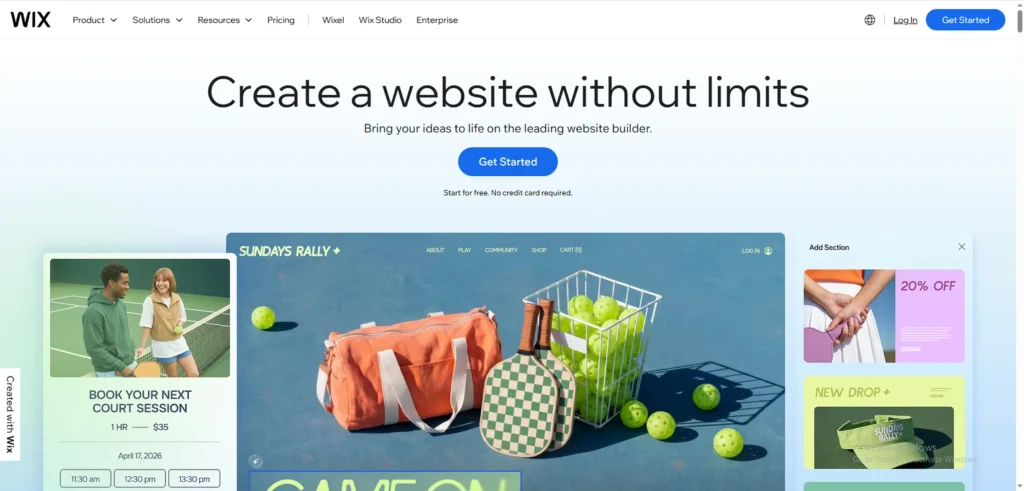
Best For: Startups, service businesses, and personal brands.
Pros:
- Conversational Interface: Designs the site based on a real-time interview about your goals.
- Advanced AI Toolkit: Access to AI image enhancement, text refiners, and automated SEO tools.
- Full Creative Control: Seamlessly switch from AI generation to a manual drag-and-drop editor.
Cons:
- Branding: Free plans include visible Wix ads and a username.wixsite.com URL.
- Performance: Can be slightly “heavy” with excess code compared to minimalist builders.
2. Hostinger
Hostinger’s AI builder functions as a virtual AI application developer, prioritizing speed and conversion-ready layouts. It’s built for those who need a sub-60-second deployment.
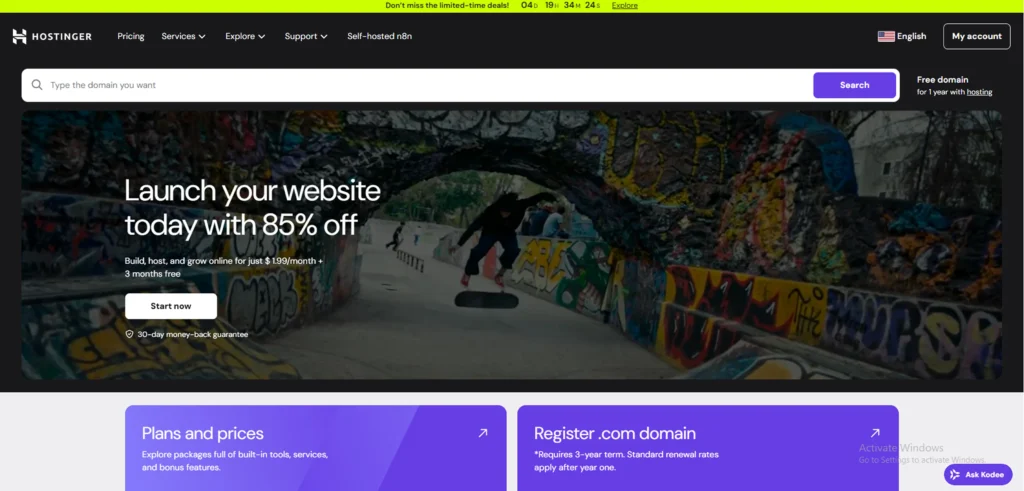
Best For: MVP landing pages, quick marketing campaigns, and solo founders.
Pros:
- AI Heatmap: Predicts where visitors will click, allowing you to place your CTAs with scientific precision.
- Performance Optimized: Automatically delivers high scores on Google’s Core Web Vitals.
- Simplicity: Zero technical configuration required to get a professional look.
Cons:
- Customization Limits: The simple UI means you have less control over complex design tweaks.
- Advanced Features: To remove limits or connect a custom domain, an upgrade is mandatory.
3. 10Web
10Web is the premier choice for users who want the automation of AI without losing the scalability of WordPress. It essentially automates the work of a traditional AI application development company.
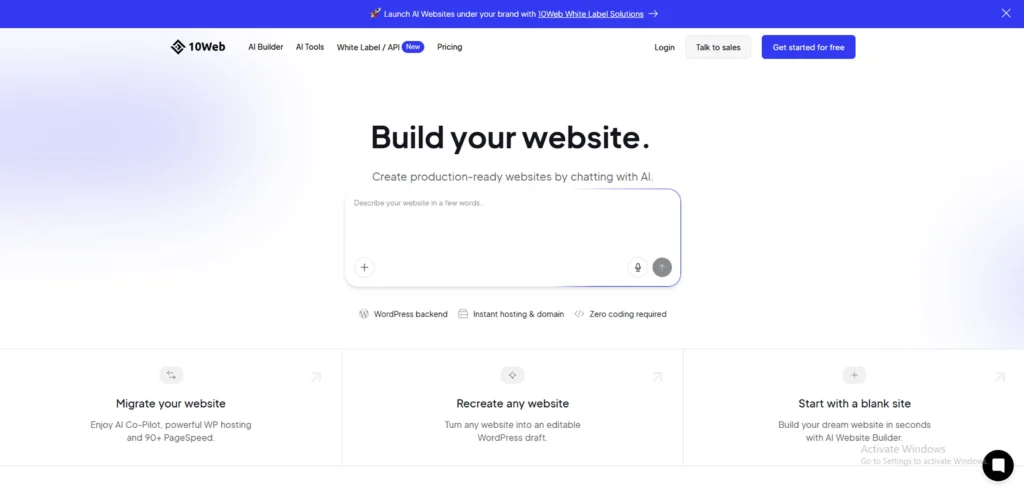
Best For: WordPress enthusiasts and businesses focused on long-term SEO.
Pros:
- AI Recreation: Can clone any existing URL’s layout directly into a WordPress environment.
- Plugin Flexibility: Full access to the vast WordPress plugin ecosystem.
- Enterprise Hosting: Built on Google Cloud for superior uptime and security.
Cons:
- Learning Curve: Slightly more technical than standalone AI builders.
- Pricing Structure: While it offers a robust free trial/sandbox, permanent hosting requires a paid plan.
You may also want to know the Top Image Annotation Tools
4. Framer
Framer is the best free AI website option for brands where aesthetics are the primary driver of trust. It uses a freeform canvas that generates complex frontend configurations and animations automatically.
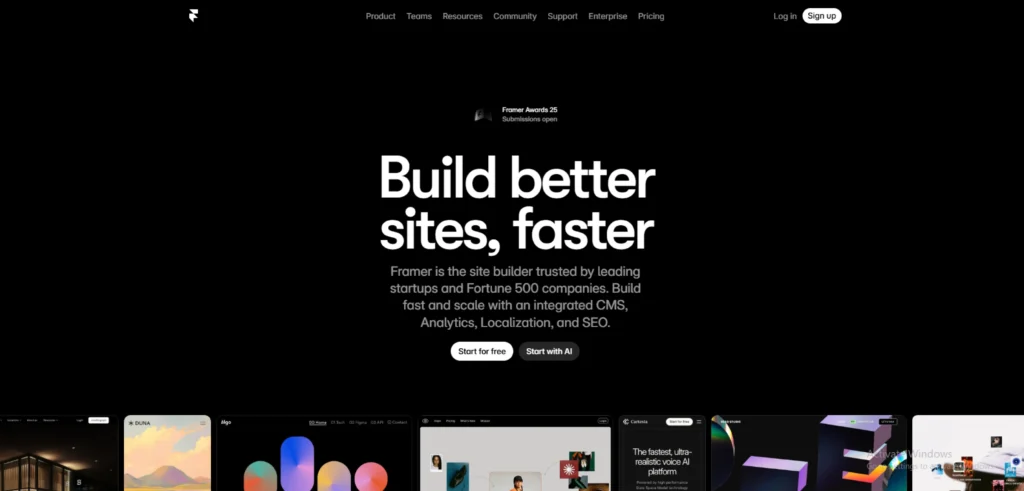
Best For: SaaS startups, design agencies, and high-end portfolios.
Pros:
- Stunning UI: Produces ultra-modern, award-winning layouts that look custom-coded.
- Generous Free Tier: Allows up to 1,000 pages and 10 CMS collections on their subdomain.
- Design-to-Code: High-fidelity layouts that feel like a living design tool (Figma for the web).
Cons:
- Complexity: Can be overwhelming for total beginners who just want a basic page.
- CMS Limits: Managing very large databases requires moving to a Pro tier.
You may also want to know the best AI Apps for iPhone
5. Jimdo
Jimdo uses Dolphin technology to create a functional free AI website by pulling your existing data from across the web. It is the definition of a low-friction best ai website.

Best For: Local businesses, freelancers, and simple service-based sites.
Pros:
- Instant Content: Pulls photos and info directly from your social media or Google Business profile.
- No Technical Skill Needed: Guided setup that eliminates all design-related decision fatigue.
- Mobile Management: Best-in-class app for editing your landing page on the go.
Cons:
- Rigid Templates: You cannot freely move elements or deeply customize the layout.
- Basic SEO: Good for visibility, but lacks advanced optimization tools for high-competition niches.
How a Free AI Website Builder Works?
The best AI website builders remove the traditional complexity of website creation and replace it with a simple, guided flow. Instead of designing pages block by block, you describe what you want, and the AI handles the heavy lifting.
Here’s how the process typically works:
Prompt
You start by answering a few questions or writing a short prompt about your business, audience, and goal. For example, a product launch, lead generation, or service promotion. This step allows the AI to understand intent, not just design preferences.
AI Layout
Based on your input, the AI generates a structured layout with logically placed sections like hero banners, features, testimonials, and CTAs. This layout is optimized for clarity, mobile responsiveness, and conversions, something users expect from the best free AI website tools.
AI Copy
Next, the AI creates page copy that matches your use case. Headlines, subheadings, CTA text, and section descriptions are generated to align with user intent and conversion goals. You can edit everything, but the AI gives you a strong starting point.
Publish
Once you’re happy with the result, you can publish the site instantly. Most platforms also handle hosting, performance optimization, and basic SEO automatically, making it easy to launch a complete free AI website in minutes.
Pro-Tips for High-Converting Landing Pages
To move beyond a generic layout, you must integrate strategic Conversion Rate Optimization (CRO) elements that a standard free AI website builder might miss in its first draft.
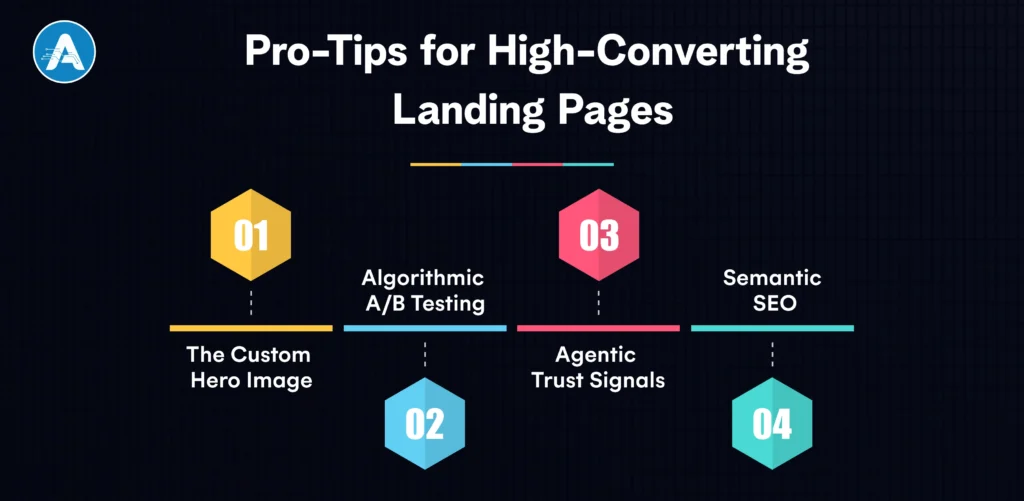
1. The Custom Hero Image
Replace generic stock photos found on any free AI website builder plan with unique, high-fidelity visuals generated by an integrated best AI website generator. Focus on “success states” to build immediate trust.
2. Algorithmic A/B Testing
Never assume your first headline is the best one. Even the best free AI website builders can occasionally produce copy that feels robotic. Use the best AI website generator to spin up two versions of your headline, one focusing on pain points and the other on outcomes, to see which ranks better on your best free AI website.
3. Agentic Trust Signals
Integrate AI-driven chatbots that act as 24/7 sales agents. This provides a level of responsiveness typically reserved for premium AI application development services, qualifying leads while you sleep.
4. Semantic SEO
Whether using a WordPress AI website builder or a Shopify AI website builder, ensure your best AI website uses automated schema markup and topic clusters to rank for user intent rather than just keywords.
Conclusion
To wrap up, the digital era has made one thing very clear: the barrier to launching a professional online presence has effectively vanished. No longer a low-cost option (but most certainly a beneficial one), a free AI website builder is a tactical choice regardless of whether it is a single founder who is testing a new MVP or a business owner who needs to modernize their shop.
Automation of the tiresome parts of AI web development enables them to concentrate on what actually matters: your message and your customers. Although the best AI website generator can provide you with a head-start of the world, the most effective pages are those on which man and machine meet at equal pace.
Design paralysis Design paralysis can be overcome using these platforms, iterate in real-time, and ultimately bring your ideas off the whiteboard and into the browser. The era of waiting weeks for a developer is over. Start building today, and let a free AI website builder turn your vision into a high-converting reality before the day is out.
Data annotation is a necessity in the development of machine learning and AI, where the model needs to be trained to identify patterns and make predictions. Image annotation tools in particular are relevant in areas such as computer vision, autonomous driving, and healthcare, where precise image labelling is essential. The tools assist the machine to comprehend visual information, thus the AI resembles human intelligence.
Many annotation tools are on the market, so it may be hard to pick the right one. Be it AI data annotation, object detection training models, or image recognition, choosing the most efficient and accurate data annotation platform is paramount.
This blog discusses the image annotation tools used by the AI applications developers and data scientists to develop high-quality labeled datasets to produce powerful AI models
What is Image Annotation?
Image annotation is the process of labeling or marking images by adding information that helps machines interpret them. Image annotation plays an extremely significant role in training machine learning and artificial intelligence models.
As an example, in object detection, image annotation involves drawing bounding boxes to mark objects in a picture and assigning them labels such as car, person, or dog. The image annotation tools make this process easier since one can annotate images with accuracy and efficiency.
By converting raw visual information into labeled data, these tools help the AI models to learn and identify patterns, therefore, becoming more accurate in image recognition, facial recognition, self-driving vehicles, and medical visualization. Annotations may be of various types, and these include:
- Bounding boxes: Bounding boxes are used to outline objects in the picture in the form of a rectangle.
- Polygons: Polygons are utilized in emphasizing the exact form of an object, which is more adaptable than bounding boxes.
- Semantic segmentation: This is applied to classify each pixel in an image into various components.
- Keypoints: Used to indicate particular points on an object, e.g., joints on a human body or features on a face.
You may also want to know the Free AI Website Builder
Key Features to Look for in Image Annotation Tools
When choosing the appropriate image annotation tool to use in your project, a few features can cause a big difference in the speed and precision of labeling data by your team. The following are the major factors to be seen:
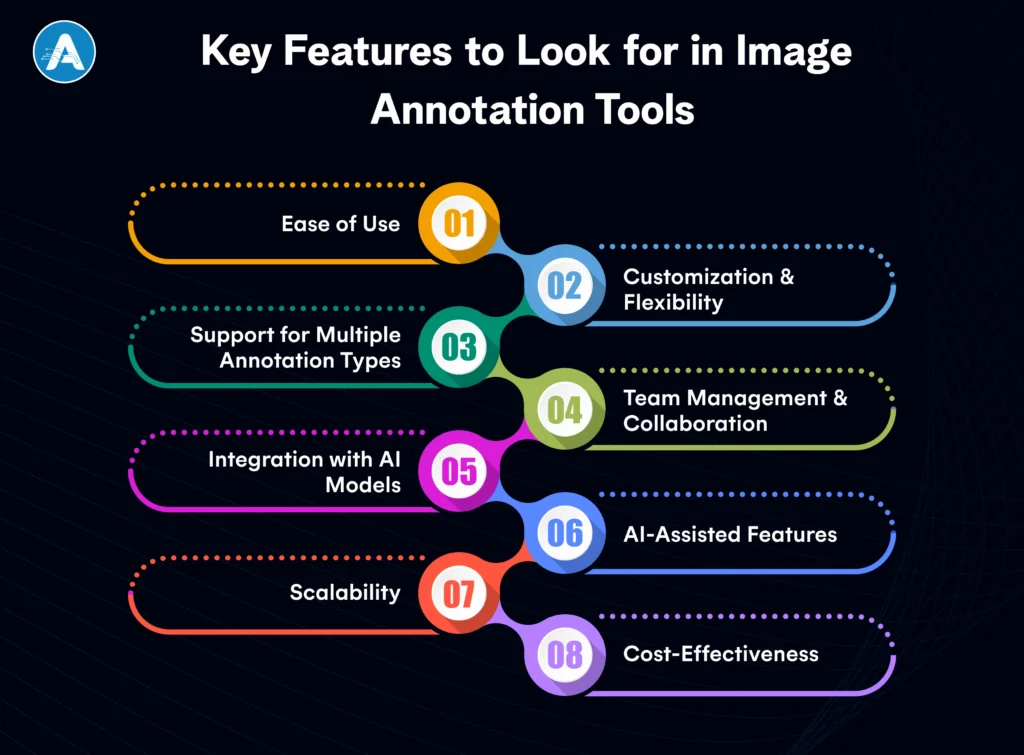
1. Ease of Use
Teams with large datasets should have a user-friendly interface. Alone or working in a team of AI application developers, the tool must be easy to use and allow minimal time to acquire the system. Search in tools that are easily navigable and labeled with a minimum of clicks.
2. Customization & Flexibility
The best data annotation tools provide customizable labeling options. This feature lets you define specific classes or labels based on your project needs. Whether you’re using a dataset annotation tool for object detection or AI data annotation for facial recognition, customization ensures you can adjust the tool to fit your project.
3. Support for Multiple Annotation Types
Various projects might have different types of annotations. The picture annotation tool must also allow different types, including bounding boxes, polygons, lines, and semantic segmentation. Find applications that enable you to make notes on various types and formats of images, as well as still photos and video.
4. Team Management and Collaboration
A large number of image annotation tools are collaborative and allow multiple annotators to work on the same project at the same time. This is required in large teams, particularly when you are dealing with large volumes of data in your project. Labeled can be faster with tools that enable version control and feedback loops among the various team members.
5. Integration with AI Models
A good image annotation tool should not only help you label your data but also integrate seamlessly with your AI training pipeline. Various tools are helpful in exporting labeled data to formal AI application development services, and it becomes simpler for the AI development companies to commence the training models immediately.
6. AI-Assisted Features
There are also tools with AI-assisted annotation, which may be used to accelerate the labeling process. AI data annotation tools may label some features within an image using previously trained models, and this reduces the workload. It is particularly dedicated to big data annotation.
7. Scalability
It may have a very small beginning, but your project may expand very quickly as you generate more data. Select data annotation platforms that can adapt to your scale. The tool must be capable of processing even a large dataset without slowing down, whether you are annotating a few pictures or a million images.
8. Cost-Effectiveness
Lastly, compare the price of the tool depending on the size of your project. Although there are free image annotation tools, there are also those that may be priced on a per-image basis or per-user. The tool should fit within your budget for the project and offer the features that you require.
You may also want to know the Top Indian AI Companies
Top Image Annotation Tools
Choosing the right image annotation tool can greatly impact how efficiently and accurately you annotate your data. Below are some of the best image annotation tools available today, each with unique features designed for different needs and budgets.
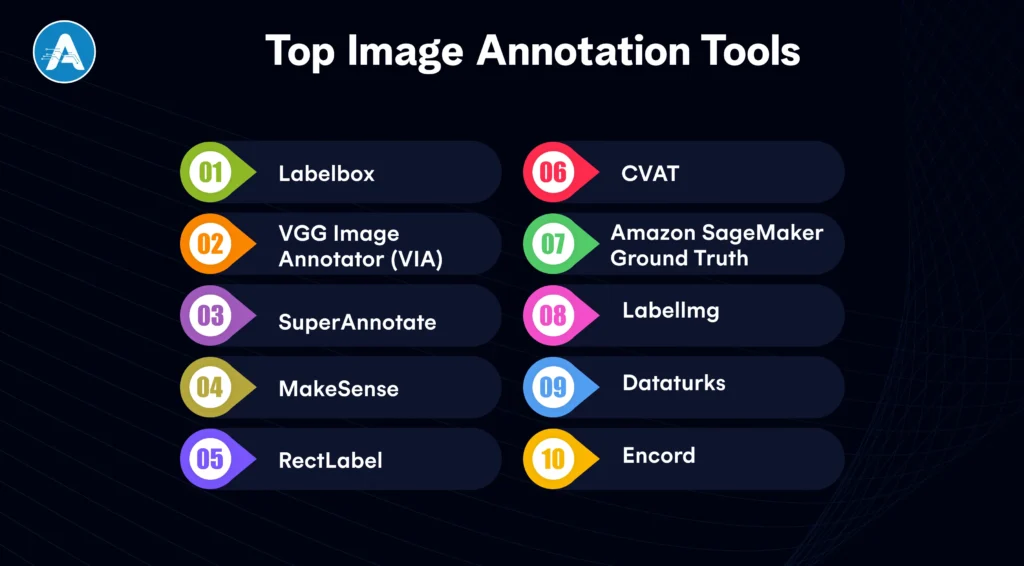
1. Labelbox
Labelbox is the definitive enterprise data annotation platform that unifies data labeling, model training, and diagnostics in a single workspace. It utilizes Model-Assisted Labeling to allow an AI application developer to pre-label datasets using their own models, drastically reducing manual effort.
This platform is ideal for an AI app development company handling massive, complex projects that require SOC2-compliant security and deep team collaboration.
Key Features
- AI-assisted annotation
- Custom labels
- Robust collaboration tools
- Scalable data labeling
2. VGG Image Annotator (VIA)
VIA remains the world’s favorite lightweight, open-source picture annotation tool because it requires zero installation and runs entirely in a web browser. Developed by Oxford University, it provides a simple yet effective interface for manual tasks like bounding boxes and polygons without any data leaving your local machine.
It is the perfect dataset annotation tool for researchers and students who need a fast, private, and cost-effective solution.
Key Features
- Open-source
- Supports multiple annotation types
- Exports to various formats
3. SuperAnnotate
SuperAnnotate is a high-velocity AI data annotation engine designed to handle large-scale datasets with advanced automation. Its Magic Select tool uses AI to snap to object boundaries, transforming hours of manual image labelling into minutes of simple verification.
Trusted by global innovators, it integrates seamlessly into the pipelines of any AI application development services provider looking for a “human-in-the-loop” workflow.
Key Features
- AI-powered pre-labeling
- Customizable workflows
- Cloud-based collaboration
4. MakeSense
MakeSense is a no-frills, browser-based dataset annotation tool that prioritizes speed and accessibility for small-scale deep learning projects. By leveraging an intuitive interface and open-source TypeScript architecture, it allows users to start labeling instantly without a sign-up process.
It is an excellent picture annotation tool for budget-conscious developers who need to export high-quality labels in multiple formats like YOLO or COCO.
Key Features
- Free
- Easy-to-use
- Supports various image annotation formats
5. RectLabel
RectLabel is a specialized image annotation tool built exclusively for macOS, offering deep integration with Core ML for automated labeling. It excels at complex tasks such as facial keypoint annotation and polygonal segmentation, making it a powerful video annotator for Apple ecosystem developers.
Its 2026 updates include support for Segment Anything Model 2 (SAM 2), allowing for pixel-perfect masks with just a single click.
Key Features
- Bounding boxes
- Polygonal segmentation
- Facial keypoints annotation
6. CVAT
Developed by Intel, CVAT (Computer Vision Annotation Tool) is the leading open-source data annotation tool, especially recognized for its strong performance with video datasets. As a powerful video annotator, it uses frame-level interpolation to track objects automatically across several seconds of footage, saving countless manual hours.
Many AI development companies widely use it because of its multi-user support and the option to host it on private servers.
Key Features
- Open-source
- Multi-user support
- Advanced AI-powered features like active learning
7. Amazon SageMaker Ground Truth
SageMaker Ground Truth is a fully managed data annotation platform that leverages AWS’s massive infrastructure to scale labeling for enterprise-level models. It uniquely offers access to a global workforce alongside AI data annotation features that automatically label easier data while sending difficult cases to human reviewers.
For companies already using AWS AI application development services, it provides a frictionless path from raw storage to a trained model.
Key Features
- Integration with AWS
- AI-powered pre-labeling
- Scalable data labeling
8. Labellmg
LabelImg is a classic, lightweight picture annotation tool designed specifically for drawing rectangular bounding boxes for object detection. It is written in Python and is completely free, making it the most approachable entry point for any AI application developer starting their first project.
While it focuses on simplicity, its native support for Pascal VOC and YOLO formats makes it highly compatible with most modern machine learning frameworks.
Key Features
- Open-source,
- Intuitive interface
- support for XML
- Pascal VOC formats
9. Dataturks
Dataturks offers a flexible, software-as-a-service data annotation platform that manages image, video, and text data in a single interface. It is designed for team efficiency and can boost labeling speed by up to five times with its easy keyboard shortcuts and real-time collaboration tools.
It is a favored dataset annotation tool for startups that need to quickly create diverse training sets for multi-modal AI models.
Key Features
- Multi-format support
- Collaboration tools
- API integration
10. Encord
Encord is a video annotator and data management platform designed to handle large, high-resolution video datasets easily. It stands out by offering Micro-models that learn from a small number of human labels to automatically annotate the rest of the dataset. This makes it an independent AI data annotation partner.
This tool is popular with an AI development company that focuses on long-form video analysis. It simplifies the dataset annotation workflow with strong automated object tracking and quality control dashboards.
Key Features
- AI-powered annotation tools
- model training
- active learning
- version control
- collaboration features
How to Choose the Right Image Annotation Tools for Your Project
Selecting the right image annotation tools is crucial for ensuring an efficient data annotation process and achieving high-quality labeled data. Here are key factors to consider when choosing the best image annotation tools for your project:
Project Scale & Complexity
- For small-scale projects, a basic image annotation tool may be enough to handle simple image labeling tasks and smaller datasets.
- For larger, more complex projects, image annotation tools that offer Artificial Intelligence data annotation features and team collaboration will be necessary to manage high-volume datasets and multiple users effectively.
Annotation Type & Customization
- Different projects require different types of annotations. Ensure the image annotation tools you choose support various annotation formats such as bounding boxes, polygonal segmentation, or semantic segmentation.
- Look for data annotation tools that allow customizable labels, so you can tailor the annotation process to your specific project requirements.
Collaboration & Team Management
- When collaborating with a team, it is preferable to use image annotation tools that provide such collaboration capabilities as real-time and version control. This will make sure that your team will be able to work in large datasets without overlapping or confusion.
- The tools that have data annotation platform capabilities can be used to simplify the working process and manage team-based projects efficiently.
Integration with AI Models and Pipelines
- In the case of projects related to AI application development services, make sure the image annotation tools that you choose are easy to integrate with your AI models and processes.
- Look for image annotation tools that allow you to export annotated data directly into your AI application developer environment for training, which helps save time and improves model performance.
Cost & Budget
- Free image annotation tools may be suitable for small, non-commercial projects or personal use, but for larger and more complex projects, you may need to spend at least a little to buy a paid solution that is more advanced.
- Compare the prices of data annotation tools; some of them cost according to the number of images annotated, others by subscription or pay-per-user. Select the model that fits your budget for the project.
AI-Powered Functions
- Most image annotation tools also have AI-assisted functionality, which can greatly accelerate the annotation effort by providing pre-labels on pictures according to an already trained model. This saves time, which was used in manual labeling, and makes the process even more effective.
Ease of Use & Support
- Choose image annotation tools that are easy to use and require minimal training. Ease of use can enhance the functionality of your team, particularly when dealing with big data.
- Look at the customer support that the tool offers, including documentation, tutorials, and the availability of a support team. A highly supported tool would eliminate delays and technical errors in the course of annotation.
Wrap Up
The selection of the appropriate image annotation tools is very important in every AI project because the quality of the labeled data directly correlates with the accuracy and performance of your models. Regardless of the scale of your projects (small-scale or enterprise-level datasets), a tool that best fits your needs will facilitate the data annotation process and improve the performance of your model.
AI-assisted annotation to collaborative efforts with and through AI application development services, you can save time, enhance accuracy, and make sure that your project moves forward with the correct image annotation tool. Evaluating the aspects such as scalability, cost, ease of use, and types of annotation, you may make the right choice that will help in successful AI initiatives.
Ultimately, it will be the appropriate tool that will enable your team to produce quality, labeled datasets and unleash the power of AI. You can be a developer of AI applications or a company that focuses on the creation of AI solutions, so investing in proper image annotation tools is a mandatory stage to develop proper, data-driven solutions based on AI.
Moving from a global IT hub to an AI superpower, India is now the world’s intelligence engine. The market is exploding as projected to leap from $9.5 billion in 2024 to over $130 billion by 2032.
The global tech world has noticed. OpenAI is reportedly investing billions into Indian infrastructure, including a massive 1-gigawatt data center.
With leaders like Sam Altman betting big on the region, it’s clear that the next generation of the best software companies in the world will be built here. India is no longer just a market; it is the global laboratory for AI execution.
While others focus on theory, Indian AI companies focus on results. Whether it’s an AI development company securing a global bank or an AI application developer localizing education, the shift from hype to helpful is complete. Here are the top 10 companies leading the revolution in 2026.
Why Indian AI Companies are Gaining Global Attention?
It’s no longer just about the large population. In 2026, India will become the world’s execution capital for several specific reasons:
- Massive market growth: India’s AI market is growing at nearly 39% CAGR, making it one of the fastest-growing AI ecosystems globally.
- High enterprise adoption: Around 87% of Indian enterprises are already using AI in some form, moving quickly from pilots to production use.
- Strong engineering talent pool: India produces a large number of AI, data science, and software engineers every year, giving AI companies in India a deep talent advantage.
- Cost-efficient innovation: Indian AI companies deliver enterprise-grade solutions at a lower cost compared to many global players, without compromising quality.
- AI-first startups & products: Many Indian software companies are no longer service-only. They are building AI-first products, platforms, and SaaS solutions.
- Government and ecosystem support: National AI initiatives, startup funding, and digital infrastructure are accelerating AI adoption across industries.
- Global client trust: Indian AI companies increasingly serve global enterprises across healthcare, fintech, retail, manufacturing, and SaaS.
These factors together explain why artificial intelligence companies in India are not just growing fast, they are gaining long-term global relevance.
You may also want to know the Top Image Annotation Tools
The Top 10 Indian AI Companies Leading in 2026
These Indian AI companies are now delivering high-impact, scalable AI services that are transforming global industries in real time.
1. Artoon.ai
Standing at the intersection of creativity and logic, Artoon.ai is a standout among Indian AI Companies for businesses that need more than just standard automation.
Their AI services are unique because they blend Generative AI with gaming-grade interactivity, creating Agentic systems that can visualize 3D environments or diagnose complex issues through computer vision.
| Best For | Businesses that want hands-on collaboration Faster execution Real AI adoption rather than theoretical solutions |
| AI Services | End-to-end AI application development Intelligent automationMachine learning models Predictive analytics Scalable AI application development services built around business outcomes |
Why it stands out
Unlike many large Indian software companies that prioritize scale, Artoon.ai emphasizes agility, customization, and a close alignment with business goals. This makes it a great choice for companies that want to see real results from AI.
2. Tata Consultancy Services (TCS)
As a global leader, TCS has redefined its legacy by offering “AI-First” delivery models that act as a core AI application developer for the world’s largest banks.
Among the top Indian AI Companies, their AI services focus on autonomous system refactoring and predictive maintenance, ensuring that massive enterprise infrastructures remain future-proof and efficient.
| Best For | Large enterprises are looking for a structured Enterprise-wide AI transformation across multiple geographies. |
| AI Services | Enterprise AI platforms, Intelligent automation, Predictive analytics, AI-driven process optimization and Industry-specific AI solutions |
3. Infosys
Through its Topaz platform, Infosys has become a titan in providing AI application development services that create Cognitive Enterprises.
Their AI services leverage a library of over 12,000 industry-specific blueprints, allowing them to remain one of the most versatile Indian AI Companies for deploying intelligent supply chains and personalized customer journeys.
| Best For | Global organizations seeking a long-term AI strategy combined with Strong consulting and delivery capabilities. |
| AI Services | AI-led digital transformation Machine learning solutions Cognitive automation AI analytics platforms Enterprise AI consulting |
4. Wipro
Wipro has carved out a massive market share by focusing on “Responsible AI” and ethical governance within its AI services portfolio.
As a premier AI development company, they are one of the few Indian AI Companies specializing in securing sensitive data for healthcare and finance, ensuring that AI models are transparent and fully compliant with 2026 regulations.
| Best For | Organizations focused on operational efficiency, risk management, and responsible AI adoption. |
| AI Services | AI automation Data intelligence Cognitive computing AI-powered IT operations Enterprise AI application development services |
5. HCLTech
HCLTech’s AI Force platform has revolutionized the software lifecycle by integrating Generative AI into every stage of engineering. They provide cutting-edge AI services that accelerate legacy modernization by up to 50%, cementing their position as an AI development company that defines the standard for modern Indian AI Companies.
| Best For | Enterprises are modernizing complex systems using applied AI and intelligent automation. |
| AI Services | Enterprise AI services AI-powered engineering Data intelligence Automation platforms Large-scale AI deployments |
6. Tech Mahindra
Tech Mahindra is the leading AI company in India for localized and multilingual AI models. Their AI services focus on Human-Centric AI, setting them apart from other Indian AI Companies by building tools that allow users to interact with complex software using their native Indian languages.
| Best For | Industry-specific AI adoption, especially in telecom, manufacturing, and healthcare. |
| AI Services | Applied AI solutions AI-led digital transformation Intelligent automation AI analytics Domain-focused AI platforms |
7. Zoho
Zoho has proven that the best Indian AI Companies are those that make AI invisible and intuitive. Their AI services are embedded directly into their business suite, offering autonomous Siri-like agents for sales, finance, and HR that handle complex workflows without requiring any coding from the user.
| Best For | Small and mid-sized businesses that prefer ready-to-use AI embedded into SaaS products. |
| AI Services | AI-driven CRM Intelligent automation Predictive insights AI-powered business intelligence Smart SaaS capabilities |
8. Appinventiv
Recognized as a high-growth AI application developer, Appinventiv excels at building Agentic mobile solutions that think and act for the user.
Their AI services have powered over 3,000 digital products, making them one of the go-to Indian AI Companies for brands like Adidas and KPMG who need intelligent, user-centric apps.
| Best For | Startups and product companies building AI-powered mobile and web applications with strong user experience. |
| AI Services | AI application development Recommendation engines Predictive analytics AI-enabled mobile apps Smart automation solutions |
9. Haptik
As a pioneer in Conversational Commerce, Haptik serves as a specialized AI application developer that turns chat interfaces into high-revenue storefronts.
Their AI services enable brands to deploy autonomous shopping assistants on WhatsApp, proving why they are one of the most specialized Indian AI Companies in the retail space.
| Best For | Brands aiming to improve customer engagement through conversational AI at scale. |
| AI Services | AI chatbots Voice assistants Conversational AI platforms NLP-based automation Customer experience optimization. |
10. Fractal Analytics
Fractal has moved beyond traditional data science to become a global leader in Decision Intelligence AI services.
They act as a strategic AI development company for the Fortune 500, utilizing their status as one of the premier Indian AI Companies to predict consumer behavior and automate high-stakes corporate decision-making.
| Best For | Data-driven enterprises are focused on advanced analytics and decision intelligence. |
| AI Services | Machine learning solutions AI-driven analytics Decision intelligence platforms Predictive modeling Enterprise AI consulting |
Indian AI Companies vs Global AI Leaders
Indian AI companies and global AI leaders approach innovation very differently. While global players often lead in research and large-scale platforms, Indian AI companies focus on speed, execution, and real-world deployment.
This contrast is why many businesses now turn to AI companies in India for practical, scalable, and cost-effective AI solutions.
| Global AI Leaders | Indian AI Companies |
| Heavy focus on research and large AI platforms | Strong focus on real-world AI deployment |
| Longer innovation cycles | Faster build-to-launch timelines |
| High implementation and operating costs | High cost-to-value efficiency |
| Strong in theory, slower in execution | AI solutions designed for immediate business impact |
Why Businesses Are Choosing India
There are several reasons why most businesses are choosing Indian AI companies.
- Speed matters: Indian AI companies move from idea to implementation faster.
- Execution wins: They specialize in taking AI out of labs and putting it into apps, workflows, and dashboards.
- Value scales: Indian software companies deliver enterprise-grade AI without enterprise-level costs.
- Outcome-driven mindset: AI application developers in India focus on solving business problems, not just showcasing models.
How to Choose the Right AI Development Company
Choosing the right partner from a sea of Indian AI Companies is the difference between a project that collects digital dust and one that drives millions in revenue. In 2026, you aren’t just looking for coders, you are looking for architects of intelligence.
Start with a trusted shortlist
Review a reliable artificial intelligence development company list to identify experienced AI companies in India with proven delivery records.
Check real AI implementation experience
The right artificial intelligence company in India should show live AI use cases, not just concepts or pilots.
Evaluate technical depth
Strong AI application developers understand data engineering, model training, deployment, and system integration end to end.
Look for software engineering strength
Established indian software companies and modern software companies in India bring stability, security, and scalability to AI projects.
Industry-specific understanding matters
The best artificial intelligence companies in India map AI solutions directly to business challenges and workflows.
Assess scalability & long-term support
Whether selecting from the top 5 artificial intelligence companies or a niche AI company in India, ensure they support growth and ongoing optimization.
Compare value, not just cost
Many AI companies in India deliver enterprise-grade results at a better value than the best software companies in the world.
Final Thought
The rise of Indian AI Companies isn’t just a story of economic growth; it’s a story of a mindset shift. While some regions focused on the theoretical limitations of technology, software companies in India were busy building tools that help a doctor in a rural clinic or a logistics manager in a global port.
Whether you partner with a specialized AI development company like Artoon.ai for its agility or a giant like TCS for its global scale, one thing is certain: the future of your business will be powered by Indian intelligence.
The future isn’t just about numbers on a chart; it represents lives made easier, and businesses made smarter. As you look for an AI application developer to lead your next big project, remember that in 2026, the most valuable currency isn’t just data; it’s the ability to turn that data into action.
The question for your business is no longer if you should integrate AI, but which Indian powerhouse will help you lead the pack.
You have spent time with the AI-generated images, so you should know how they work. You go to Midjourney and struggle with the Discord interface and wait until your prompt to not lose in the scrolling ocean of other people and their cats-in-space artwork, and hopefully, you get a masterpiece.
It is a fact beyond doubt that Midjourney is the finest in terms of raw artistic quality. However, it is definitely a headache, though.
Midjourney is the best choice when you need a fast workflow since it does not have a free plan (and it is compelled to live in a chat application). You may require an AI photo generator app that literally runs on your phone, or you may be seeking complimentary Midjourney alternatives that won’t run out.
The good news? The “Midjourney look” is no longer exclusive.
Over the past year, the world of artificial intelligence image generators has exploded. We now have tools that can handle text better than a professional graphic designer, models you can run for free on your laptop, and the best AI image creators that work right in your browser with just a click.
After dozens of hours of prompting, upscaling, and re-rolling, I’ve narrowed down the options. Whether you’re a professional designer or just someone looking for the best AI photo generator to spice up your channel, here are 15 Midjourney alternatives in 2026 that are actually worth your time.
What is Midjourney? Why do we use Midjourney alternatives?
Midjourney is an artificial intelligence image generator service that turns natural language descriptions (prompts) into highly detailed, artistic images.
Unlike other AI tools that have their own dedicated apps or websites, Midjourney famously operates almost entirely through Discord, a chat platform originally designed for gamers.
- The Vibe: It is known for its cinematic, “painterly,” and high-fantasy aesthetic. It doesn’t just make pictures; it makes art.
- The Workflow: You join a “Newbie” channel, type /imagine, and wait as the AI builds your image in four distinct stages.
- The Barrier: It has no free tier. To use it in 2026, you must commit to a monthly subscription, and you have to be comfortable navigating a chaotic, scrolling chat feed.
You may also want to know the Top Indian AI Companies
Reasons to Use Midjourney Alternative
Midjourney is an effective tool that is not suitable for all creators and workflows. Users are increasingly shifting toward other AI generators because they simplify the process of creating AI-generated images, are cheaper, and control them more easily.
The following are the reasons why the number of users who are shifting is increasing:
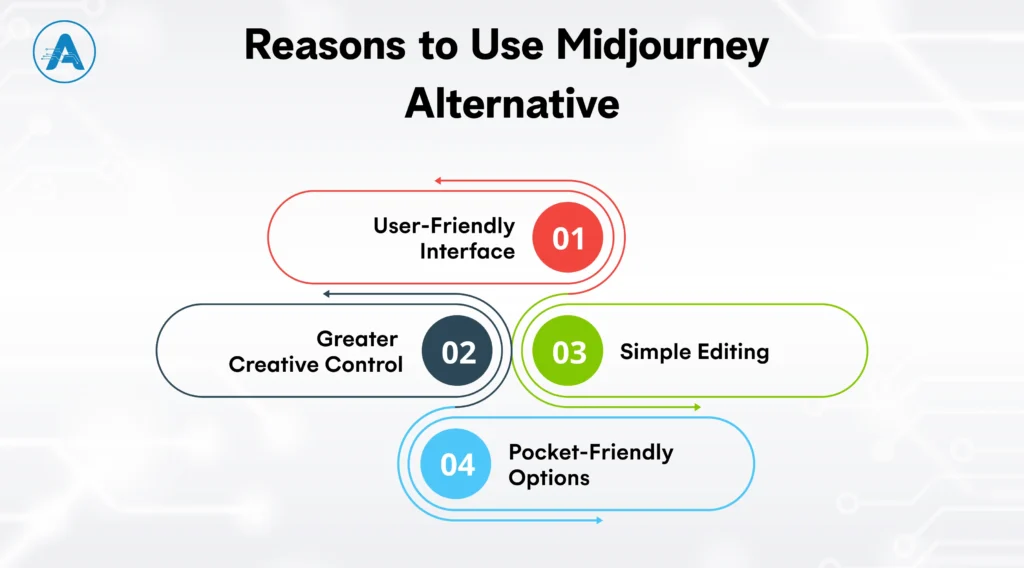
1. User-Friendly Interface
The majority of options provide a clean web interface or AI-based photo generator application, eliminating the necessity to work within Discord and making the process of creating easier.
2. Greater Creative Control
Most AI image creators offer style presets, reference images, and fine-tuning, which assist creators in ensuring consistency of designs and projects.
3. Pocket-Friendly Options
Many free Midjourney alternatives provide high-quality results without requiring a monthly subscription, making them ideal for experimentation and smaller projects.
4. Simple Editing
If you don’t like a specific part of an image, some tools, leading AI imaging software often let you brush over just that spot to change it. With Midjourney, you often have to roll the dice and start all over.
Criteria for Choosing the Best Midjourney Alternatives
Choosing the right Midjourney alternative isn’t about finding the best overall tool; it’s about finding the one that solves your specific frustrations.
To help you decide, here are the 5 straightforward criteria you should use to judge any AI-generator images before you sign up.
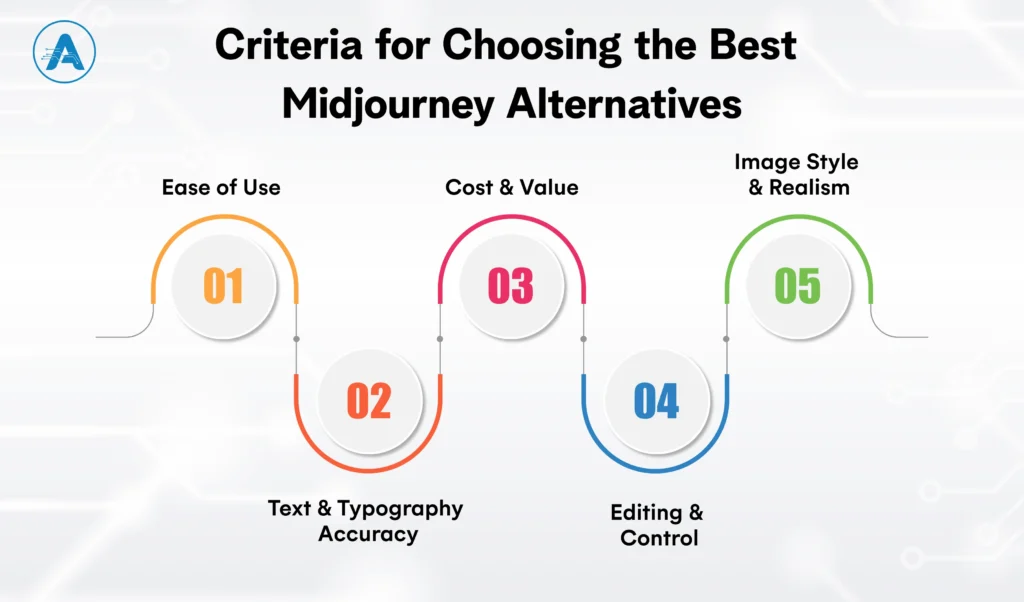
1. Ease of Use
The biggest hurdle with Midjourney is the interface. When picking an alternative, look at where the tool lives.
- Browser-based: Some tools have their own websites. You get buttons, sliders, and a private gallery.
- Conversational: Some tools let you type like you’re talking to a person.
- App-Based: If you’re always on the move, look for a dedicated AI photo generator app.
2. Text & Typography Accuracy
If your project needs words like a logo, a poster, or a book cover, this is the most important criterion.
- The Test: Can the AI image generator spell a 5-word sentence without turning it into “AI spaghetti”?
- Top Choice: Look for tools that specialize in typography so your “Grand Opening” sign doesn’t require hours of manual fixing.
3. Cost and Value
While Midjourney is strictly “pay-to-play,” many alternatives offer more flexibility for your budget.
- Daily Credits: Some tools give you a set amount of free “coins” every 24 hours. This is great for occasional users.
- Subscription vs Free: Determine if the free versions provide high enough quality for your professional needs or if a paid plan offers better commercial rights.
4. Editing & Control
In some tools, if a person has six fingers, you have to restart from scratch. A great alternative should offer Inpainting (the ability to “paint over” and fix a specific part of an image).
- The Benefits: This saves you from “prompt fatigue.” You fix the small mistake instead of chasing a completely new, perfect image.
5. Image Style & Realism
Every generator has a different personality or default look.
- Artistic: Some excel at digital paintings, 3D renders, and creative illustrations.
- Photorealistic: Others are designed for high-end marketing shots, handling skin texture and lighting with incredible accuracy.
You may also want to know Vector Database vs Graph Database
Top 15 Midjourney Alternatives Must Try for AI Art
You are likely to be after two things in case you are searching for the best Midjourney alternatives: mind-blowing image quality and the most amazing workflow; you do not need to have a manual to learn it.
Whether you need a Midjourney free option or a professional tool capable of spelling something? The following 15 alternatives are the top of the industry these days.
1. Leonardo.ai

Leonardo.ai is a browser-based AI art platform designed for creators who need consistency, asset management, and fine control. It includes tools like AI Canvas for in-image editing, prompt history, and the ability to train custom models using your own datasets.
| Best for | Game assets, character sheets, environment art, and professional concept design where consistency matters. |
| Strengths | • Clean dashboard with project-based workflows • Custom model training for consistent characters and styles • Built-in image editing without regenerating from scratch |
| Limitations | • The interface has a learning curve due to many configuration options • Can feel overwhelming for casual or first-time users |
| Why choose this | It offers a professional, Midjourney-like quality without Discord, plus daily free credits for those needing free MidJourney alternatives. |
| Pricing | • Free – 150 daily tokens • Apprentice – $10/month • Artisan – $24/month |
2. Ideogram

Ideogram focuses on one major weakness of the AI image generator: readable text. It consistently generates accurate typography within images, making it highly valuable for commercial design work.
| Best for | Logos, posters, merchandise, ads, and social media creatives with text. |
| Strengths | • Industry-leading text accuracy inside images • Clean, fast web interface • Strong prompt adherence for layout-based designs |
| Limitations | • Less depth in painterly or cinematic styles • Not ideal for hyper-realistic photography |
| Why choose this | If your designs need readable text, Ideogram currently outperforms every Midjourney alternative. |
| Pricing | • Free – Limited weekly credits • Basic – $7/month • Plus – $15/month |
3. DALL.E

DALL·E 3 is accessed through ChatGPT and excels at understanding natural language instructions. It’s less about prompt engineering and more about conversation-based refinement.
| Best for | Beginners, concept ideation, complex scenes, and iterative refinement through chat. |
| Strengths | • Exceptional prompt comprehension • Easy editing via natural language feedback • No technical knowledge required |
| Limitations | • Output can look overly polished or “digital.” • Less stylistic experimentation compared to Midjourney |
| Why choose this | It’s the easiest AI image generator to use if you can describe it, DALL·E can generate it. |
| Pricing | • Free – Limited via ChatGPT • Gold – $15/month • Platinum – $20/month |
4. FLUX

Flux is a next-generation image model known for realism, accurate anatomy, and natural lighting. It’s increasingly used as a benchmark for photographic quality.
| Best for | Photorealistic portraits, fashion visuals, and marketing imagery. |
| Strengths | • Excellent handling of faces, hands, and lighting • High realism compared to most AI generators • Available via APIs and hosting platforms |
| Limitations | • Requires paid services or strong local hardware • Less beginner-friendly than web-first tools |
| Why choose this | For realism-focused use cases, Flux is one of the closest competitors to Midjourney’s best outputs. |
| Pricing | • Free – Limited • Starter – $15/month • Pro – $39/month |
5. Adobe Firefly

Adobe Firefly is integrated into Photoshop and Illustrator. This artificial intelligence image generator is trained on licensed data.
| Best for | Commercial design teams, enterprises, and brand-safe creative workflows. |
| Strengths | • Commercially safe outputs • Native integration with Adobe Creative Cloud • Strong image editing and generative fill tools |
| Limitations | • Strict content filters • Less experimental or edge styles |
| Why choose this | It’s the safest option for businesses concerned about copyright and legal exposure. |
| Pricing | • Free – Limited • Standard – $9/month • Pro – $18/month |
6. Stable Diffusion

Stable Diffusion is the foundation of many AI-generated images and offers complete freedom through open-source access.
| Best for | Developers, technical creators, and offline AI generation. |
| Strengths | • Full control over models and styles • Can run locally with no subscriptions • Massive community ecosystem |
| Limitations | • Steep learning curve • Requires a powerful GPU for local use |
| Why choose this | It’s the safest option for businesses concerned about copyright and legal exposure. |
| Pricing | • Free – Local use • Pro – $10/month • Max – $20/month |
7. Playground AI

Playground AI is a browser-based AI image generator that combines text-to-image creation with a built-in canvas editor. It is designed for fast experimentation and lightweight editing without requiring technical setup.
| Best for | Rapid ideation, social media graphics, and prompt experimentation. |
| Strengths | • Integrated canvas for in-image edits • Simple prompt-based generation • Supports multiple underlying image models |
| Limitations | • Less consistent output quality for complex or realistic scenes • Limited advanced controls compared to professional tools |
| Why choose this | Playground AI is ideal if you want quick results and basic editing in one place without a steep learning curve. |
| Pricing | • Free – Limited • Pro – $12/month • Pro Plus – $36/month |
8. NightCafe

NightCafe is a community-driven AI art platform offering access to multiple image models through a simple interface. It emphasizes accessibility and creative exploration over technical precision.
| Best for | Hobbyists and casual AI-generated images. |
| Strengths | • Daily free credits for regular use • Multiple generation models available • Strong community and sharing features |
| Limitations | • Limited fine-grained control over styles and outputs • Not optimized for professional consistency |
| Why choose this | NightCafe lowers the barrier to entry for AI-generated images and encourages creative experimentation. |
| Pricing | • Free – Limited daily credits • Standard – $10/month • Pro – $20/month |
9. Runway

Runway is a full creative platform that integrates AI image generation with video, editing, and collaboration tools. Image generation is part of a broader multimedia workflow.
| Best for | Content creators, marketing teams, and multimedia projects. |
| Strengths | • Combines image and video AI in one platform • Clean, professional interface • Designed for collaborative workflows |
| Limitations | • Image generation alone is less flexible than dedicated art tools • Pricing may be high if only images are needed |
| Why choose this | Runway is best when AI images are part of a larger content or video production pipeline. |
| Pricing | • Free – Limited daily credits • Standard – $12/month • Pro – $28/month |
10. Canva AI

Designed for non-designers, allowing you to drop AI-generated images straight into a presentation.
| Best for | Marketing teams, social media managers, startups, and non-designers creating branded visuals. |
| Strengths | • AI image generation built into a full design suite • Drag-and-drop editor with templates, fonts, and brand kits • Browser-based with optional mobile app support |
| Limitations | • Limited artistic depth compared to Midjourney-style generators • Less control over advanced styles and realism |
| Why choose this | Canva AI is ideal if you want AI-generated images that are immediately usable in presentations, ads, or social posts without switching tools. |
| Pricing | • Free – Limited • Pro – $6/month• Business – $7/month |
11. Artbreeder

Artbreeder focuses on image evolution and blending rather than pure text-based generation. Users adjust visual traits using sliders instead of prompts.
| Best for | Character design, portraits, and facial experimentation. |
| Strengths | • Intuitive slider-based controls • Excellent for refining characters over time • Strong community sharing features |
| Limitations | • Limited scene generation capabilities • Not suitable for complex compositions |
| Why choose this | Artbreeder excels when you want to iteratively refine characters rather than generate images from scratch. |
| Pricing | • Free – Limited • Starter – $9/month • Advanced – $19/month |
12. Krea AI

Krea AI emphasizes real-time image generation and live creative control, allowing users to see changes as they adjust styles and prompts.
| Best for | Exploratory design and rapid visual experimentation. |
| Strengths | • Real-time generation feedback • Live style and composition control • Clean, modern interface |
| Limitations | • Not optimized for final high-resolution production • Limited realism compared to top-tier models |
| Why choose this | Krea AI is ideal for fast creative exploration and concept testing. |
| Pricing | • Free – Limited • Basic – $9/month • Pro – $35/month |
13. Fotor

Fotor combines an AI image generator with traditional photo editing tools, targeting users who want quick, editable visuals.
| Best for | Social media content, marketing visuals, and quick edits. |
| Strengths | • Easy-to-use interface • Combines generation and editing • Template-based workflows |
| Limitations | • Limited artistic depth • Less control over advanced styles |
| Why choose this | Useful when speed and simplicity matter most for a daily best AI image. |
| Pricing | • Free – Limited • Fotor Pro – $3/month • Pro – $35/month |
14. Deep Dream Generator

Deep Dream Generator is known for its abstract, surreal visual styles rather than realism or commercial use cases.
| Best for | Artistic experimentation and psychedelic, dream-like visuals. |
| Strengths | • Unique, highly recognizable aesthetic • Easy-to-use web interface |
| Limitations | • Not suitable for realistic or professional business designs • Limited control over specific output details |
| Why choose this | It’s a niche AI imaging software for creators seeking unconventional visuals that stand out from standard AI art. |
| Pricing | • Free – Limited • Advanced – $14.25/month • Professional – $29.25/month |
15. Dream by Wombo
Dream by WOMBO is a mobile-first AI photo generator app designed for fast, casual image generation. It’s built for users who want to create stylized art in seconds using their phone.
| Best for | Mobile users and casual creators. |
| Strengths | • Extremely simple to use with one-tap generation • Fast generation optimized for mobile devices |
| Limitations | • Minimal customization or professional tools • Not suitable for complex professional workflows |
| Why choose this | It’s the ideal AI image generator photo generator app for quick inspiration and fun, stylized images on the go. |
| Pricing | • Free – Limited • Advanced – $10/month |
While learning how to use Midjourney is a valuable skill, these alternatives prove that world-class AI art doesn’t have to be expensive or complicated.
Final Thought
The choice of the appropriate Midjourney Alternative is ultimately based on the way you make and what you require out of an AI tool. Although learning how to use Midjourney enables one to produce stunning artistic outputs, numerous artists have started using Midjourney Alternatives that have simpler workflows, more transparent pricing, and control.
With image generator platforms based on browsers and AI image generator apps available on mobile devices, the current AI generators have never been more accessible in terms of creating high-quality AI-generated images.
Whether you’re searching for Midjourney free alternatives to experiment with new ideas or the best AI photo generator for professional projects, the current landscape of AI imaging software offers a solution for every use case.
To scale such capabilities, an employee business interested in scaling it can engage an AI development company or an experienced AI applications developer to integrate AI image generators into actual products, platforms, and processes via custom AI application development services.
These tools prove that creating the best AI image no longer requires complex setups or expensive subscriptions. Modern artificial intelligence image generators are now powerful, flexible, and ready to fit seamlessly into real-world creative workflows.
In the race for AI dominance, your database is the brain of your application. For years, businesses relied on traditional rows and columns to organize their world. But as we move into the era of Generative AI and hyper-connected networks, those old structures are now on the verge of collapse.
When comparing a Vector Database vs Graph Database is no longer just about storage; it is about how your business retrieves meaning and identifies hidden patterns.
These two technologies have emerged as the primary contenders for modern data architecture, determining how fast your AI “thinks,” how accurately you detect fraud, and how effectively you understand complex customer needs.
This is why many organizations validate their data architecture with an experienced AI development company before committing to a long-term AI foundation.
Choosing the wrong foundation can lead to high latency, AI hallucinations, and missed insights. Picking the right one or a strategic combination of both can be the competitive advantage that scales your business.
In this guide, we’ll break down the Vector Database vs Graph Database debate, explore real-world graph database examples, and help you decide which architecture will drive the most impact.
What is a Vector Database?
A vector database is constructed to know the context and not merely to match the keywords. It does not use rows and columns to store information, but as embeddings, mathematical coordinates that define the content of a piece of information.
Did you ever ask yourself who Vector is? Technically speaking, a numerical representation is used to make a computer know how various ideas interact with each other within a digital space. Unstructured data such as PDFs, images, and audi,o is processed by the real power of an AI vector approach.
For an AI application developer, a vector database makes it possible to build intelligent features like semantic search and recommendations without relying on rigid keyword logic.
When you are building in vector environments, you unlock Semantic Search. This implies that by simply typing in a query such as a reliable family car, the database will not go and find the exact words; it will find out the intent and give results of minivans or the highest-rated SUVs. By focusing on meaning rather than spelling, you provide a smarter, more human-like experience for your users.
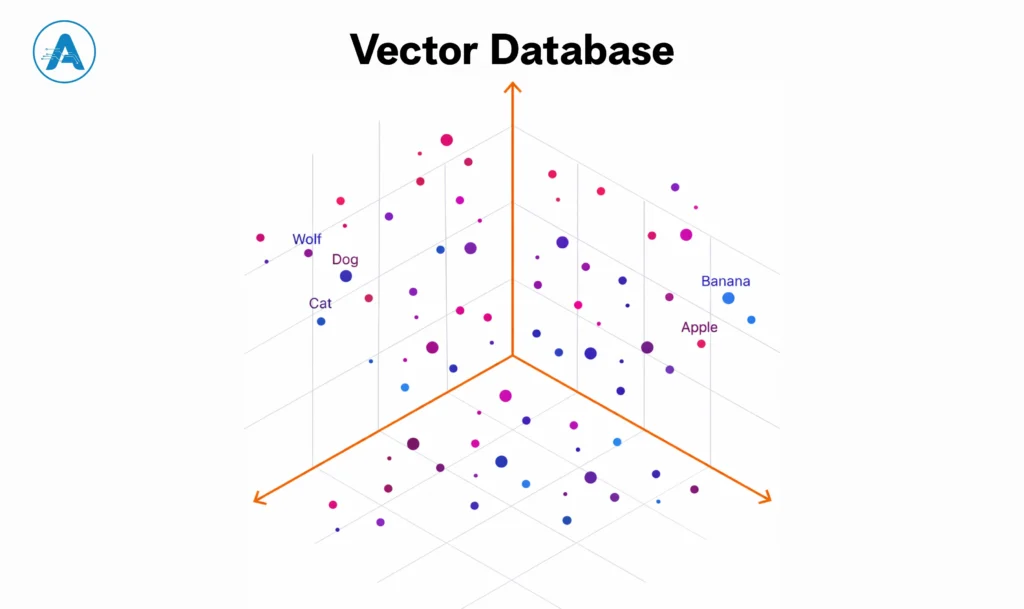
Key Business Impact
- Reduced Hallucination: Ground your AI models in fact by retrieving real-time context.
- Hyper Personalized: Recommend products based on visual or thematic similarity.
- Scalability: Search through millions of high-dimensional points in milliseconds using “Approximate Nearest Neighbor” (ANN) algorithms.
You may also want to know Pgvector vs Pinecone
What is a Graph Database?
While vectors are concerned with vibes, a graph database is concerned with relationships. It does not seek similarities with things; rather, it traces the connection between various pieces of information. Data points in this system are nodes, and the relationship between the nodes is the edges. This network is incredibly easy to bridge the dots of huge networks.
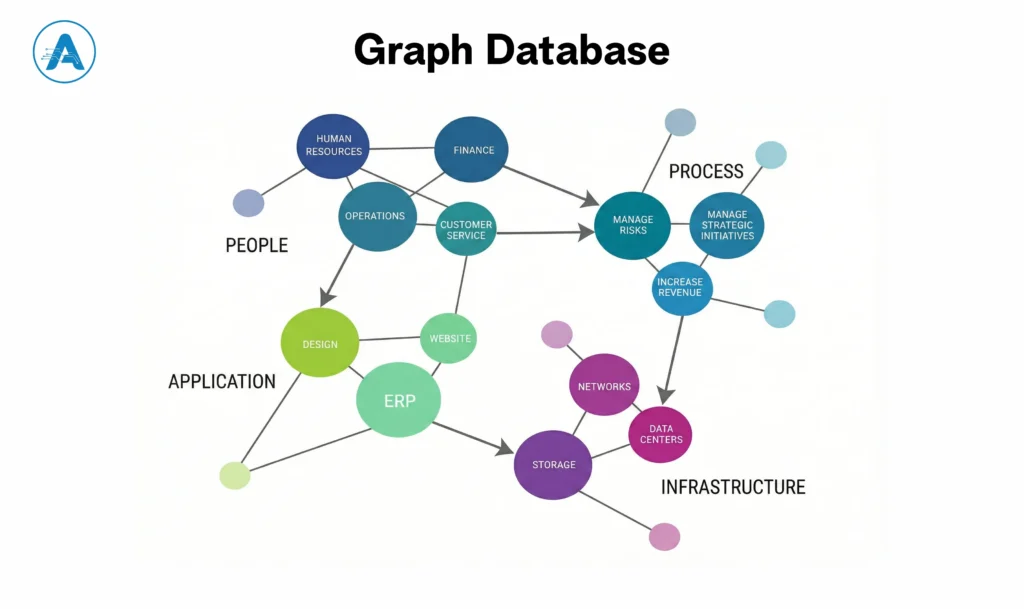
Consider some graph DB examples you use every day:
- Social Media: You are a node, and your followers or friendships are the edges connecting you to others.
- Fraud Detection: An example of a graph DB in banking would be raising a red flag due to a transaction since the user is connected to a phone number belonging to a known scammer, three degrees of separation away.
- Supply Chain: Mapping how a factory in Asia connects to a warehouse in Europe and a retail store in your hometown.
The approach of having an example graph database enables the business to respond to intricate queries that are not possible in a traditional database. An example is that, rather than simply inquiring what this customer purchased, the graph database can respond, “Who else purchased this item, and what did the other users purchase that this user has not yet viewed? When you focus on the connection between the data points, you can have a profound, structural insight into your whole business ecosystem.
Vector Database vs Graph Database: Key Difference Matrix
Choosing the right tool depends on the “question” you are trying to answer. Use this guide to determine which architecture will drive the most impact for your project.
| Feature | Vector Database | Graph Database |
| Core Purpose | Finds similarity and meaning | Finds relationships and connections |
| Data Representation | Numerical vectors (embeddings) | Nodes (entities) and edges (relationships) |
| Best At | Semantic search, recommendations, and AI chat | Network analysis, fraud detection, knowledge graphs |
| Query Style | Find items similar to this | How are these items connected? |
| AI Usage | Very high | Moderate |
| Handles Context | Yes, understands intent and meaning | Limited, focuses on structure |
| Typical Queries | Similarity search, nearest neighbor | Multi-hop path traversal |
| Performance Focus | Fast similarity matching | Fast relationship traversal |
| Common Use Cases | AI chatbots, RAG, and personalization | Social networks, fraud systems, supply chains |
| Scalability Model | Optimized for high-dimensional data | Optimized for growing relationship graphs |
| Business Impact | Better relevance, smarter AI results | Better visibility into complex connections |
Vector Database vs Graph Database: Which Database Fits Your Vision
Choosing between these two isn’t about which technology is better; it’s about which one solves your specific business bottleneck. Industry leaders across finance, healthcare, and retail are already using these tools to redefine their operations.
Use the following framework to determine which solution aligns with your technical and business requirements.
Choose a Vector Database
You are focused on human-like interaction and content discovery. This is the primary choice for businesses building modern AI applications that handle fuzzy or unstructured data.
1. Retail/Media: Companies like Spotify and Amazon use vector similarity to power recommendation engines. They do not simply match a genre but, instead, with the help of an AI vector, identify songs and products that feel the same according to thousands of hidden features.
2. Healthcare: Pharmaceutical companies such as GSK discover drugs with the help of the vector databases. They can instantly recognize similar molecule structures, which may cure the same disease, since chemical compounds are represented as vectors.
3. Best for:
- Building in vector for LLMs (like ChatGPT-style bots) that need a long-term memory.
- Semantic search where the intent matters more than the exact keyword.
- Visual search (e.g., “find me a dress that looks like this photo”).
Choose a Graph Database
You are concerned about complex tracing, safety, and network integrity. This architecture is necessary when the connection between two things is more desirable than the things themselves.
1. Finance: Major banks and sites such as PayPal use graph DB examples to prevent scam rings. A vector database may identify a transaction that looks suspicious, but a graph database will trace the money through ten different accounts to identify the hidden individual who is pulling the strings.
2. Logistics: Supply chain managers construct a digital twin of their network by using graph databases. When one port in Asia is shut down, the graph immediately finds all the missed shipments as well as all the impacted customers in all parts of the world.
3. Best for:
- Graph database example, like identity and Access Management (IAM), to track who has permission to see what.
- Knowledge Graphs that serve as a Single Source of Truth for company facts.
- Analyzing social networks or influence patterns within a community.
The Rise of the Hybrid Strategy
While the debate of Vector Database vs Graph Database often frames them as competitors, the most sophisticated AI systems in 2026 are actually using both. This is known as a vector grapher approach or GraphRAG, which merges the intuitive feel of an AI vector with the rigid logic of a graph database.
Implementing a hybrid vector and graph approach is where experienced AI application development services add the most value, balancing accuracy, performance, and scalability.
When Should You Choose a Hybrid Solution?
A hybrid model is more complex than using a standalone vector database or graph database, but for certain businesses, it is the most reliable and future-ready choice. You should consider this approach if accuracy, reasoning, and context are critical to your product or decision-making.
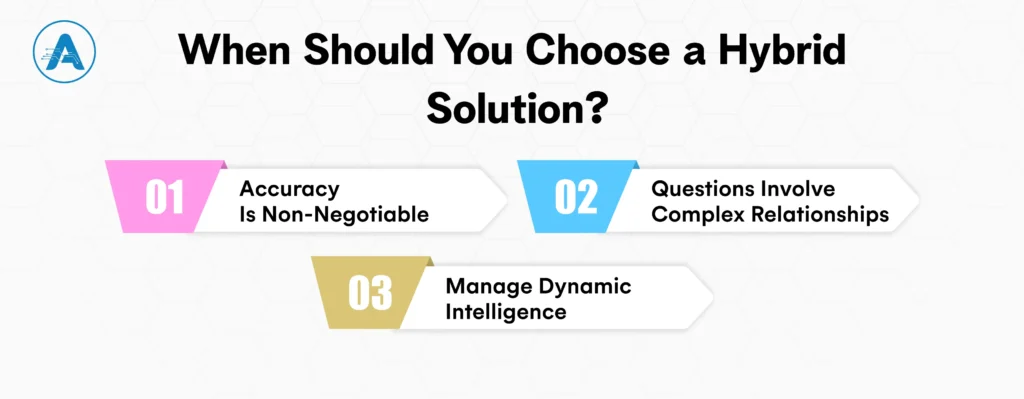
1. Accuracy Is Non-Negotiable
In business sectors like finance, legal, and healthcare industries, it is not sufficient to be approximately right. Responses should be demonstrably right.
In this case, organizations tend to apply:
- A vector database that can search and extract relevant documents or research using meaning.
- A graph database to ensure the truth of facts through tracing of relationships based on credible data.
As an example, an AI system can find pertinent medical research by means of a vector search and then cross-verify the official clinical databases by cross-reference by graph relationship to guarantee accuracy. This type of hybrid configuration greatly minimizes fake news and AI delusions.
2. Questions Involve Complex Relationships
Similarity is the strength of vector databases, whereas multi-step reasoning is their weakness. Graph logic is required with relationship-heavy questions.
Consider a query like: “Give me a luxury hotel in Paris where my business associate was staying last year.” This is solved by a hybrid system:
- Gaining insights into such concepts as luxury hotels and location relevance by using a vector database.
- With the help of a graph database, it is possible to find the business partner and track their travel history.
This combination provides the accurate answers that could not have been given by each of the systems separately.
3. Manage Dynamic Intelligence
Context-only is not sufficient in a place where data keeps changing, like in a stock market or supply chain across the globe, or real-time risk systems.
A hybrid system enables systems to:
- Analyze received news, reports, or signals with the help of vector databases and understand their meaning.
- Monitor the impact of changes propagating among entities by using graph data structures.
This allows quicker actions, improved forecasting, and enhanced decision-making in situations that are fast-changing.
Conclusion
Choosing between a Vector Database vs Graph Database comes down to how your business thinks and decides. Vector databases help AI understand meaning and intent, while graph databases reveal how data points connect and influence each other. Each solves a different problem, and both are essential in modern AI architecture.
The most successful systems are built with clarity, not trends. Whether you choose a vector database, a graph database, or a hybrid of both, the right foundation will reduce latency, improve accuracy, and unlock insights that drive real business impact.
In the AI era, your database is no longer just infrastructure; it’s the intelligence behind every decision you make.