AI Platform •
14 min read •January 21, 2026•140 views
Top 15 Midjourney Alternatives You Should Try for AI Art
Table of Contents
You have spent time with the AI-generated images, so you should know how they work. You go to Midjourney and struggle with the Discord interface and wait until your prompt to not lose in the scrolling ocean of other people and their cats-in-space artwork, and hopefully, you get a masterpiece.
It is a fact beyond doubt that Midjourney is the finest in terms of raw artistic quality. However, it is definitely a headache, though.
Midjourney is the best choice when you need a fast workflow since it does not have a free plan (and it is compelled to live in a chat application). You may require an AI photo generator app that literally runs on your phone, or you may be seeking complimentary Midjourney alternatives that won’t run out.
The good news? The “Midjourney look” is no longer exclusive.
Over the past year, the world of artificial intelligence image generators has exploded. We now have tools that can handle text better than a professional graphic designer, models you can run for free on your laptop, and the best AI image creators that work right in your browser with just a click.
After dozens of hours of prompting, upscaling, and re-rolling, I’ve narrowed down the options. Whether you’re a professional designer or just someone looking for the best AI photo generator to spice up your channel, here are 15 Midjourney alternatives in 2026 that are actually worth your time.
What is Midjourney? Why do we use Midjourney alternatives?
Midjourney is an artificial intelligence image generator service that turns natural language descriptions (prompts) into highly detailed, artistic images.
Unlike other AI tools that have their own dedicated apps or websites, Midjourney famously operates almost entirely through Discord, a chat platform originally designed for gamers.
The Vibe: It is known for its cinematic, “painterly,” and high-fantasy aesthetic. It doesn’t just make pictures; it makes art.
The Workflow: You join a “Newbie” channel, type /imagine, and wait as the AI builds your image in four distinct stages.
The Barrier: It has no free tier. To use it in 2026, you must commit to a monthly subscription, and you have to be comfortable navigating a chaotic, scrolling chat feed.
Reasons to Use Midjourney Alternative
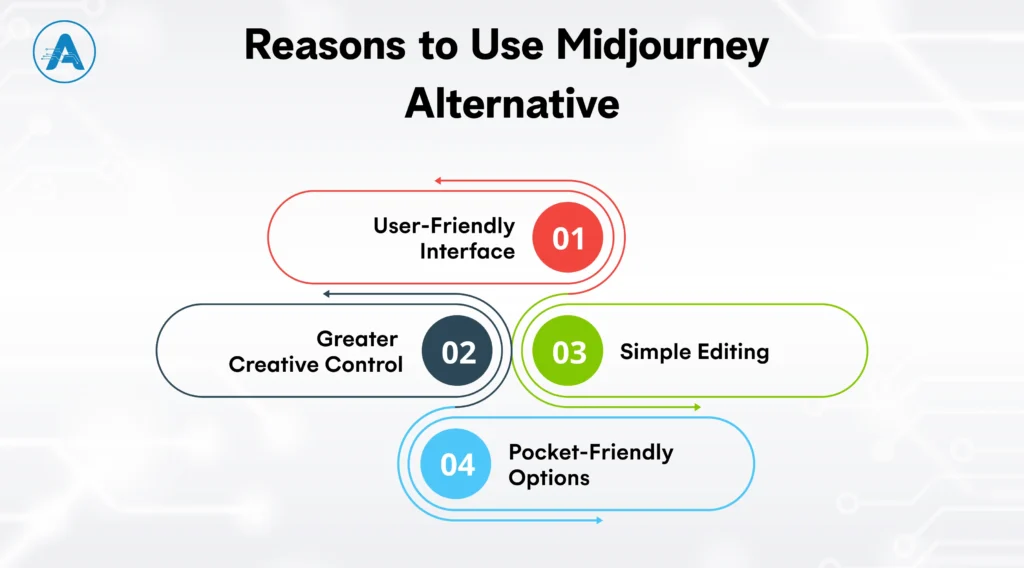
Midjourney is an effective tool that is not suitable for all creators and workflows. Users are increasingly shifting toward other AI generators because they simplify the process of creating AI-generated images, are cheaper, and control them more easily.
The following are the reasons why the number of users who are shifting is increasing:
1. User-Friendly Interface
The majority of options provide a clean web interface or AI-based photo generator application, eliminating the necessity to work within Discord and making the process of creating easier.
2. Greater Creative Control
Most AI image creators offer style presets, reference images, and fine-tuning, which assist creators in ensuring consistency of designs and projects.
3. Pocket-Friendly Options
Many free Midjourney alternatives provide high-quality results without requiring a monthly subscription, making them ideal for experimentation and smaller projects.
4. Simple Editing
If you don’t like a specific part of an image, some tools, leading AI imaging software often let you brush over just that spot to change it. With Midjourney, you often have to roll the dice and start all over.
Criteria for Choosing the Best Midjourney Alternatives
Choosing the right Midjourney alternative isn’t about finding the best overall tool; it’s about finding the one that solves your specific frustrations.
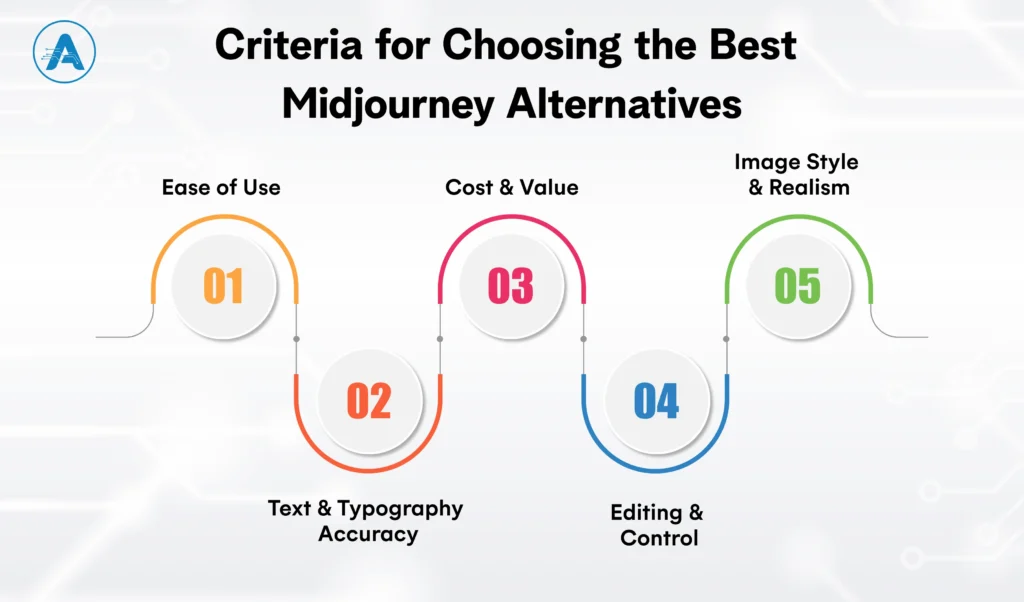
To help you decide, here are the 5 straightforward criteria you should use to judge any AI-generator images before you sign up.
1. Ease of Use
The biggest hurdle with Midjourney is the interface. When picking an alternative, look at where the tool lives.
Browser-based: Some tools have their own websites. You get buttons, sliders, and a private gallery.
Conversational: Some tools let you type like you’re talking to a person.
App-Based: If you’re always on the move, look for a dedicated AI photo generator app.
2. Text & Typography Accuracy
If your project needs words like a logo, a poster, or a book cover, this is the most important criterion.
The Test: Can the AI image generator spell a 5-word sentence without turning it into “AI spaghetti”?
Top Choice: Look for tools that specialize in typography so your “Grand Opening” sign doesn’t require hours of manual fixing.
3. Cost and Value
While Midjourney is strictly “pay-to-play,” many alternatives offer more flexibility for your budget.
Daily Credits: Some tools give you a set amount of free “coins” every 24 hours. This is great for occasional users.
Subscription vs Free: Determine if the free versions provide high enough quality for your professional needs or if a paid plan offers better commercial rights.
4. Editing & Control
In some tools, if a person has six fingers, you have to restart from scratch. A great alternative should offer Inpainting (the ability to “paint over” and fix a specific part of an image).
The Benefits: This saves you from “prompt fatigue.” You fix the small mistake instead of chasing a completely new, perfect image.
5. Image Style & Realism
Every generator has a different personality or default look.
Artistic: Some excel at digital paintings, 3D renders, and creative illustrations.
Photorealistic: Others are designed for high-end marketing shots, handling skin texture and lighting with incredible accuracy.
Top 15 Midjourney Alternatives Must Try for AI Art
You are likely to be after two things in case you are searching for the best Midjourney alternatives: mind-blowing image quality and the most amazing workflow; you do not need to have a manual to learn it.
Whether you need a Midjourney free option or a professional tool capable of spelling something? The following 15 alternatives are the top of the industry these days.
1. Leonardo.ai
Leonardo.ai is a browser-based AI art platform designed for creators who need consistency, asset management, and fine control. It includes tools like AI Canvas for in-image editing, prompt history, and the ability to train custom models using your own datasets.
Best for
Game assets, character sheets, environment art, and professional concept design where consistency matters.
Strengths
• Clean dashboard with project-based workflows • Custom model training for consistent characters and styles • Built-in image editing without regenerating from scratch
Limitations
• The interface has a learning curve due to many configuration options • Can feel overwhelming for casual or first-time users
Why choose this
It offers a professional, Midjourney-like quality without Discord, plus daily free credits for those needing free MidJourney alternatives.
Ideogram focuses on one major weakness of the AI image generator: readable text. It consistently generates accurate typography within images, making it highly valuable for commercial design work.
Best for
Logos, posters, merchandise, ads, and social media creatives with text.
Strengths
• Industry-leading text accuracy inside images • Clean, fast web interface • Strong prompt adherence for layout-based designs
Limitations
• Less depth in painterly or cinematic styles • Not ideal for hyper-realistic photography
Why choose this
If your designs need readable text, Ideogram currently outperforms every Midjourney alternative.
DALL·E 3 is accessed through ChatGPT and excels at understanding natural language instructions. It’s less about prompt engineering and more about conversation-based refinement.
Best for
Beginners, concept ideation, complex scenes, and iterative refinement through chat.
Strengths
• Exceptional prompt comprehension • Easy editing via natural language feedback • No technical knowledge required
Limitations
• Output can look overly polished or “digital.” • Less stylistic experimentation compared to Midjourney
Why choose this
It’s the easiest AI image generator to use if you can describe it, DALL·E can generate it.
Flux is a next-generation image model known for realism, accurate anatomy, and natural lighting. It’s increasingly used as a benchmark for photographic quality.
Best for
Photorealistic portraits, fashion visuals, and marketing imagery.
Strengths
• Excellent handling of faces, hands, and lighting • High realism compared to most AI generators • Available via APIs and hosting platforms
Limitations
• Requires paid services or strong local hardware • Less beginner-friendly than web-first tools
Why choose this
For realism-focused use cases, Flux is one of the closest competitors to Midjourney’s best outputs.
Adobe Firefly is integrated into Photoshop and Illustrator. This artificial intelligence image generator is trained on licensed data.
Best for
Commercial design teams, enterprises, and brand-safe creative workflows.
Strengths
• Commercially safe outputs • Native integration with Adobe Creative Cloud • Strong image editing and generative fill tools
Limitations
• Strict content filters • Less experimental or edge styles
Why choose this
It’s the safest option for businesses concerned about copyright and legal exposure.
Pricing
• Free – Limited • Standard – $9/month • Pro – $18/month
6. Stable Diffusion
Stable Diffusion is the foundation of many AI-generated images and offers complete freedom through open-source access.
Best for
Developers, technical creators, and offline AI generation.
Strengths
• Full control over models and styles • Can run locally with no subscriptions • Massive community ecosystem
Limitations
• Steep learning curve • Requires a powerful GPU for local use
Why choose this
It’s the safest option for businesses concerned about copyright and legal exposure.
Pricing
• Free – Local use • Pro – $10/month • Max – $20/month
7. Playground AI
Playground AI is a browser-based AI image generator that combines text-to-image creation with a built-in canvas editor. It is designed for fast experimentation and lightweight editing without requiring technical setup.
Best for
Rapid ideation, social media graphics, and prompt experimentation.
• Less consistent output quality for complex or realistic scenes • Limited advanced controls compared to professional tools
Why choose this
Playground AI is ideal if you want quick results and basic editing in one place without a steep learning curve.
Pricing
• Free – Limited • Pro – $12/month • Pro Plus – $36/month
8. NightCafe
NightCafe is a community-driven AI art platform offering access to multiple image models through a simple interface. It emphasizes accessibility and creative exploration over technical precision.
Best for
Hobbyists and casual AI-generated images.
Strengths
• Daily free credits for regular use • Multiple generation models available • Strong community and sharing features
Limitations
• Limited fine-grained control over styles and outputs • Not optimized for professional consistency
Why choose this
NightCafe lowers the barrier to entry for AI-generated images and encourages creative experimentation.
Pricing
• Free – Limited daily credits • Standard – $10/month • Pro – $20/month
9. Runway
Runway is a full creative platform that integrates AI image generation with video, editing, and collaboration tools. Image generation is part of a broader multimedia workflow.
Best for
Content creators, marketing teams, and multimedia projects.
Strengths
• Combines image and video AI in one platform • Clean, professional interface • Designed for collaborative workflows
Limitations
• Image generation alone is less flexible than dedicated art tools • Pricing may be high if only images are needed
Why choose this
Runway is best when AI images are part of a larger content or video production pipeline.
Pricing
• Free – Limited daily credits • Standard – $12/month • Pro – $28/month
10. Canva AI
Designed for non-designers, allowing you to drop AI-generated images straight into a presentation.
Best for
Marketing teams, social media managers, startups, and non-designers creating branded visuals.
Strengths
• AI image generation built into a full design suite • Drag-and-drop editor with templates, fonts, and brand kits • Browser-based with optional mobile app support
Limitations
• Limited artistic depth compared to Midjourney-style generators • Less control over advanced styles and realism
Why choose this
Canva AI is ideal if you want AI-generated images that are immediately usable in presentations, ads, or social posts without switching tools.
Pricing
• Free – Limited • Pro – $6/month• Business – $7/month
11. Artbreeder
Artbreeder focuses on image evolution and blending rather than pure text-based generation. Users adjust visual traits using sliders instead of prompts.
Best for
Character design, portraits, and facial experimentation.
Strengths
• Intuitive slider-based controls • Excellent for refining characters over time • Strong community sharing features
Limitations
• Limited scene generation capabilities • Not suitable for complex compositions
Why choose this
Artbreeder excels when you want to iteratively refine characters rather than generate images from scratch.
Dream by WOMBO is a mobile-first AI photo generator app designed for fast, casual image generation. It’s built for users who want to create stylized art in seconds using their phone.
Best for
Mobile users and casual creators.
Strengths
• Extremely simple to use with one-tap generation • Fast generation optimized for mobile devices
Limitations
• Minimal customization or professional tools • Not suitable for complex professional workflows
Why choose this
It’s the ideal AI image generator photo generator app for quick inspiration and fun, stylized images on the go.
Pricing
• Free – Limited • Advanced – $10/month
While learning how to use Midjourney is a valuable skill, these alternatives prove that world-class AI art doesn’t have to be expensive or complicated.
Final Thought
The choice of the appropriate Midjourney Alternative is ultimately based on the way you make and what you require out of an AI tool. Although learning how to use Midjourney enables one to produce stunning artistic outputs, numerous artists have started using Midjourney Alternatives that have simpler workflows, more transparent pricing, and control.
With image generator platforms based on browsers and AI image generator apps available on mobile devices, the current AI generators have never been more accessible in terms of creating high-quality AI-generated images.
Whether you’re searching for Midjourney free alternatives to experiment with new ideas or the best AI photo generator for professional projects, the current landscape of AI imaging software offers a solution for every use case.
To scale such capabilities, an employee business interested in scaling it can engage an AI development company or an experienced AI applications developer to integrate AI image generators into actual products, platforms, and processes via custom AI application development services.
These tools prove that creating the best AI image no longer requires complex setups or expensive subscriptions. Modern artificial intelligence image generators are now powerful, flexible, and ready to fit seamlessly into real-world creative workflows.
Planning for AI Project
Get clarity on use cases, architecture, costs, and timelines with insights from 50+ real-world AI implementations.
1. Why do people look for Midjourney alternatives?
Most users switch because they want a user-friendly interface (outside of Discord), better typography/spelling accuracy, or more affordable/free pricing options.
2. Which AI generator is best for creating logos with text?
Ideogram 2.0 is widely considered the best choice for graphic design because it excels at rendering perfectly spelled text and complex layouts.
3. Can I use these AI tools on my phone?
Yes! Tools like Dream by WOMBO are specifically designed as a mobile AI photo generator app, making it easy to create art on the go.
4. What is "Inpainting" and why is it helpful?
Inpainting allows you to brush over a specific part of an image to change it (like fixing a hand or changing eye color) without having to regenerate the entire picture from scratch.
5. Is there an AI generator that is safe for business use?
Adobe Firefly is the top choice for professionals because it is trained on licensed imagery, making it copyright-safe for commercial projects.
6. Do I need a powerful computer to run these tools?
Most of these alternatives are browser-based, meaning the AI runs on their servers, not your computer. Only Stable Diffusion requires a powerful PC if you choose to run it locally.
Design workflows are evolving at breakneck speed. AI Image Generators have officially transitioned from experimental “toys” to essential everyday assets for modern creatives. The…